With the recent port of the Windows NT 3.51 & 4.0 to PowerPC Apple Macintosh systems, retro-bloggers/youtubers started exploring the system again. Nonetheless, this is more of a hack (stability issues, no video acceleration, no networking) and the impression you can get from running NT on an old Mac is different from what you would have experience back in the days on an officially supported PowerPC computer. Let’s go through the experience of those who paid fortune for a PowerPC workstation to run the Microsoft’s operating system.
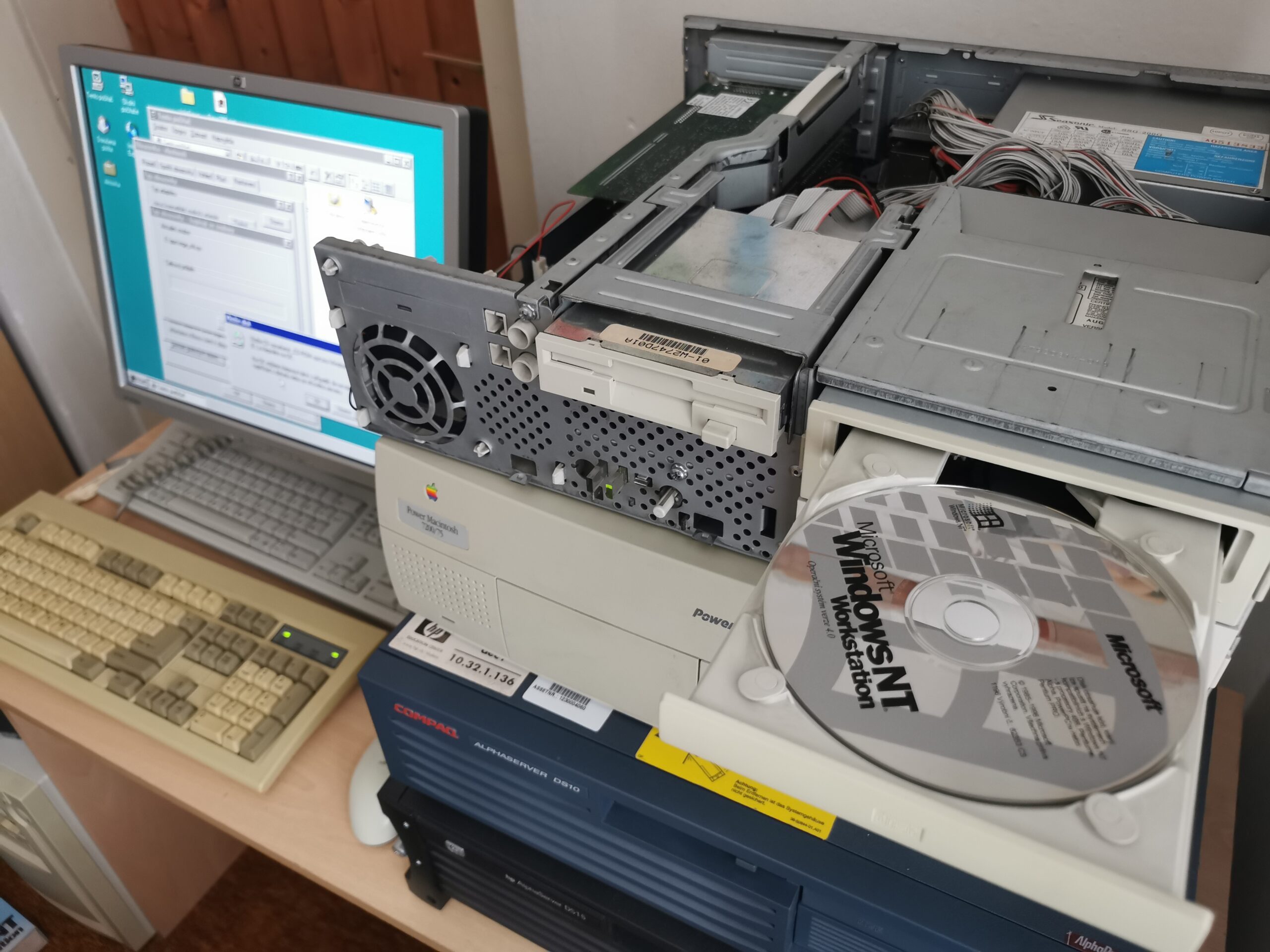
A little bit about Windows NT
The original line of Windows OS was an evolution from MS-DOS and was strongly tied with Intel x86 CPU architecture. Microsoft felt that this can be an existential issue for the company – especially during the late 80s and early 90s, certain experts and press repeated loudly that the x86 architecture was at its limits, so the move to something else is inevitable.
Now we know that the CPUs evolving from the original x86 are still with us and they are way more powerful than what was considered as the limit for this architecture back then. However, everything seemed different in the past. Professional UNIX workstations started to move to modern RISC CPUs like SPARC, MIPS, Alpha etc. The new CPUs often had lower power consumption, smaller chip die or higher performance (sometimes all of it). Even home video consoles were moving to RISC CPUs (to their low-power/low-performance versions).
As a result, Microsoft started to develop a new operating system (in cooperation with IBM as a special version of OS/2 NT in the beginning but that is a different story) that can be easily ported to any standard CPU architecture. They wanted to be sure that the design decisions are not affected by x86 at all so they developed a dedicated system board based another CPU architecture.
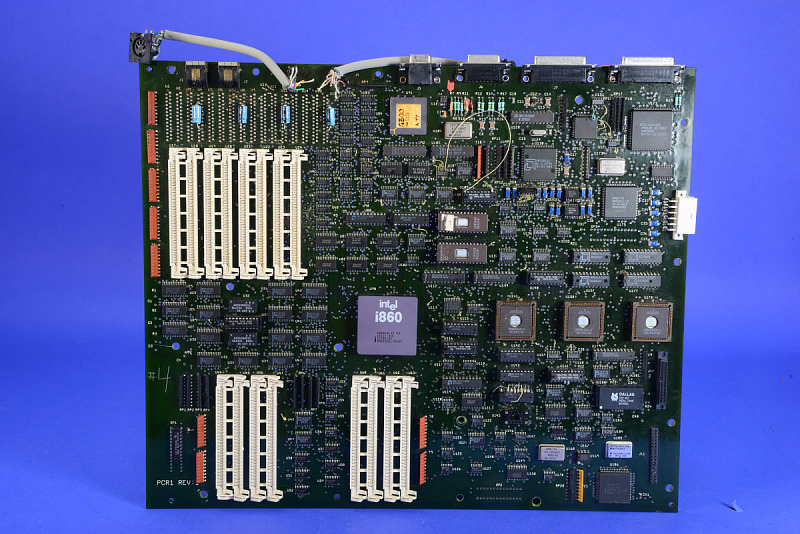
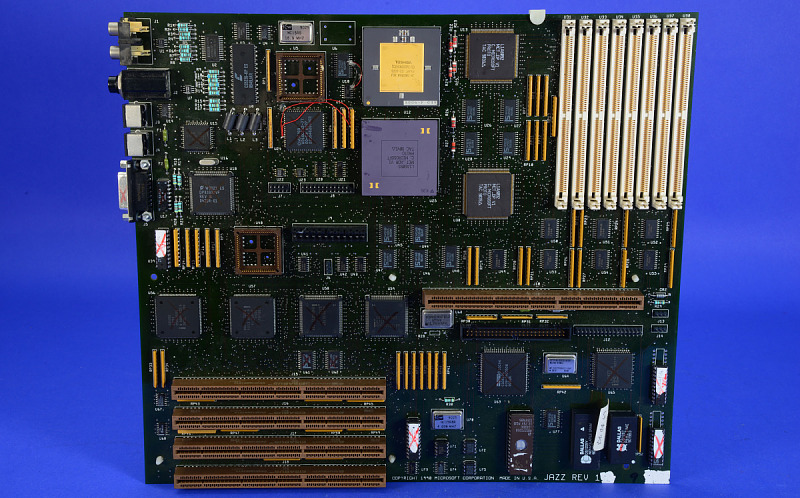
In the initial phase, they chose Intel i860. The codename for the CPU used was N10 (N-ten) and this affected the name of the new OS: Windows NT (later re-explained as “New Technology”). Microsoft soon moved from i860 to MIPS as it started to be clear that i860 will not be successful as a main CPU for computers (it was used in larger quantities as a geometric unit on 3D accelerator boards though). Also, it was hard to develop and optimize for i860. As was said in the Microprocessor Report magazine (Feb 12, 1992): “the Microsoft software engineers attempting to use the chip came to hate it with a passion.”
The new OS was released in 1993 as Windows NT 3.1 (to match the version of mainline Windows 3.1) and the installation media contained versions for MIPS and Intel x86 CPUs (soon followed by the version for DEC Alpha). NT was not only easily portable but also more advanced so it can help Microsoft to expand to new market segments (servers, hi-end workstations). It was finally fully 32-bit and supported out of the box preemptive multitasking, multiple users with access rights, journaling filesystem etc. This was a clear advantage over the standard Windows 3.1.
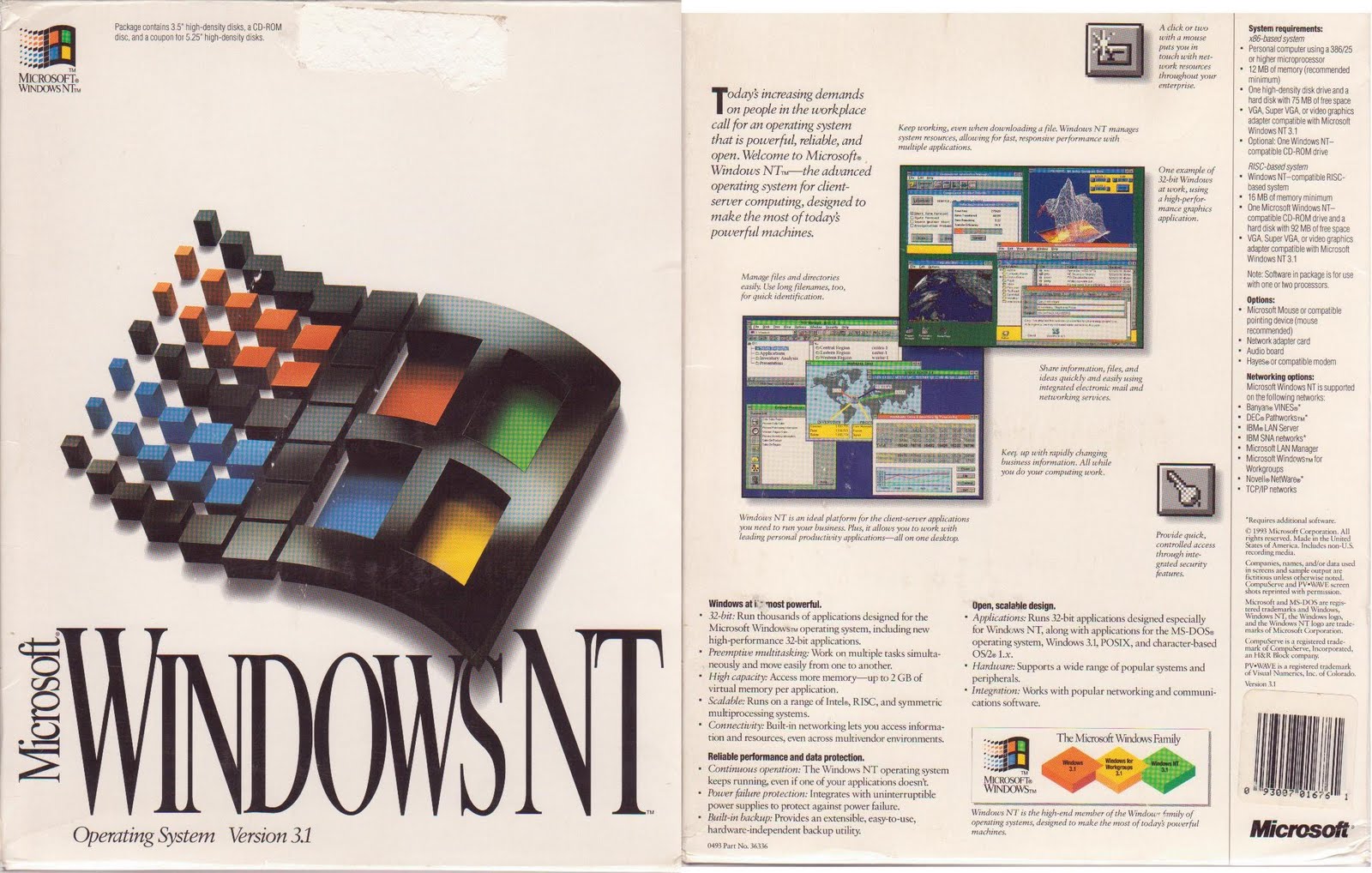
There were issues preventing NT 3.1 from being a bigger success. For a standard PC, it was more demanding (especially on the RAM side). For a server/workstation, it was not designed to be fully integrated in the most common non-Microsoft networking environments. Many issues were addressed in immediately following releases.
The first release to fully support PowerPC together with other CPU architectures was Windows NT 3.51 from 1995 (three months before Windows 95). It still had look and feel of Windows 3.1 (unless you installed the New Shell beta available on Microsoft’s FTP) but added support for symmetric multiprocessing (more CPUs in a single machine), PCMCIA and even OpenGL & 3D acceleration.
Processor Wars
The intention of supporting multiple CPU architectures in Windows NT was to provide ability to run familiar user interface on systems with higher performance than the x86 could provide. Therefore, people can abandon x86 and stay with Windows. Press (especially the Byte magazine) talked loudly about how there was already no future for x86.
During the NT development, MIPS R4x00 CPUs were significantly faster than contemporary Intel 486. Then, the same year the NT 3.1 was ready, Intel released the original Pentium (60-66 MHz) which improved the performance a lot and came closer to the performance of the MIPS offering. To get the same performance, the chip was larger, more expensive and with much higher power consumption. Switching to MIPS might make sense in theory from reading these lines.
The reality was more complicated though – MIPS CPUs were cheap, but available only in expensive workstations. The issue was that MIPS did not decide if they wanted to get money from licensing of the system architecture (board layouts, chipset, firmware, HAL drivers…) or from selling the MIPS CPUs in large volume. A basic manufacturing license cost $500,000 and a hardware vendor paid another $500,000 to get source CAD files, firmware source code etc. so they can make modifications of the design. After selling first 5000 machines, licensee had to pay $100 for every workstation sold (and also $100/workstation for the EISA license). That explains why the diskless MIPS Magnum 4000 system (100-MHz MIPS R4000PC; no secondary cache) cost $10,000 and you got 2.5-3× performance of a 33-MHz 486DX system – but you also had to pay three times as much. Adding the secondary cache to the system increased the price by $5,000 (to get 40% more performance).
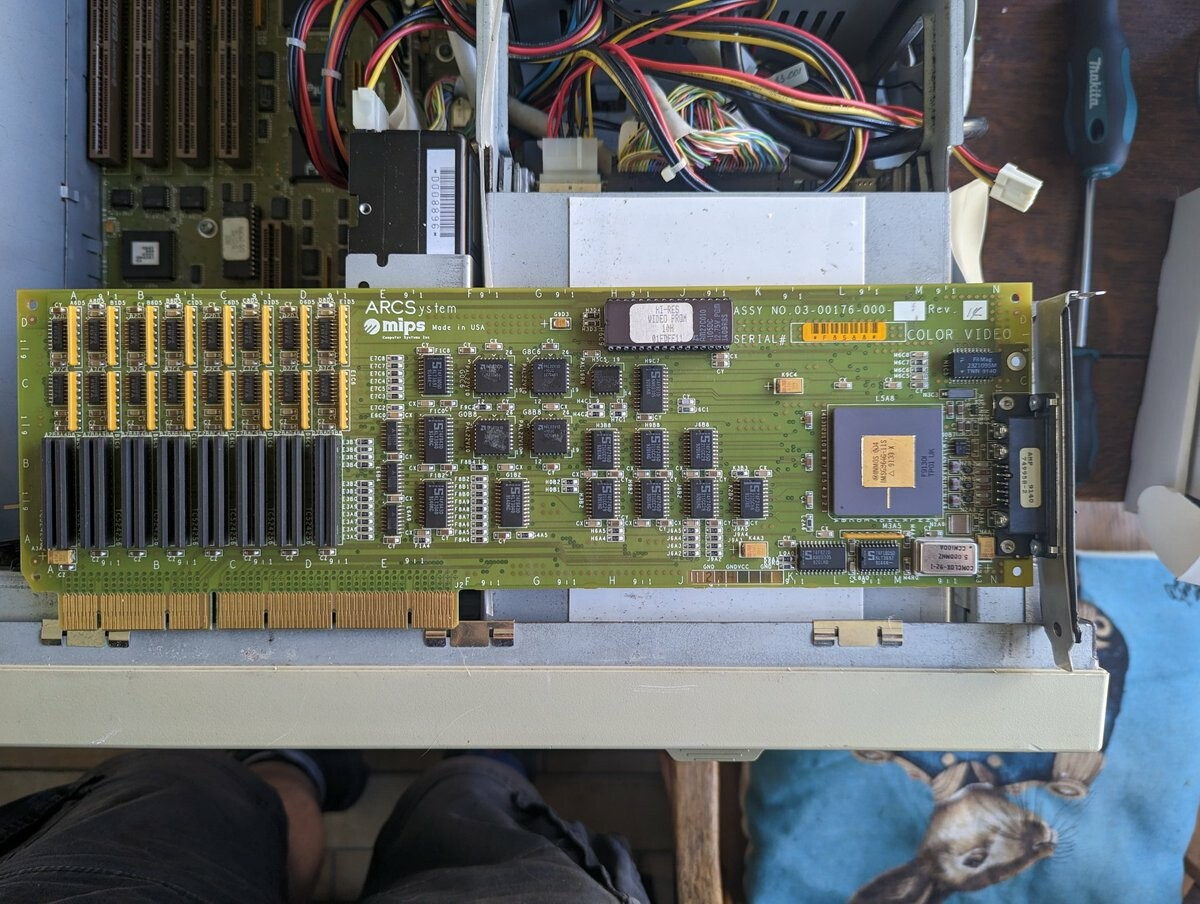
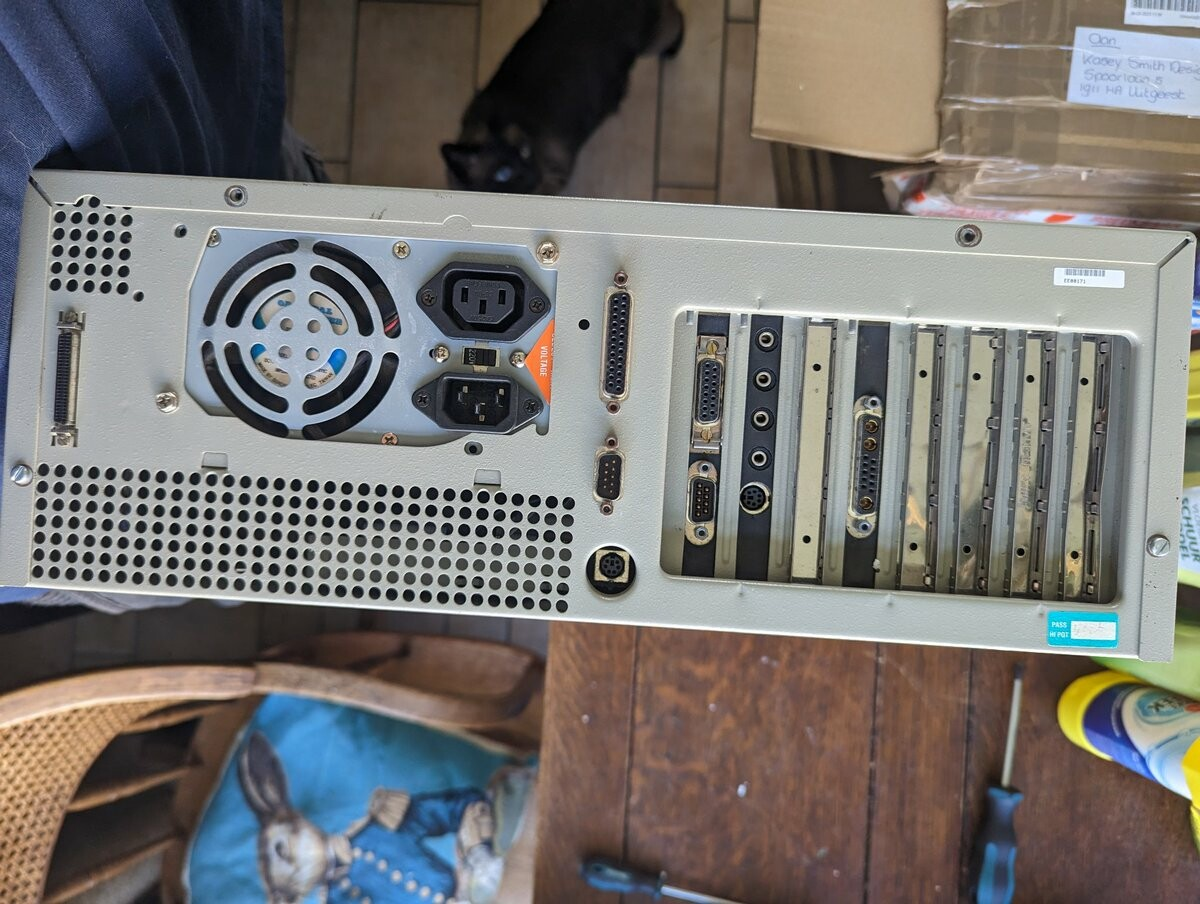
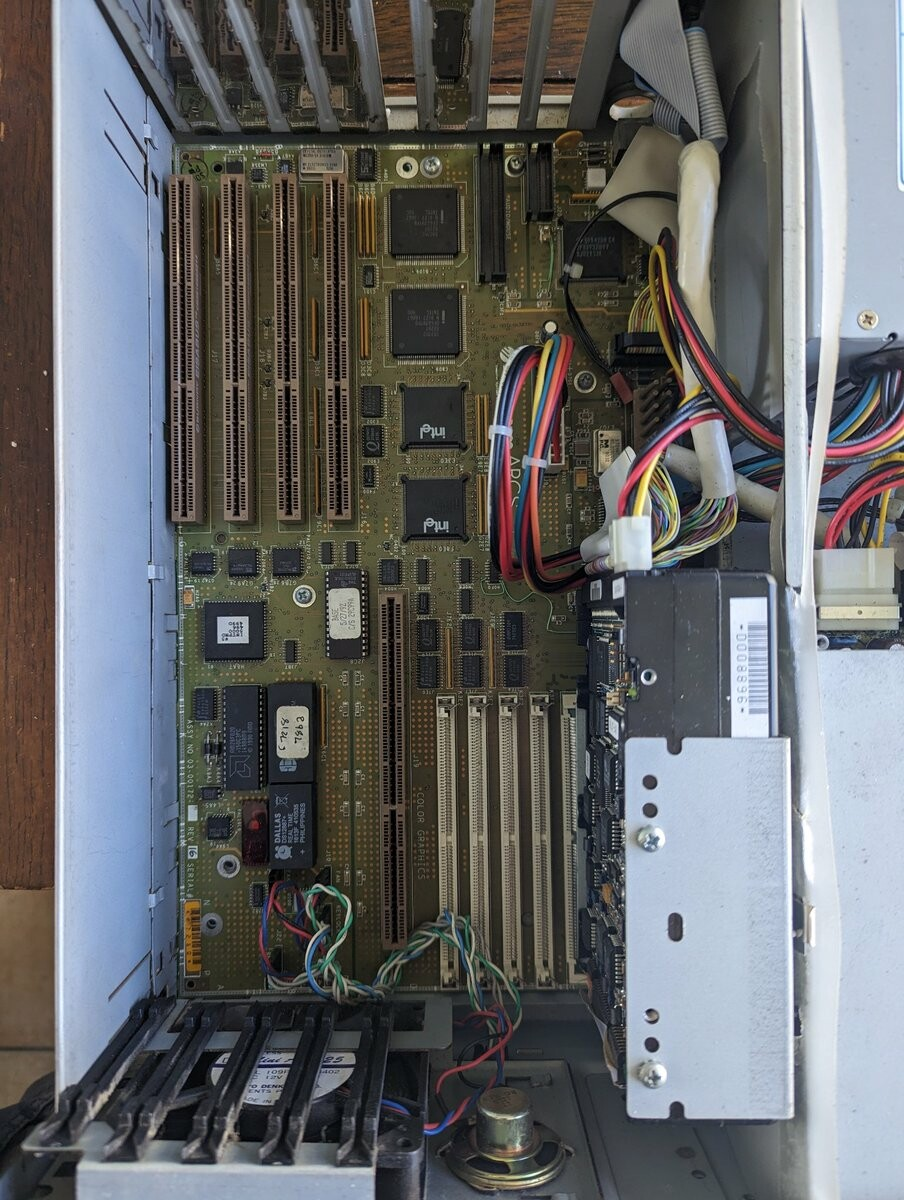
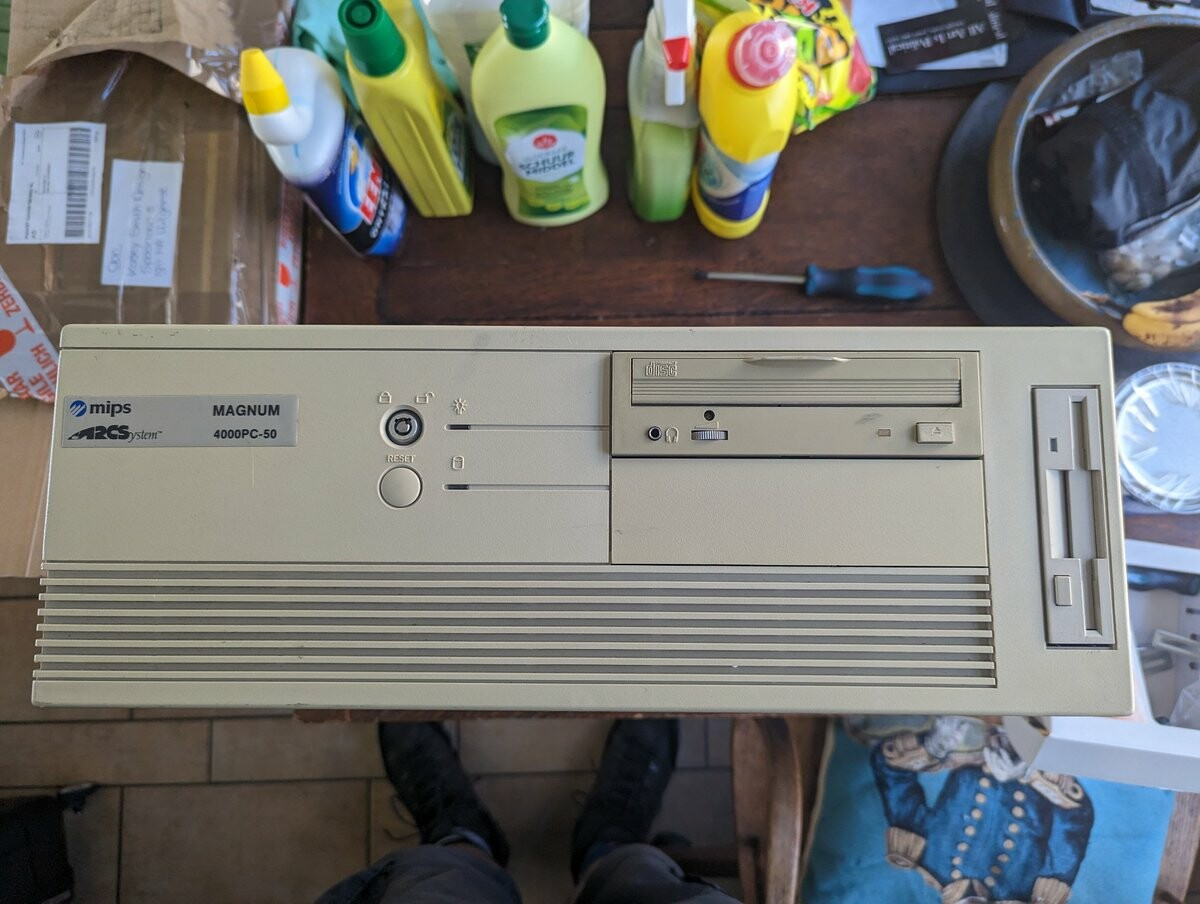
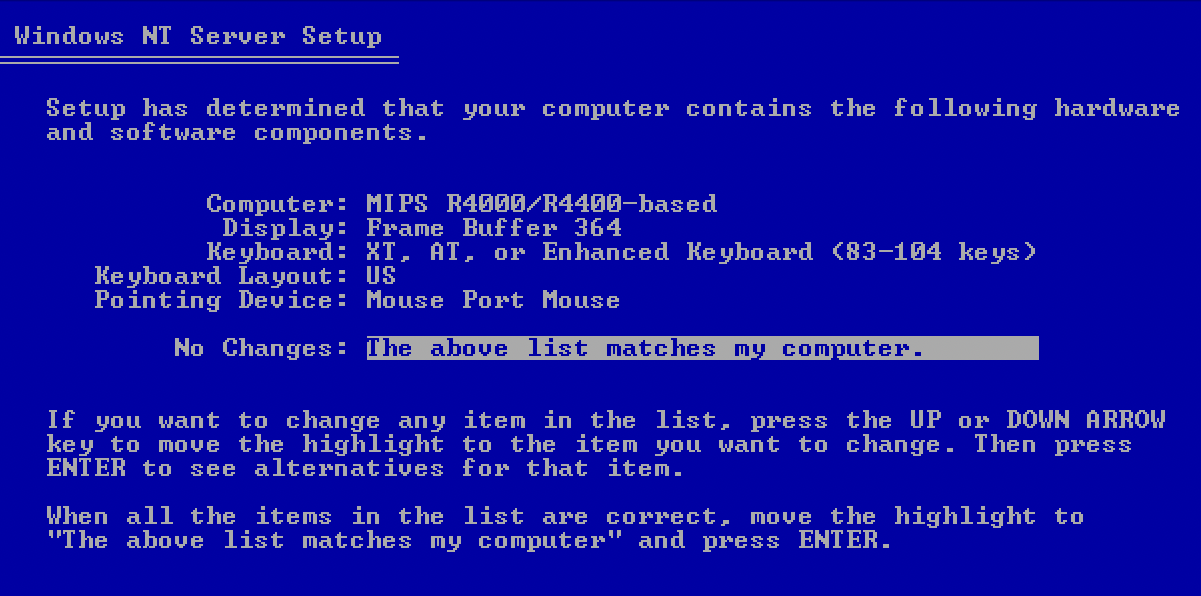
Although MIPS Magnum 4000 looks like an ordinary beige PC, it is based on a 100-MHz MIPS R4000 CPU, has two-way interleaved memory bus (128-bit) and allows expansion using industry standard EISA cards. Only the graphics hardware is connected though native 64-bit bus to eliminate bottlenecks between the CPU and video memory (the INMOS framebuffer is fast but provides no acceleration). Sadly, the machine firmware expects this custom graphics hardware and does not work with standard ISA/EISA SVGA cards.
Even if the Pentium (when released within a year) was a more expensive CPU, the whole computer was not (low-volume goods with high-profit margin). The massive escape from x86 didn’t happen. Windows NT 3.1 was not mature enough, there were few 32-bit native Windows x86 apps and almost no Windows apps for other architectures. It was just too early for the switch and MIPS gave up after a few years (being bought be SGI, the focus had changed).
There were niche markets where Windows on MIPS caught for a while though. 3D rendering packages added versions for RISC CPUs. Aside customer-specific packages, Newtek LightWave 3D was among the first apps leveraging better performance with MIPS and Alpha (later, there was also SoftImage 3D for RISC NT machines). PowerPC came later and was more power efficient than Pentiums but failed to provide significant performance boost. IBM and Motorola tried to push a message that PowerPC is the new PC, but IBM quickly abandoned this idea leaving Motorola alone in this effort. Alpha was a different story – it was very fast but also very expensive… but I will cover it properly in another article.
Ordinary customers had very little reason to switch to RISC machines with Windows. The missing cheap commodity hardware based on RISC CPUs (like affordable AT/ATX mainboards without ECC memory requirements, on-board SCSI and other expensive hardware) resulted in getting the attention only in few niche markets as single-app high performance machines. Vendors were not able to attract schools, universities and individuals.
The whole ‘we need to move from x86’ story ended with the release of Pentium Pro: a processor that proved how wrong were the Byte magazine and journalists predicting that the x86 architecture could not expand much beyond the original Pentium levels of performance. When the Pentium Pro was released the industry standard SPEC benchmark results for integer math were better than what RISC competitors offered. Telling the customers that x86 was dying and that they needed to switch to PowerPC (or other RISC architectures) just didn’t work anymore.
The important change compared to previous Intel x86 CPUs was that Pentium Pro translated internally every x86 instruction into multiple native micro-operations and reordered everything for faster execution. The CPU worked as a standard x86 on the outside, but inside, it was more like its RISC competition. There were some issues with Pentium Pro like very slow execution of 16bit DOS and 16/32bit hybrid Windows 9x code. However, that was resolved soon with a consumer-oriented Pentium II. Somewhere at this point, even workstation manufacturers previously using only RISC CPUs started to offer x86 systems as commodity x86 offered the best value-for-money.
As vendors like AIM (PowerPC), MIPS and DEC (Alpha) stopped offering hardware intended for Windows NT, Microsoft gradually dropped support for these platforms. That is the end of processor wars that transformed into decades of x86 (x86-64) dominance.
Servers and high-performance workstations
My own experience with Windows NT on PowerPC is based on two machines. Bull Estrella and Motorola PowerStack E (both circa 1995). The PowerStact E has a very interesting stackable modular design, and it was initially marketed more as a UNIX server (IBM AIX) that could handle tens of users connected remotely using text-based or graphics (X) terminals. The Estrella looks like a regular desktop workstation and it was much cheaper.
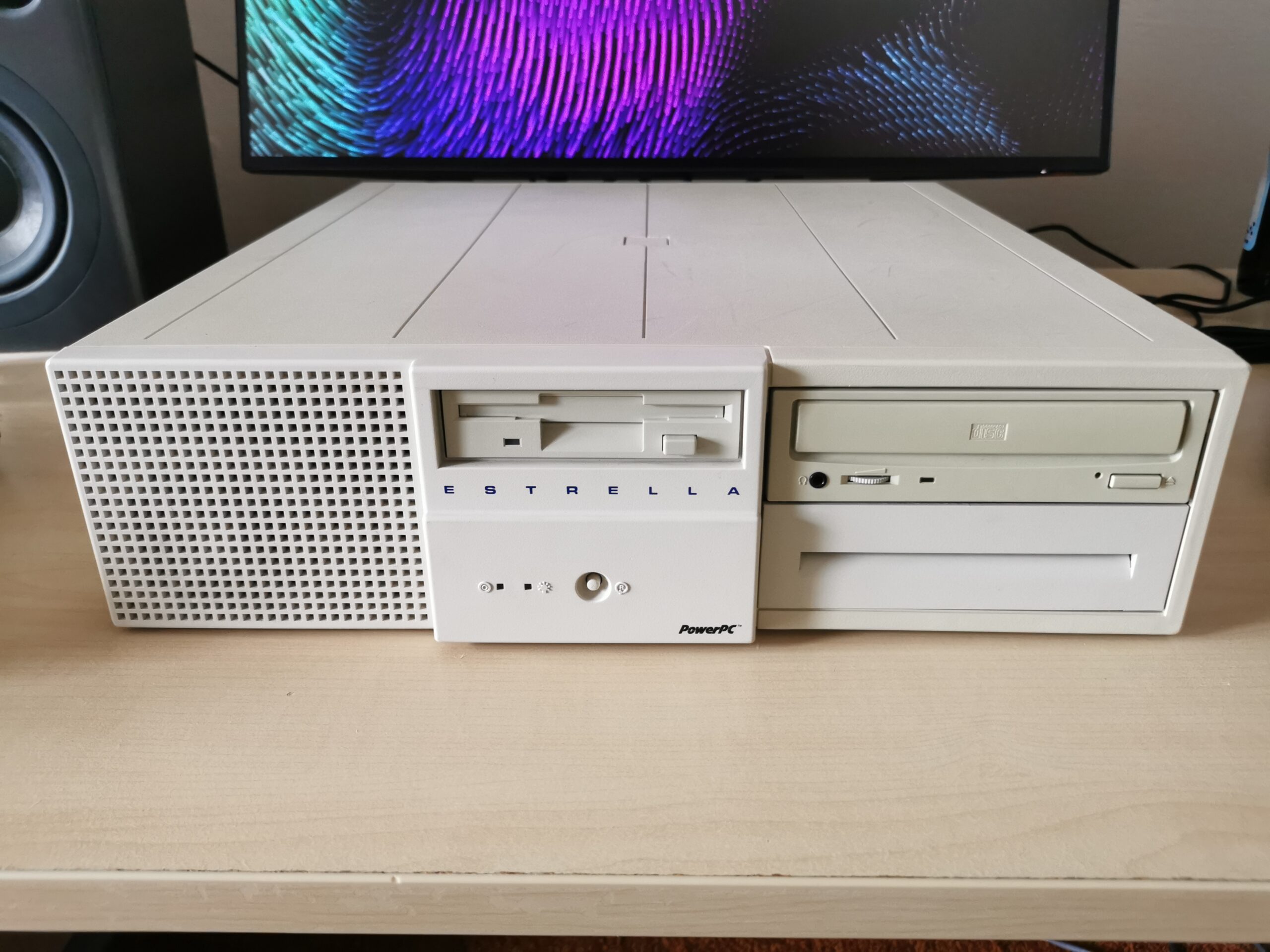
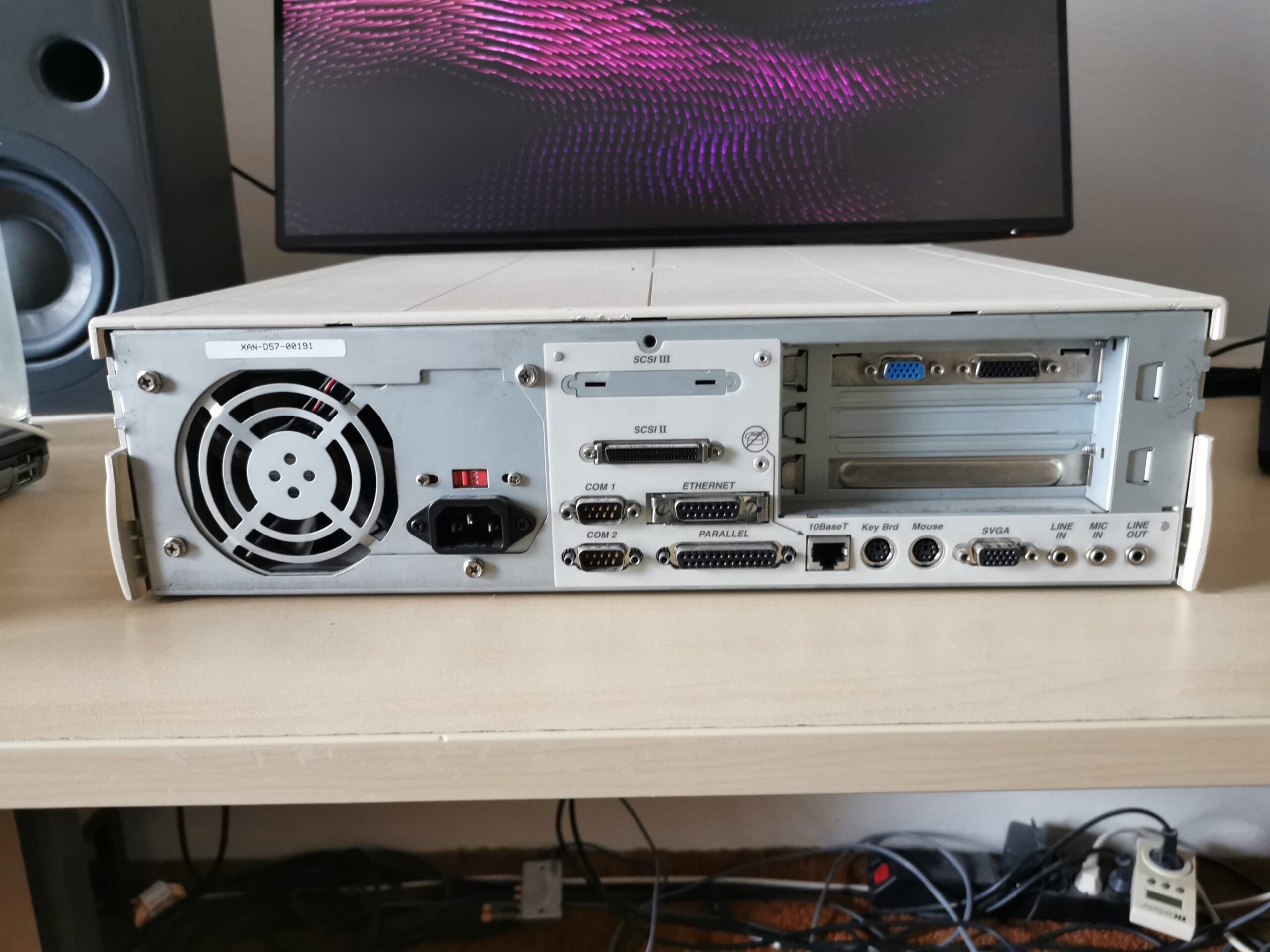
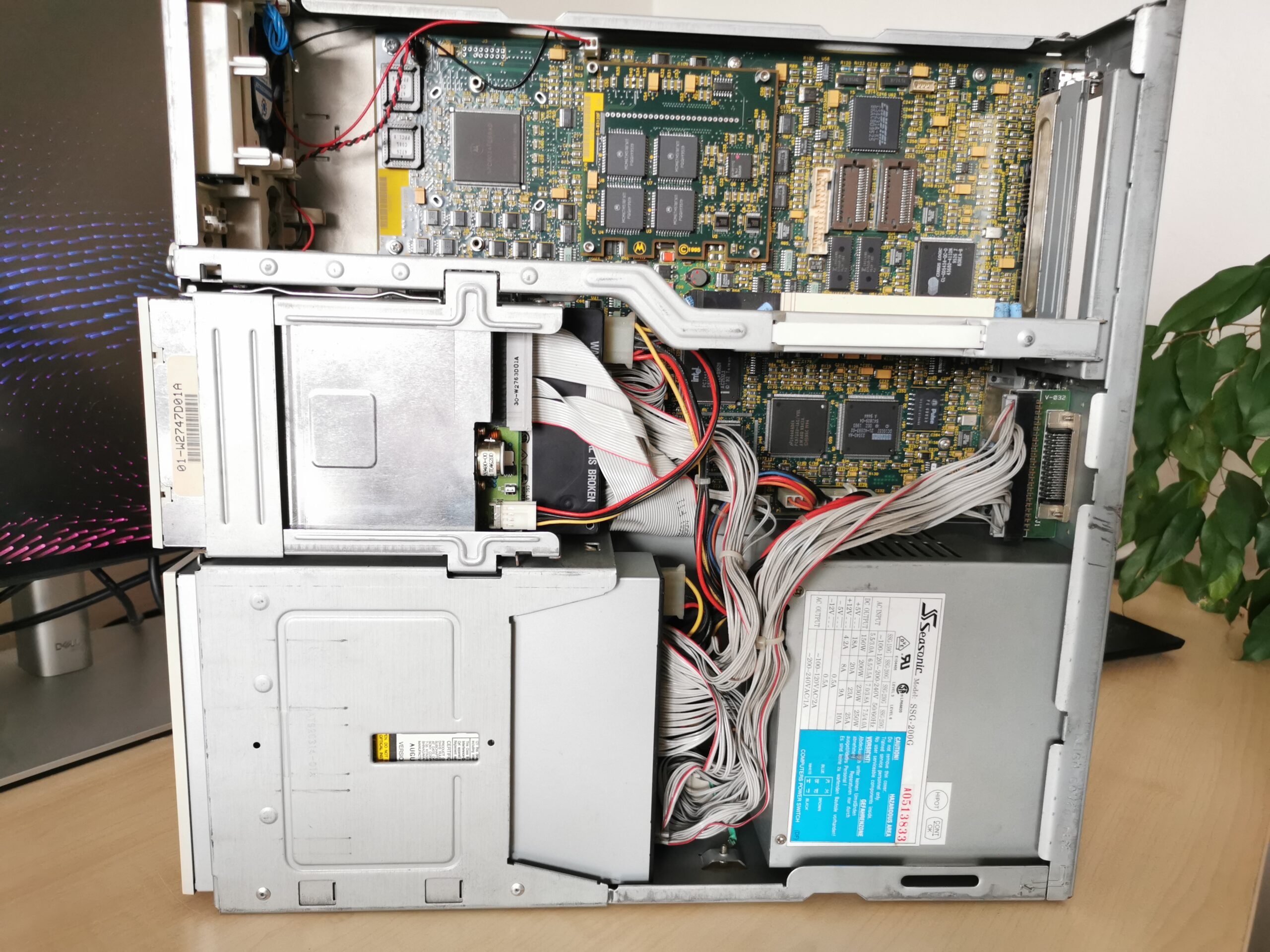
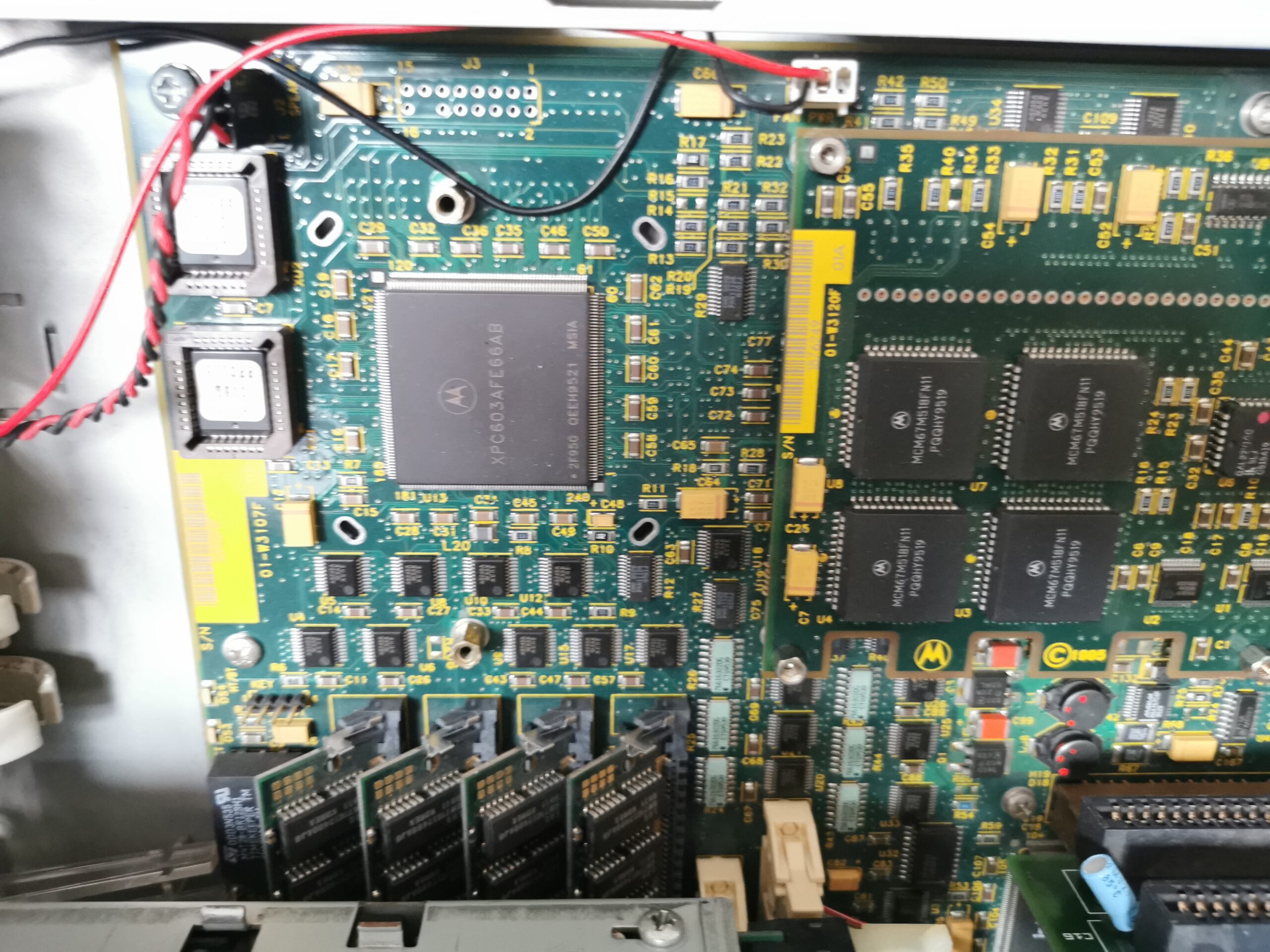
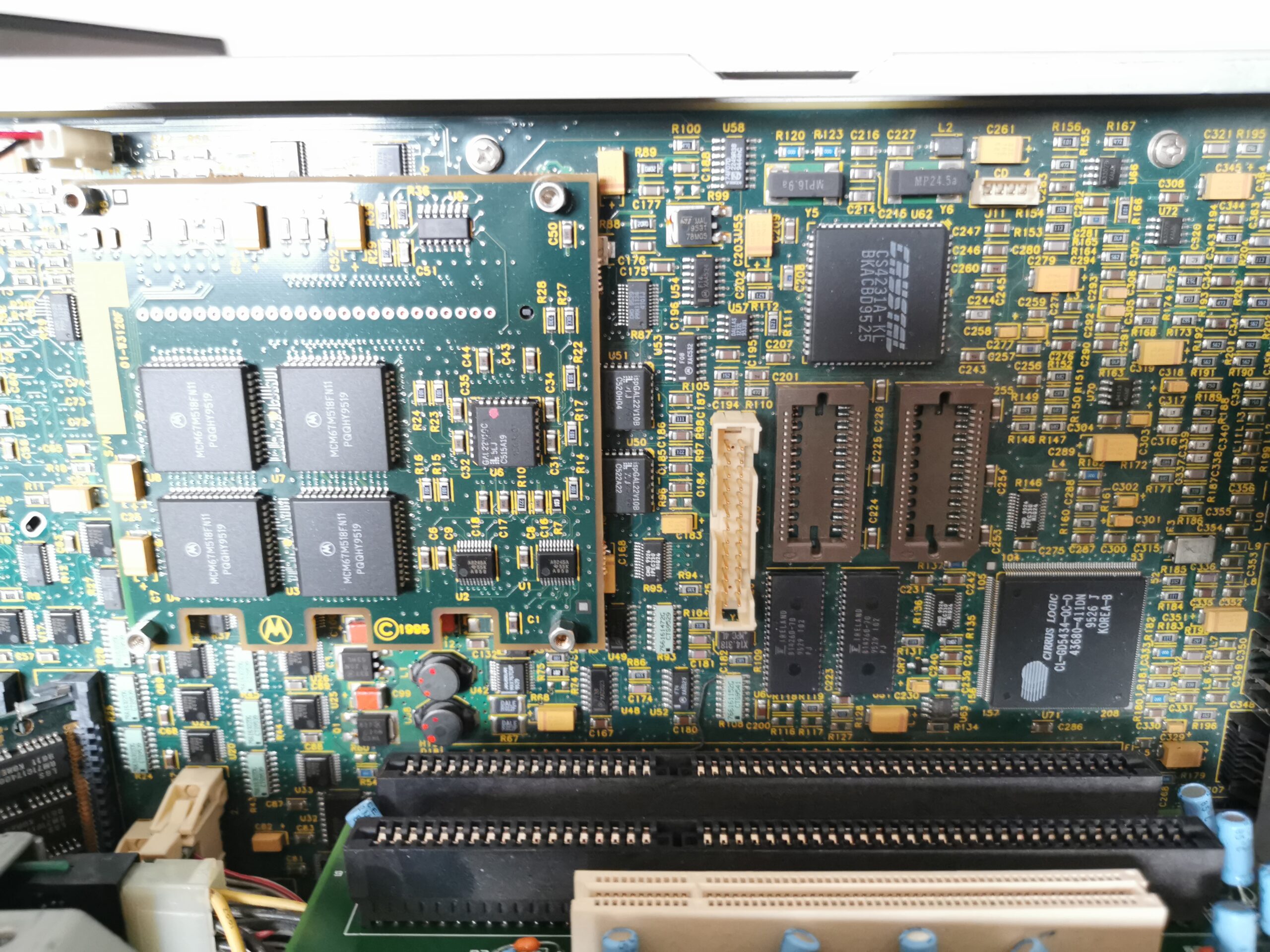
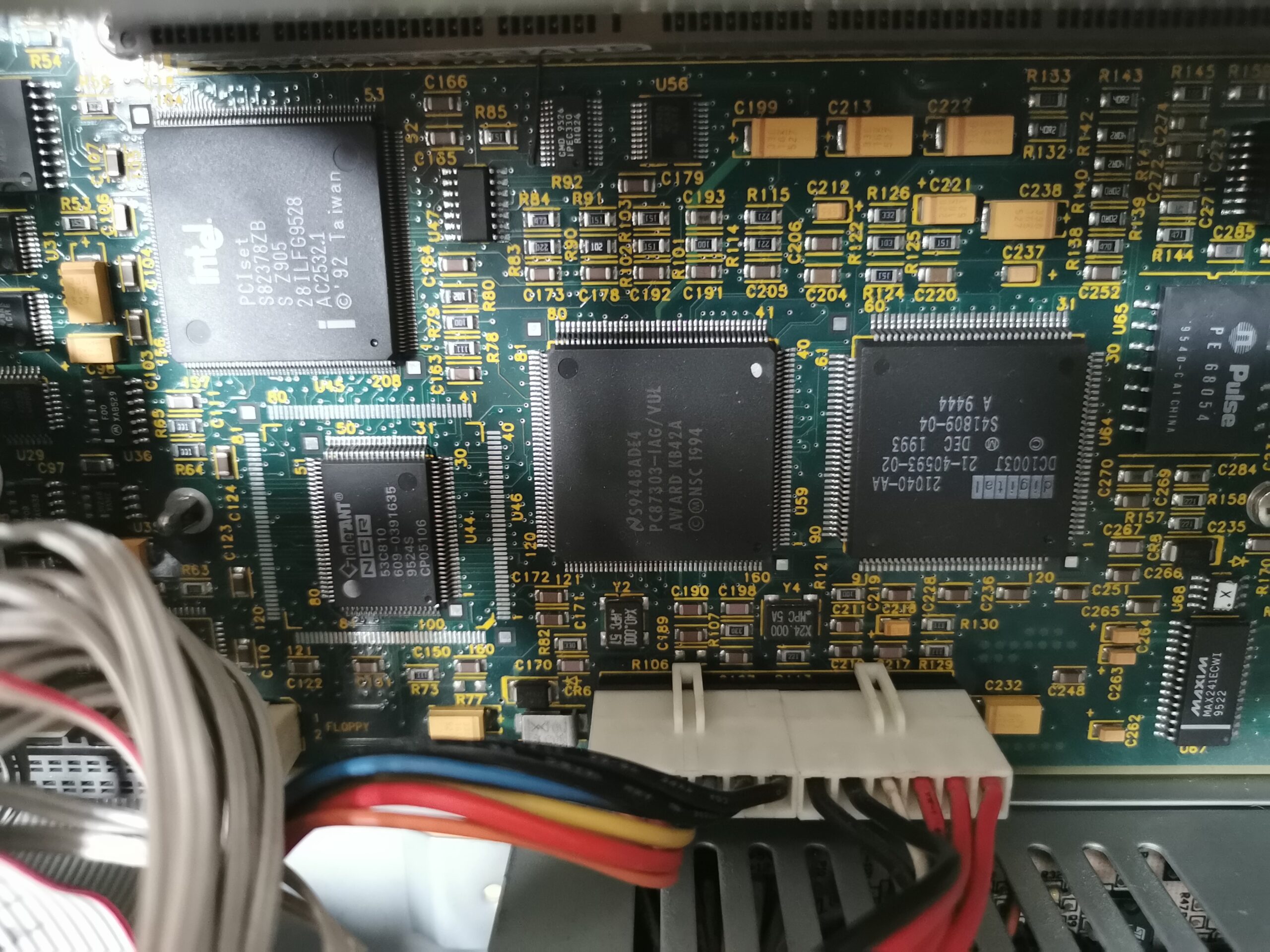
Boths systems were designed by Motorola and follow the reference hardware design very closely. Thus, there is a standard PCI SVGA graphics card (Cirrus Logic GD-5434) either integrated on mainboard or in a form of a PCI add-on board. There is also the same Crystal CS4231 sound chip, two PS/2 ports, 10Mb/s Ethernet, 3.5” floppy drive and a SCSI controller for a hard drive and an optical drive. Both systems provide PCI slots for expansion cards – PowerStack E in a form of 64bit PCI-X. Estrella on the other hand has also ISA slots.
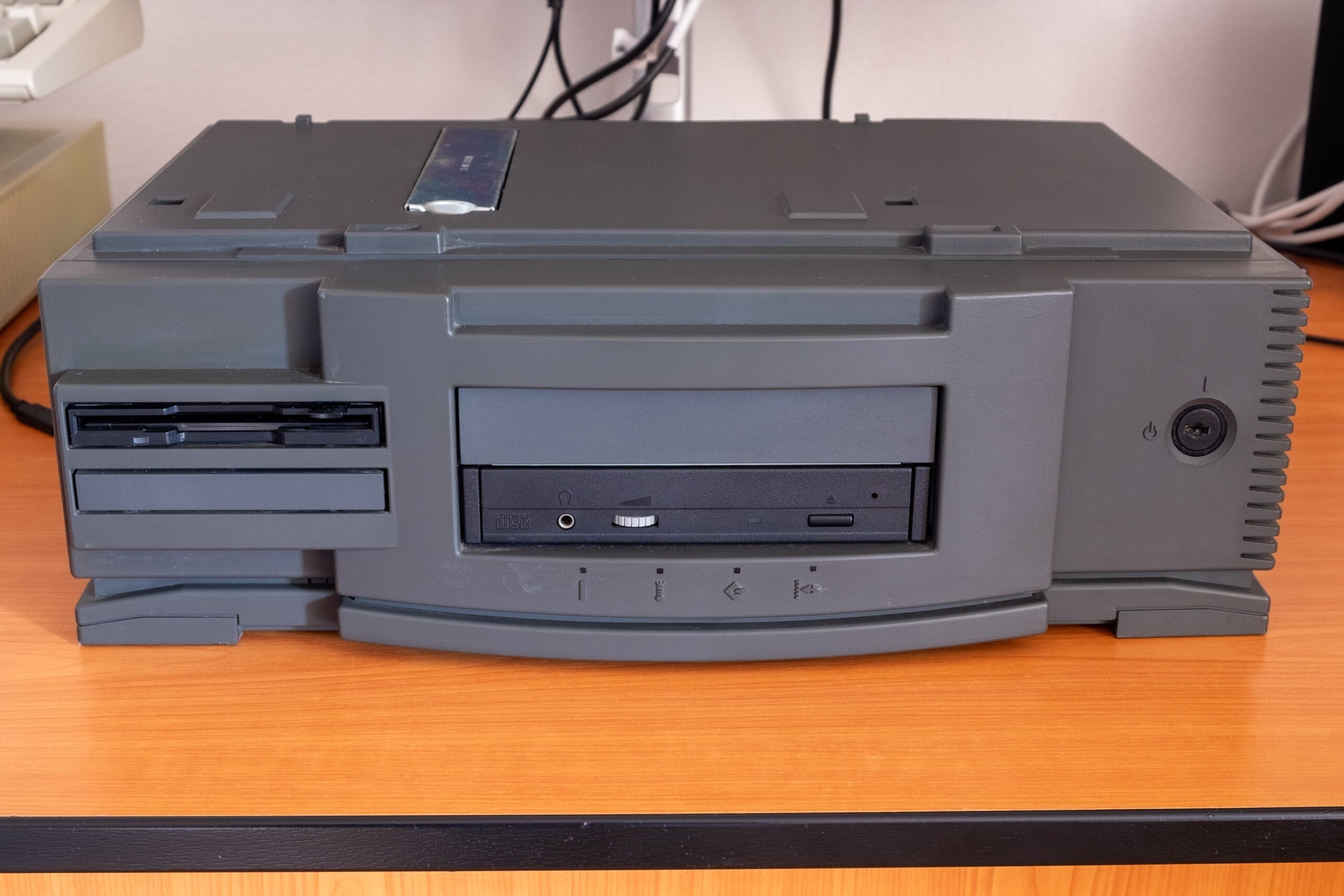
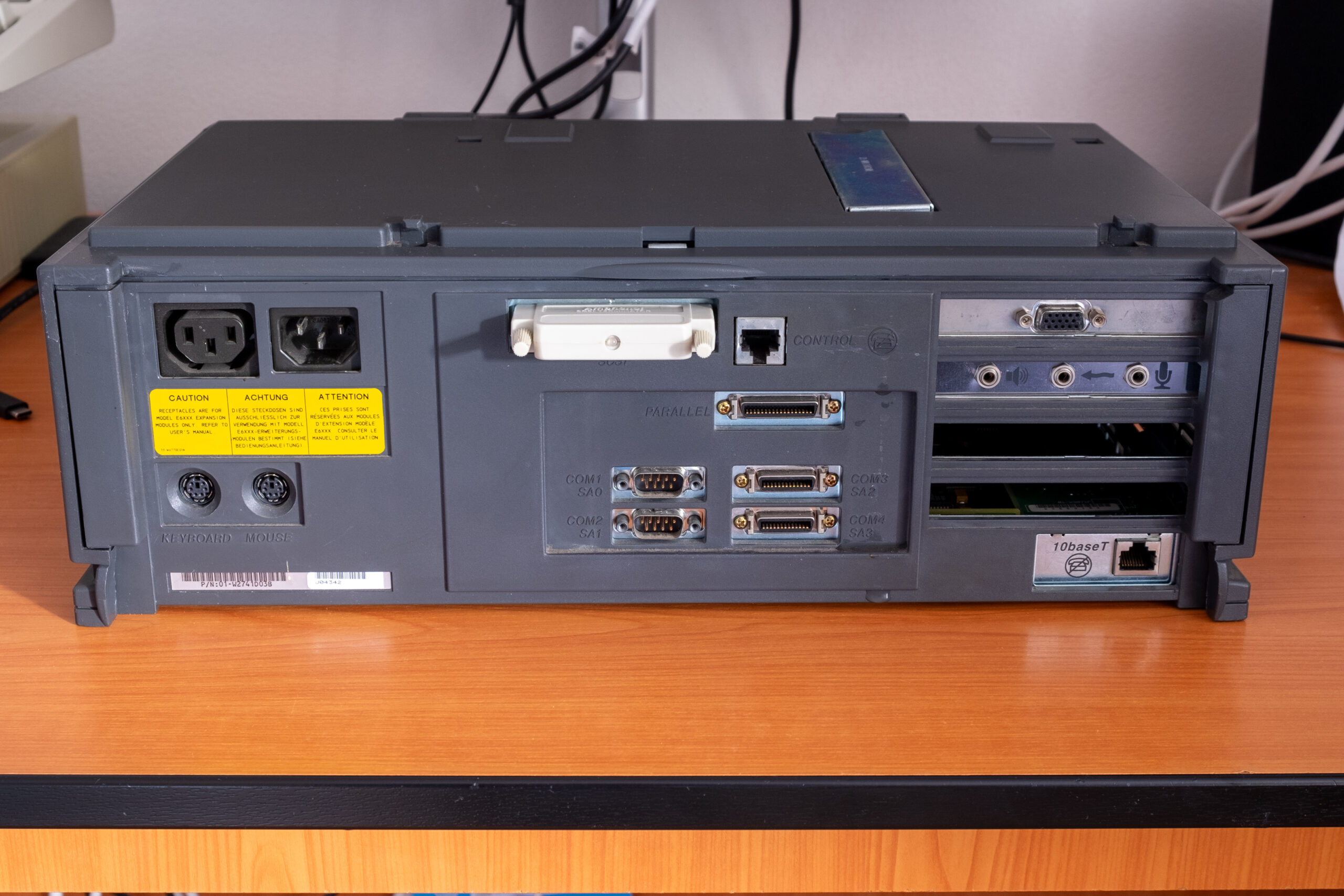
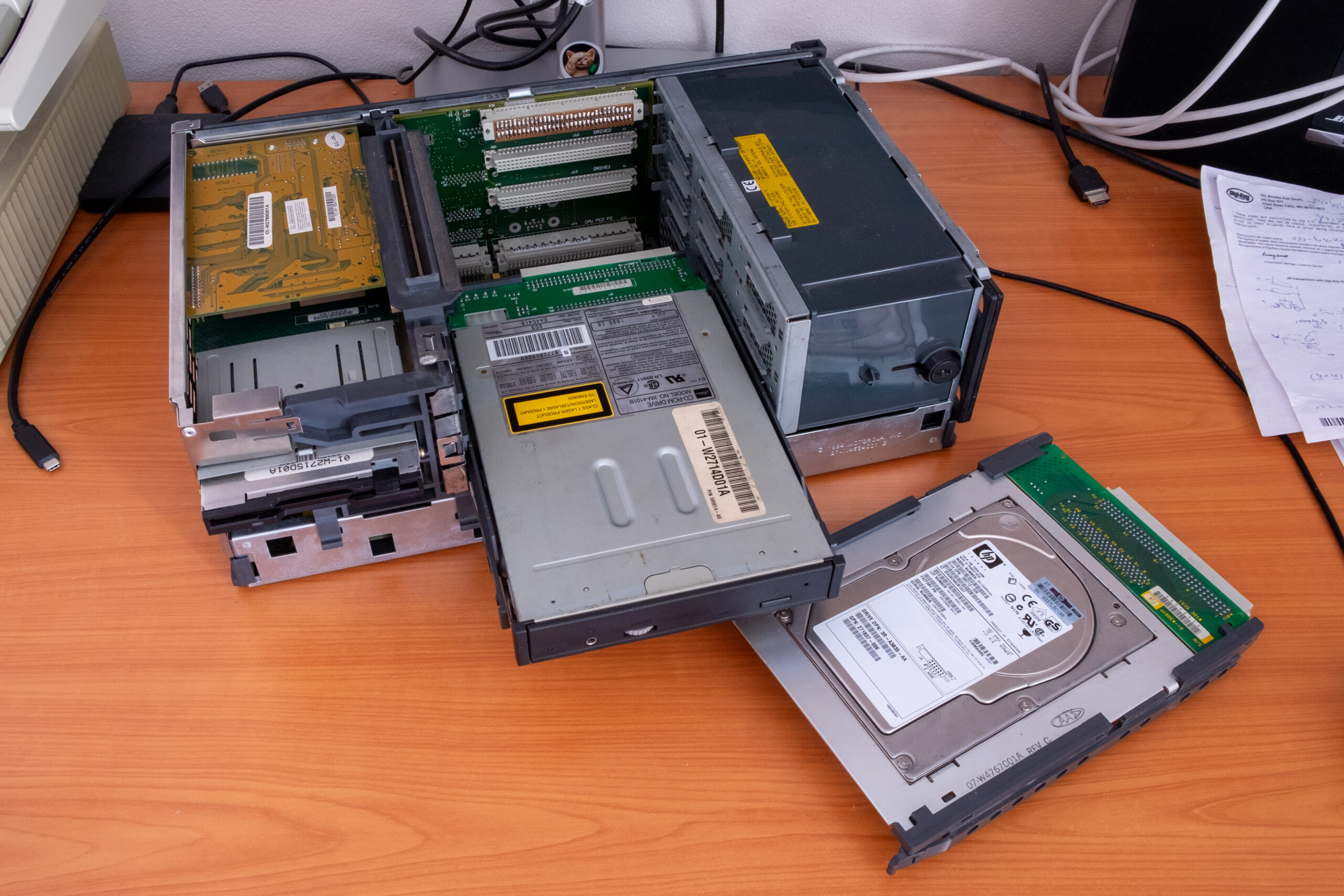
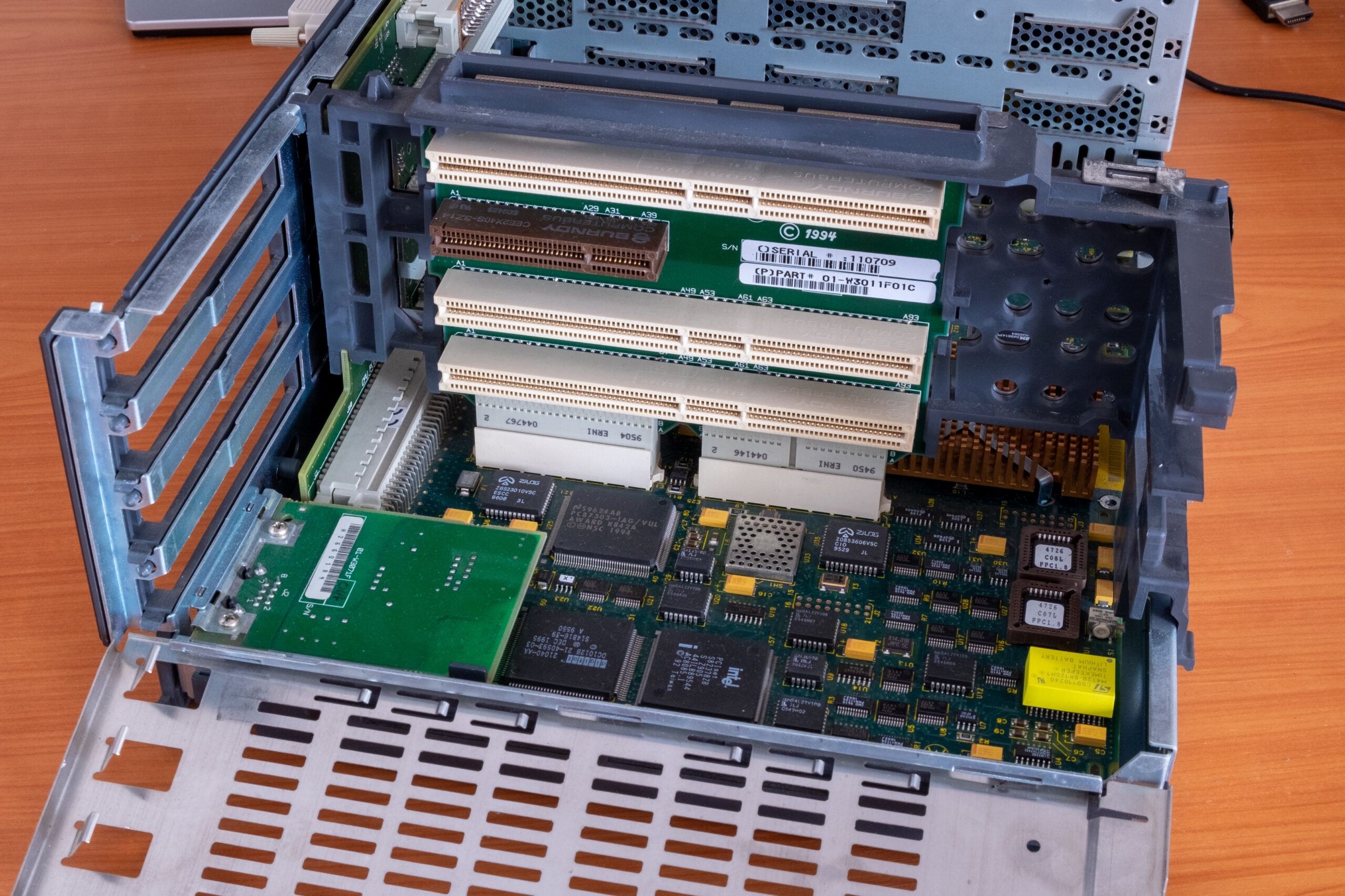
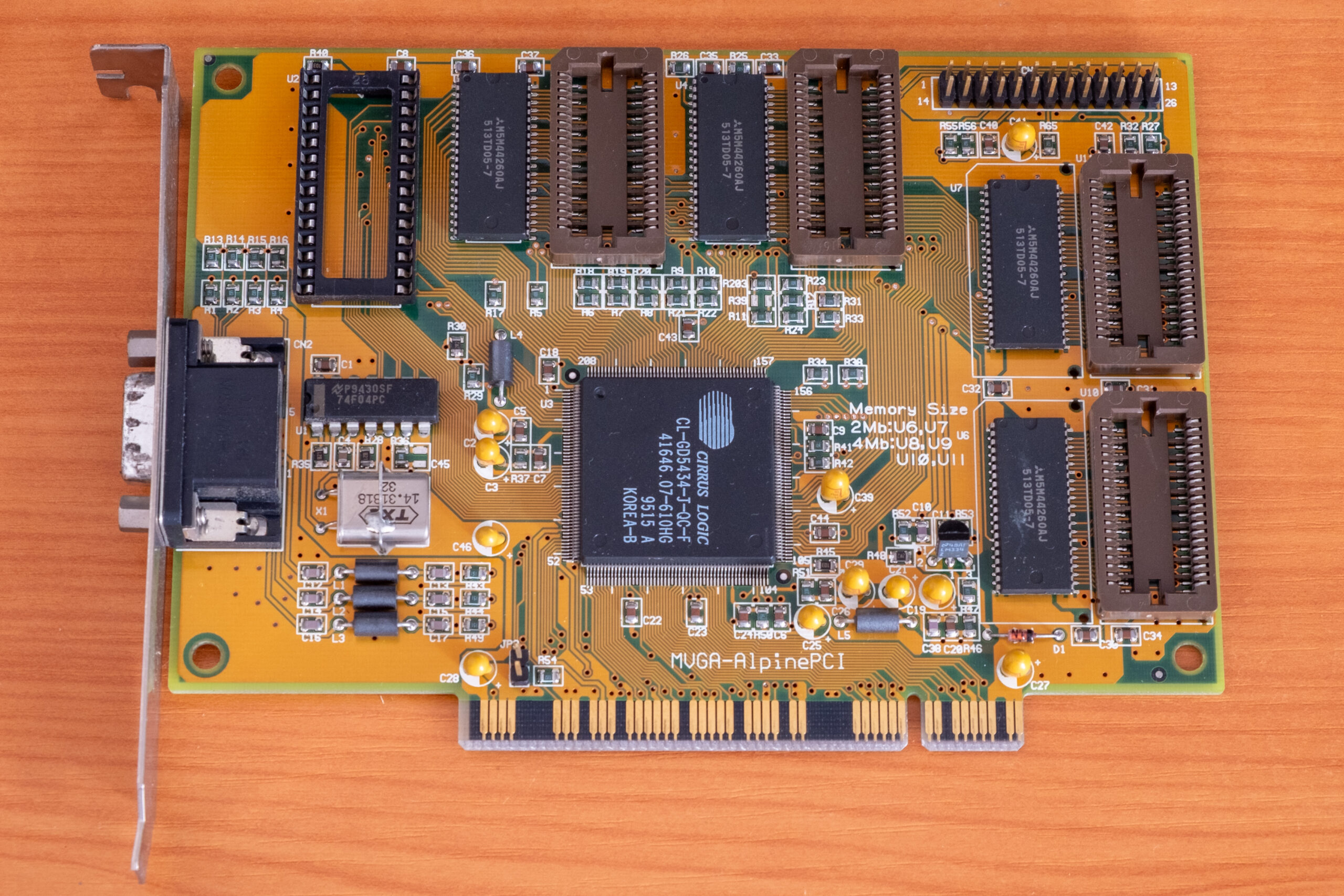
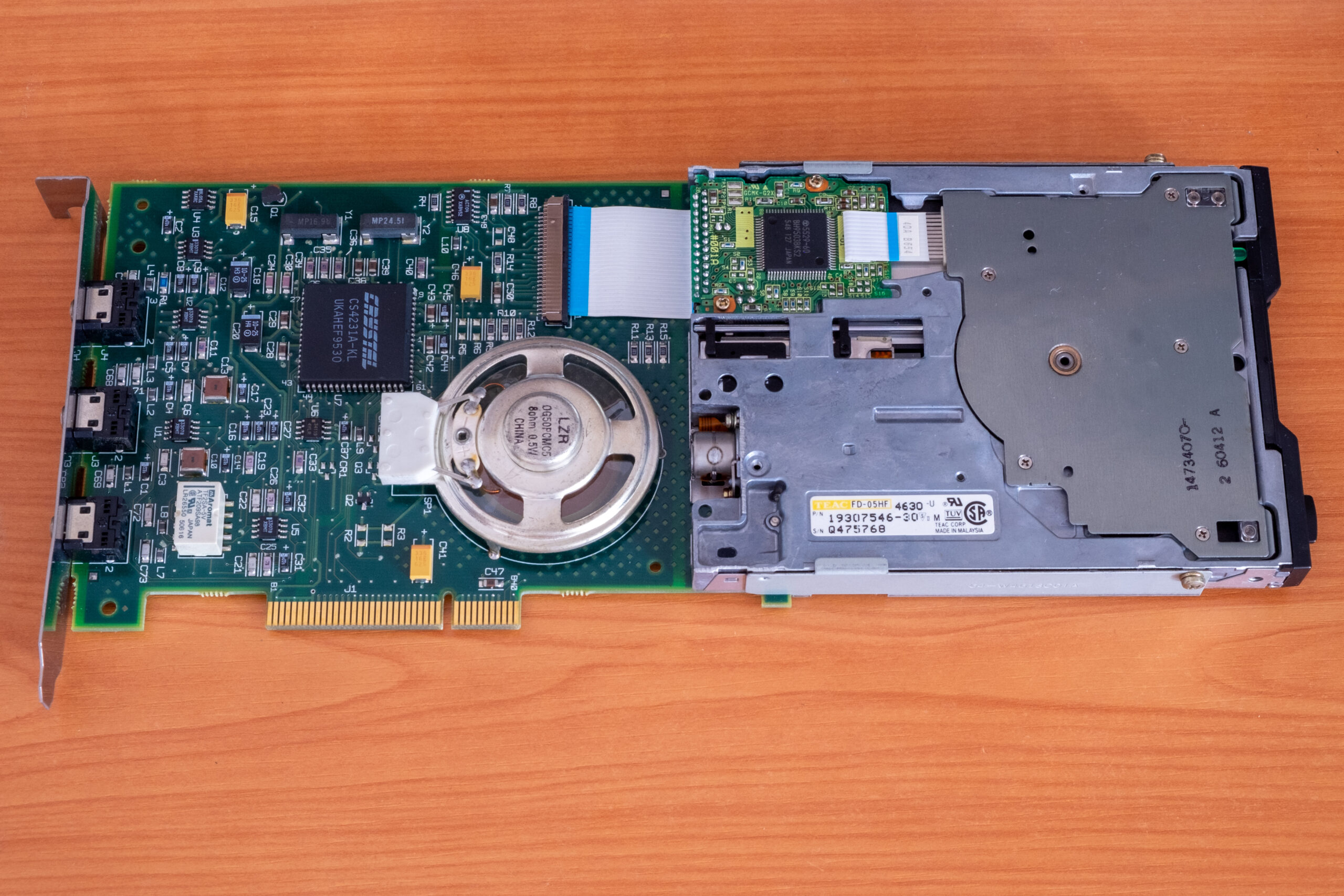
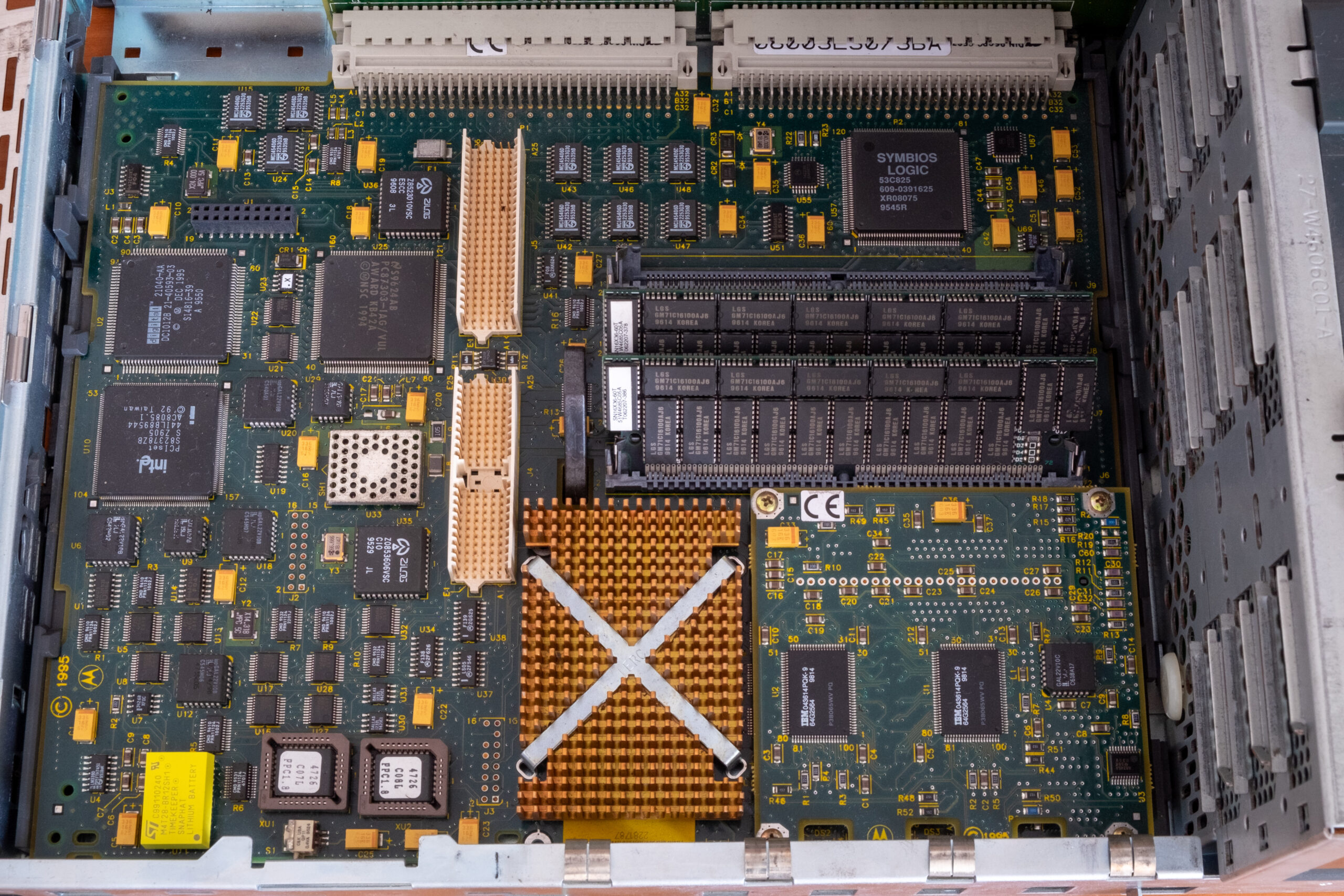
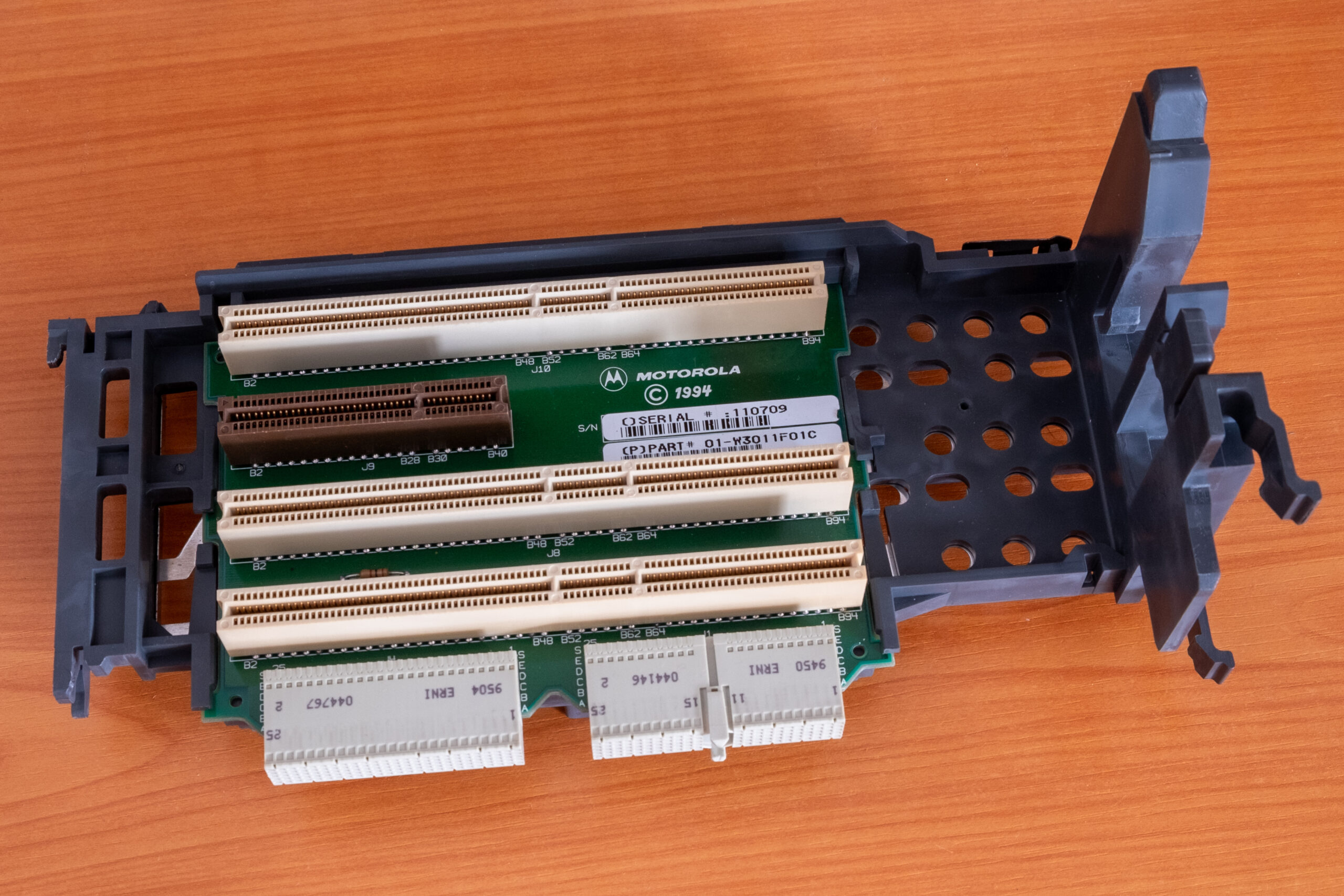
The biggest difference is, however, in the CPUs. Estrella is based on a low-power 66-MHz PowerPC 603, PowerStack has a superscalar 133-MHz PowerPC 604 with a powerful floating point unit. The former was a competition for the original Pentium. The latter was head to head with Pentium Pro.
No standard BIOS, multiple firmwares
Do not expect a PC BIOS in PowerPC systems. There were multiple firmware options available, each supported different operating systems. Dual booting was therefore problematic as new firmware must have been flashed from a floppy disk and any previous configuration was erased from NVRAM. Alpha-based systems also required different firmware for Windows (ARC) and for Tru64 UNIX/OpenVMS (SRM). However, they allowed dual-firmware functionality with easy switching between modules.
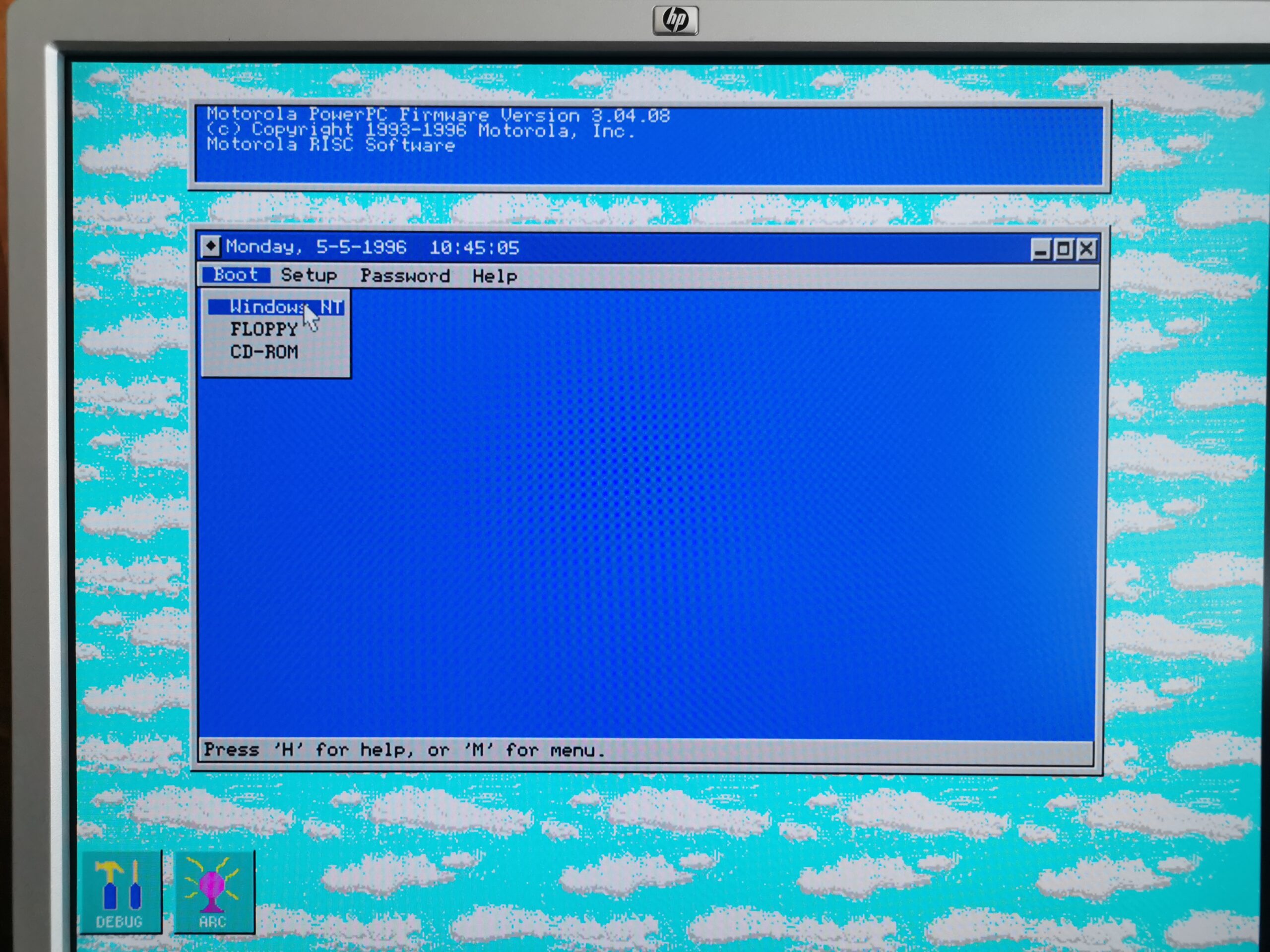
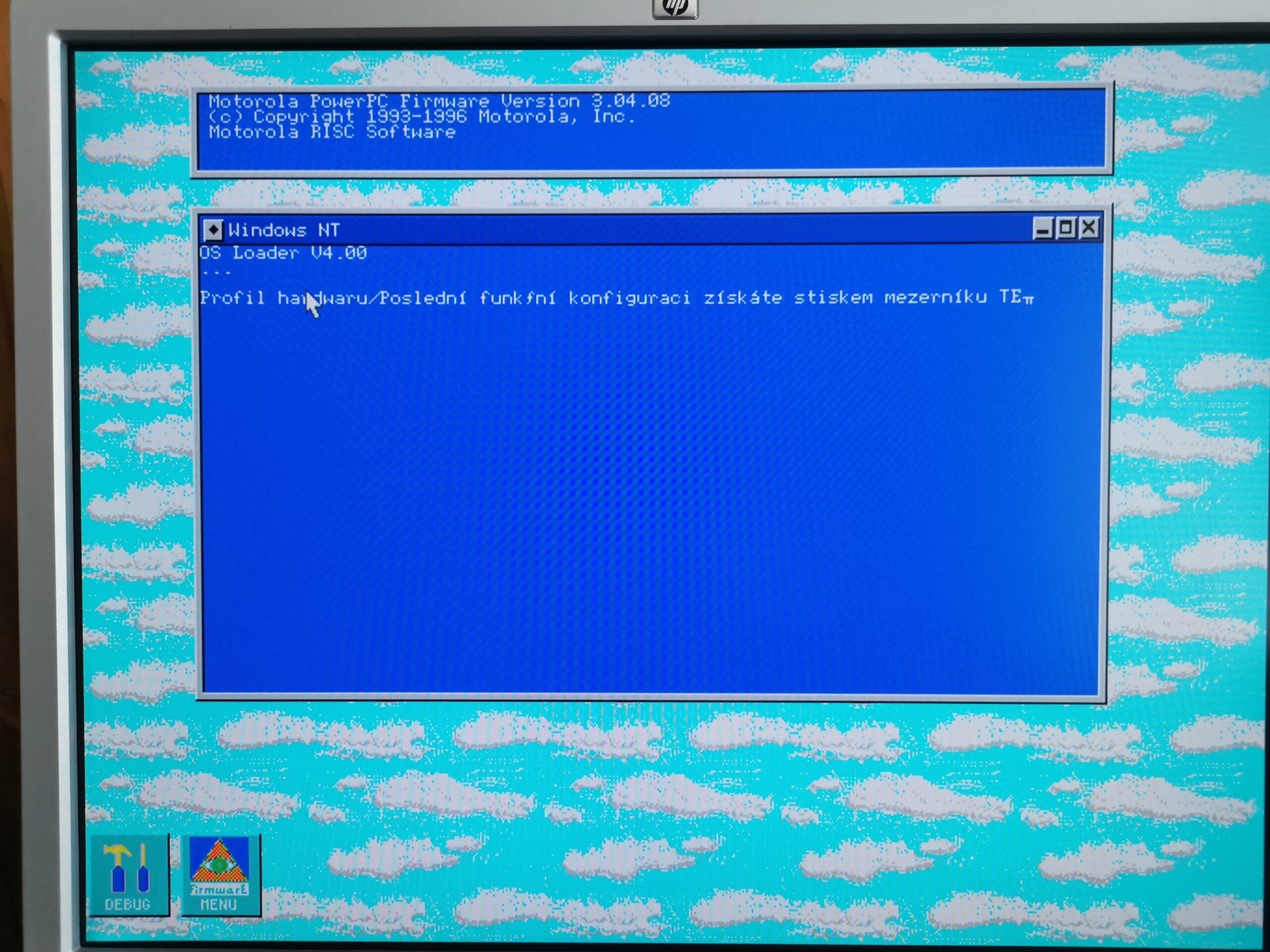
This article is about Windows NT which required ARC firmware. The ARC implementation on Motorola-based boards is graphical and tries to look like a Windows GUI (sort of). There are resizable/movable windows with pull-down menus and buttons. You can even change GUI colors and configure a screen saver. You can setup hard drive and partitions from firmware. Advanced commands are available in a command line interface called FDOS. The sad part is that the GUI is very slow, and when navigating through the menus, you always have to wait for a redraw to complete before you can do anything else (or even see where you moved the mouse cursor). Not every implementation of ARC firmware is this fancy and slow – this was a Motorola’s choice.
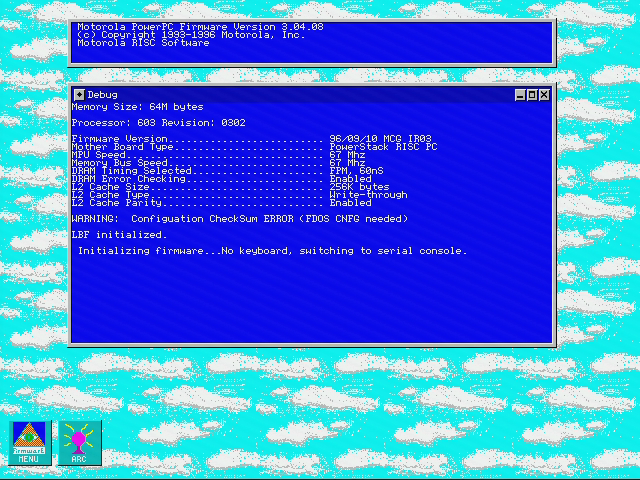
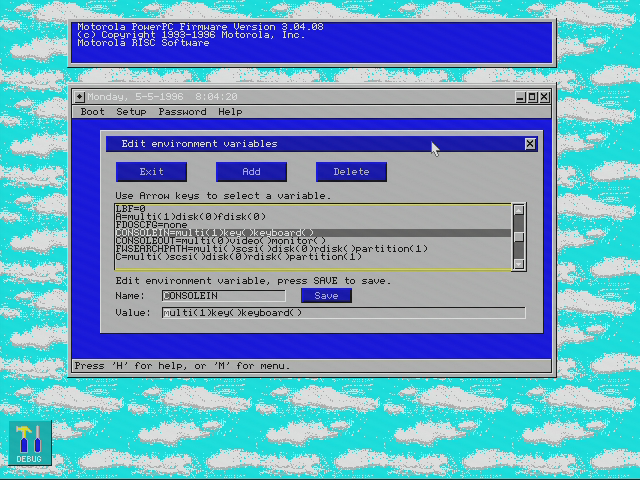
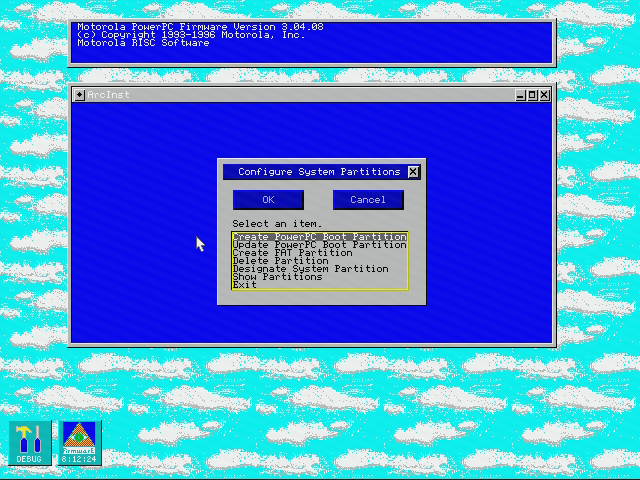
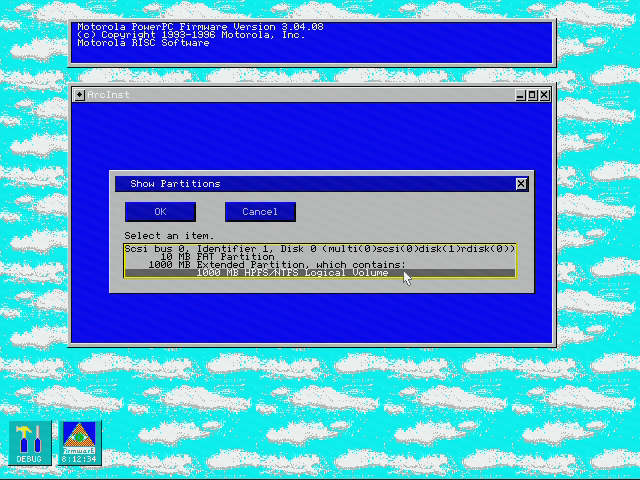
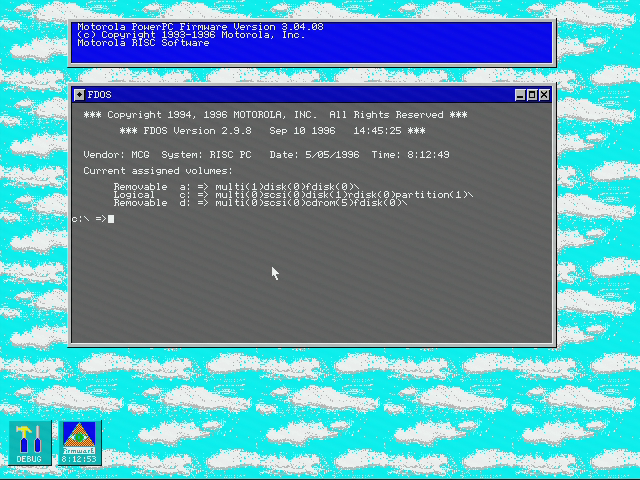
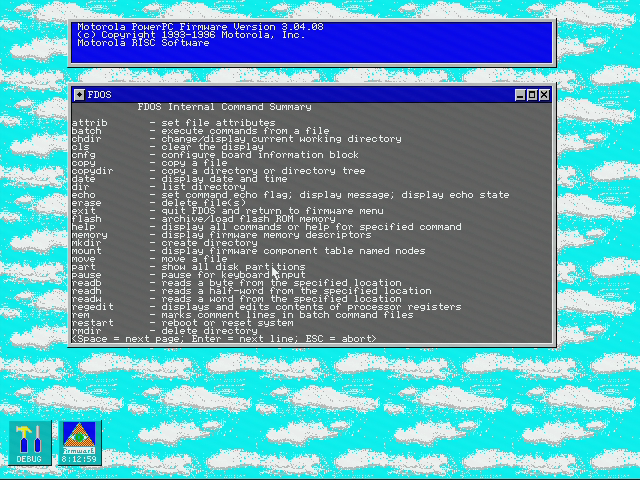
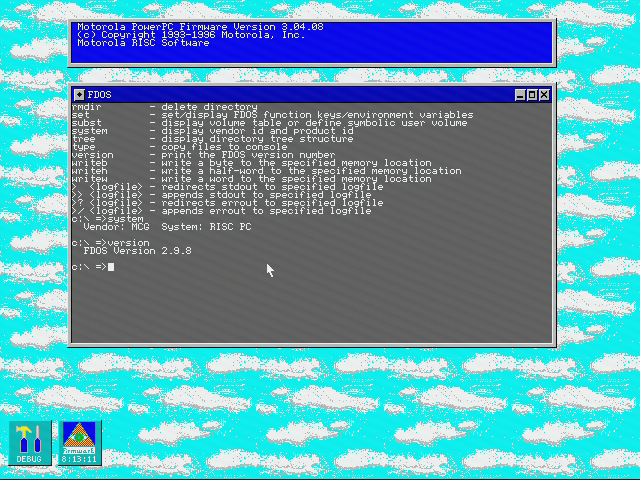
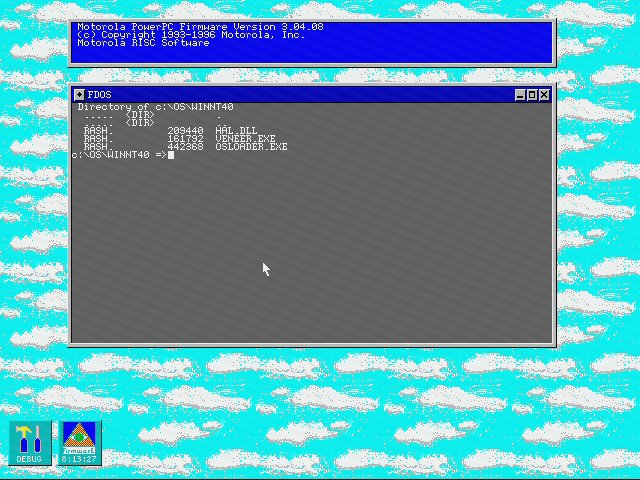
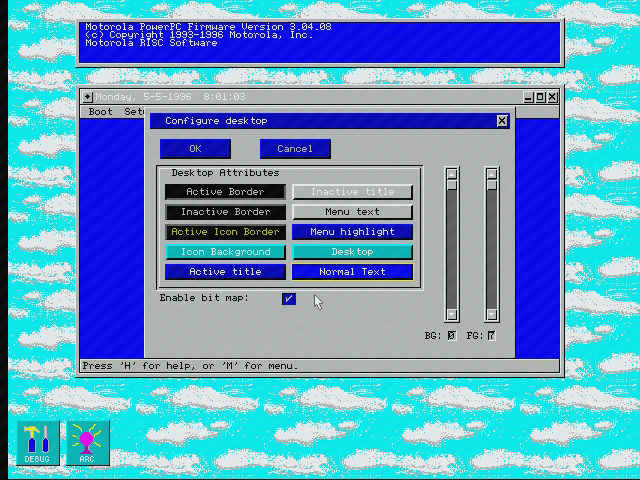
Everything looks more advanced compared to a standard BIOS interface in PCs. On the other hand, if the RTC battery fails and configuration data is missing, you will lose the entries for loading installed operating systems. With BIOS in PCs, you select the just the media (floppy, harddisk, CD…), BIOS touches the beginning of the selected media and executes the x86 code located there (which usually jumps to a place of an OS boot loader).
ARC firmware has its own internal boot loader. It understands partitions and files on them. Thus, an OS entry contains path to the OS loader executable, root partition location, etc.
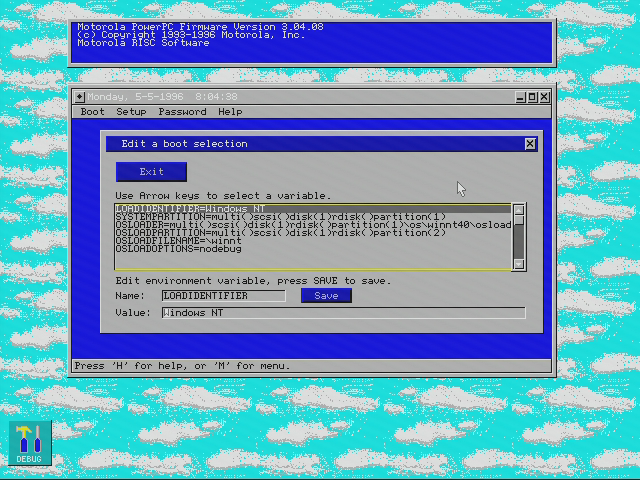
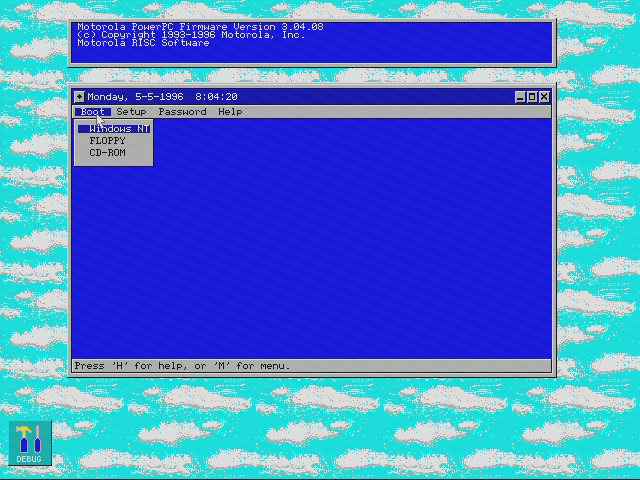
These entries are created automatically by the OS installers. However, if the entry is cleared, you have to find out proper values, which is significantly more complicated compared to just setting “C:” in BIOS. The same troubles arise when you move the hard drive from one machine to another and you want to load the already installed operating system.
Installing Windows NT 4.0
Windows installation is surprisingly easy though. The first part is to partition the drive. This is done from the firmware user interface and there is an option for automatic setup. Once done, you can load the OS installer from the Windows CD. There is a special item (specifically for Windows NT installers) in the menu for it, so you don’t have to specify the SCSI address of the CD-ROM drive.
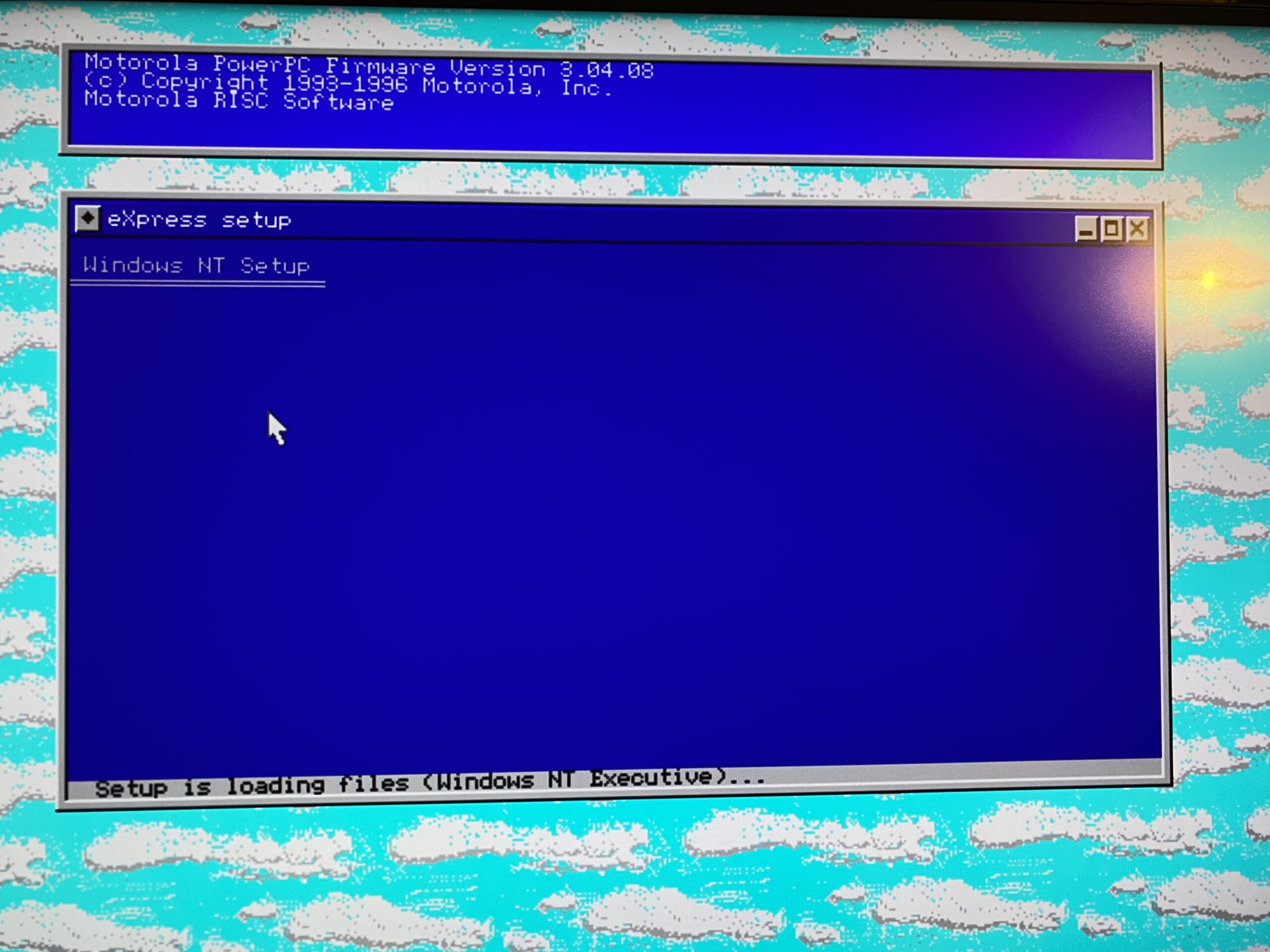
The first part of the Windows NT installer touches the hardware using firmware services (or BIOS services on PCs). On a PC, this part displays in a text mode. With non-PC systems, the output goes into one of the windows within the firmware GUI. This part is used just to select the target drive and copy installer files. Then the system starts the NT kernel (which, from that moment, handles all access to hardware) and the rest of the installation looks the same on PC and other architectures.
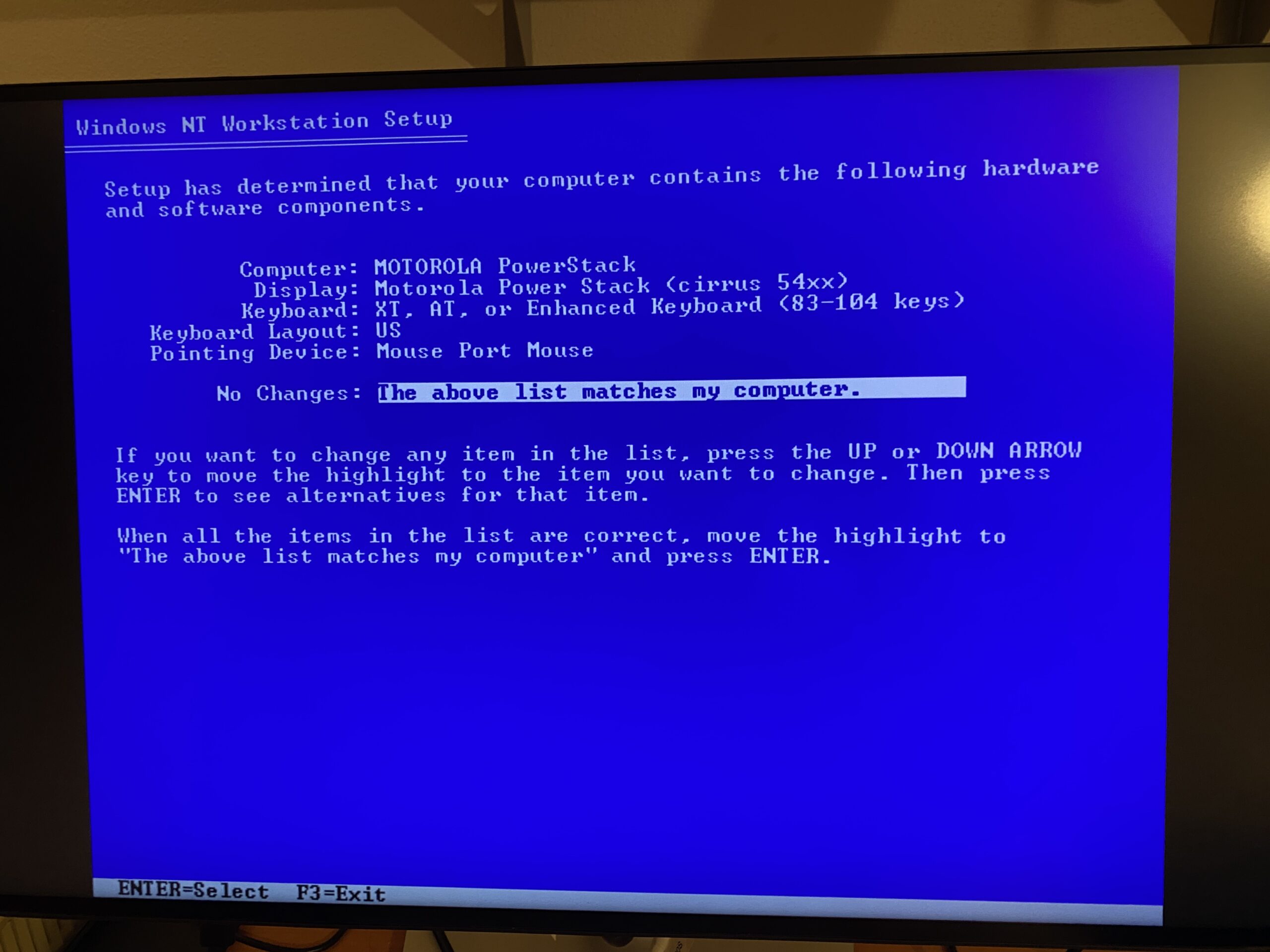
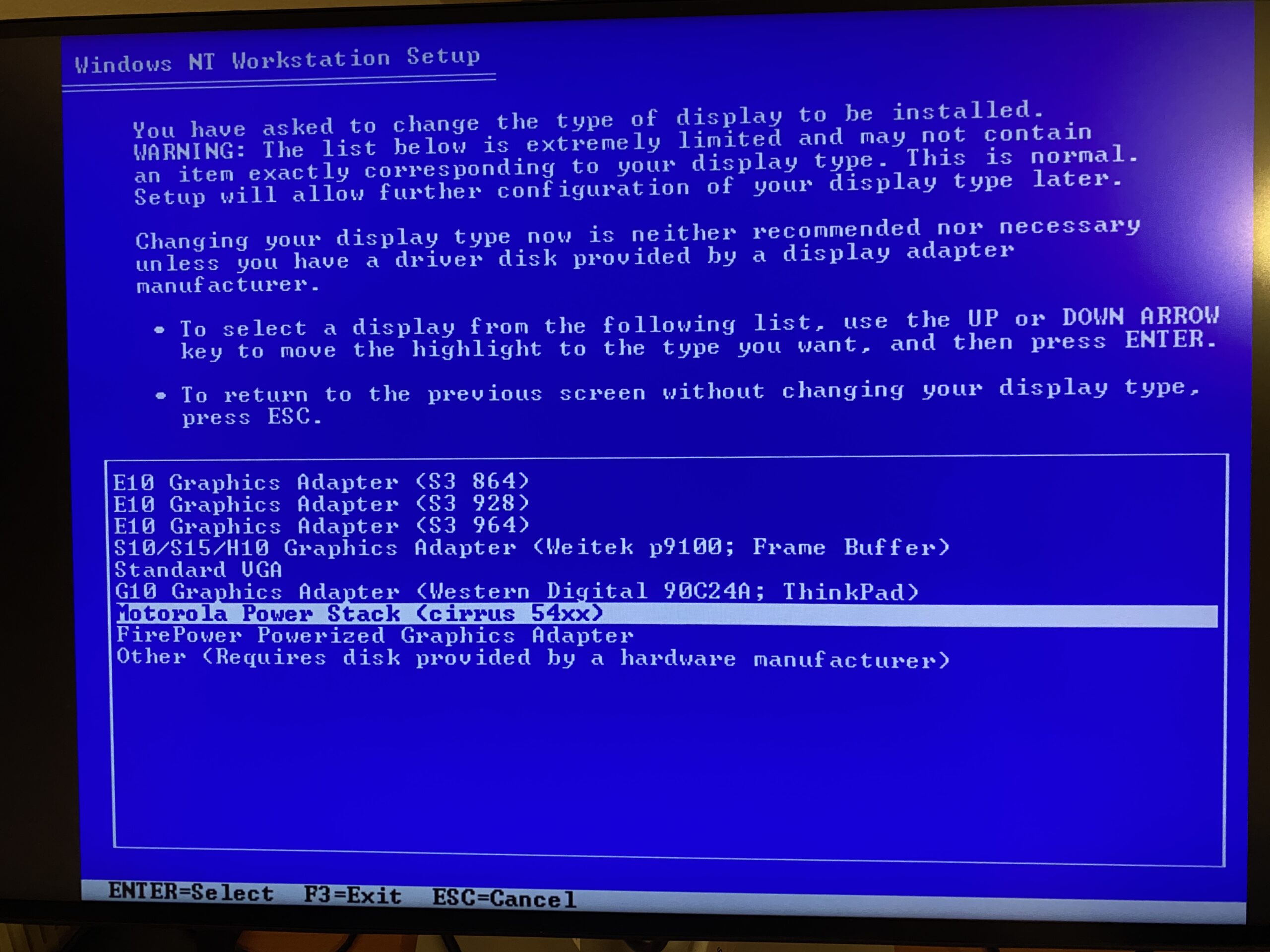
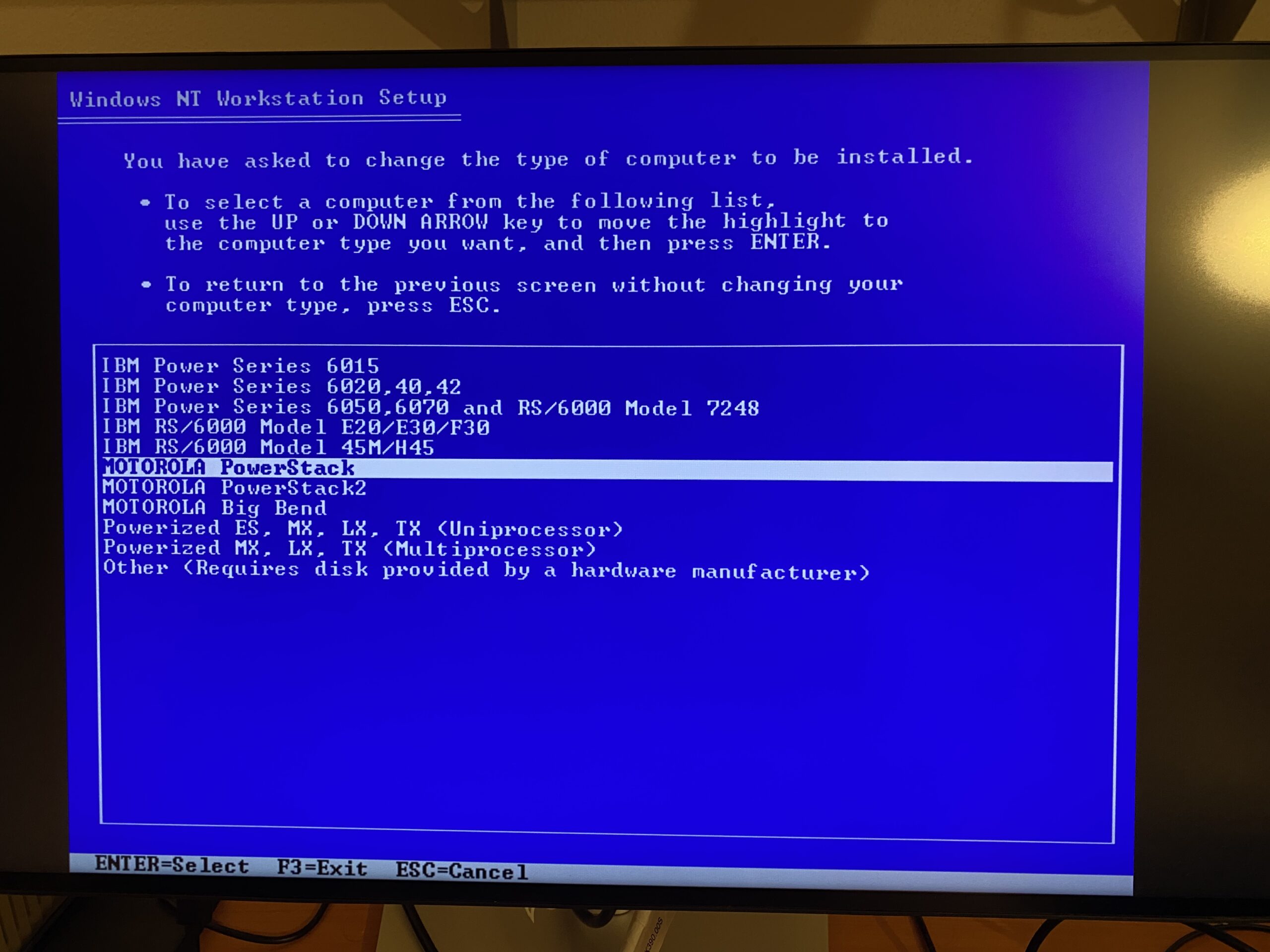
The second part loads drivers and displays in a pseudo-text mode. It looks like a text mode for a user (except for weird scaling), and it is used because there is no guarantee that a non-PC graphics card supports true text modes. At the end, the installer switches into normal graphics based on the selected video driver. It is typically 640×480 (like here) but some graphics cards with fixed-resolution monitors can use higher resolutions even during the installation process.
The installer touches the firmware configuration and adds the boot entry. Thus, after reboot, you will see the “Windows NT” entry in the firmware menu. If autoboot is configured, you can automatically boot into the default boot selection.
Installation mostly automatic, except audio
The start of the installed OS looks normal, except that the initial phase (OS loader) outputs to a window within the firmware GUI. Once the kernel is loaded, it is an ordinary Windows NT boot. During the first start, NT already had a proper Cirrus Logic SVGA driver and was set into 256 colors, so I could change to a new video mode without restarting. The Cirrus Logic GD-5434 supports up to 65k colors in NT and can accelerate video (YUV conversion, hardware overlay, scaling with no filtering), so it supports all the features available on x86 systems.
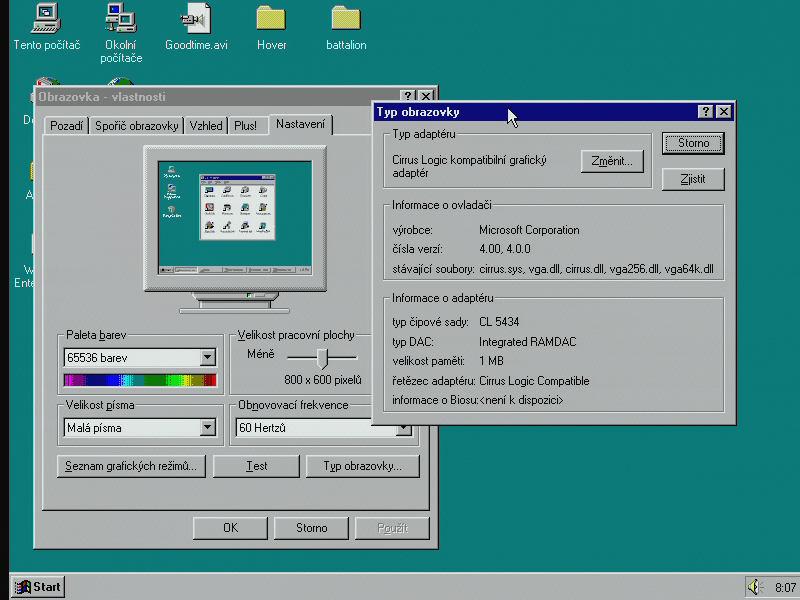
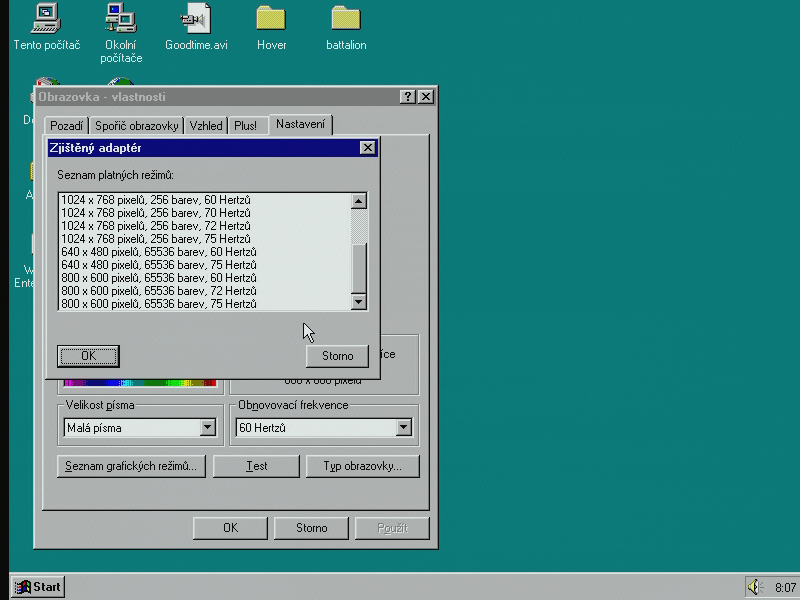
The network controller was also properly configured, and the system immediately got the configuration from the DHCP server. The only hardware that was not detected automatically was the sound chip. This was also the only component that required different handling than on x86. Crystal CS4231 is used in generic Windows Sound System (WSS) sound cards, but neither CS423x nor WSS driver will work on PowerPC (even though both drivers do have a PowerPC version in NT 4.0). You must select a driver called “IBM Power PC Audio”. Once selected, it detects the chip and configures it automatically. I am not sure why the extra step of manual selecting the driver is always necessary on these machines but this was required on both tested machines.
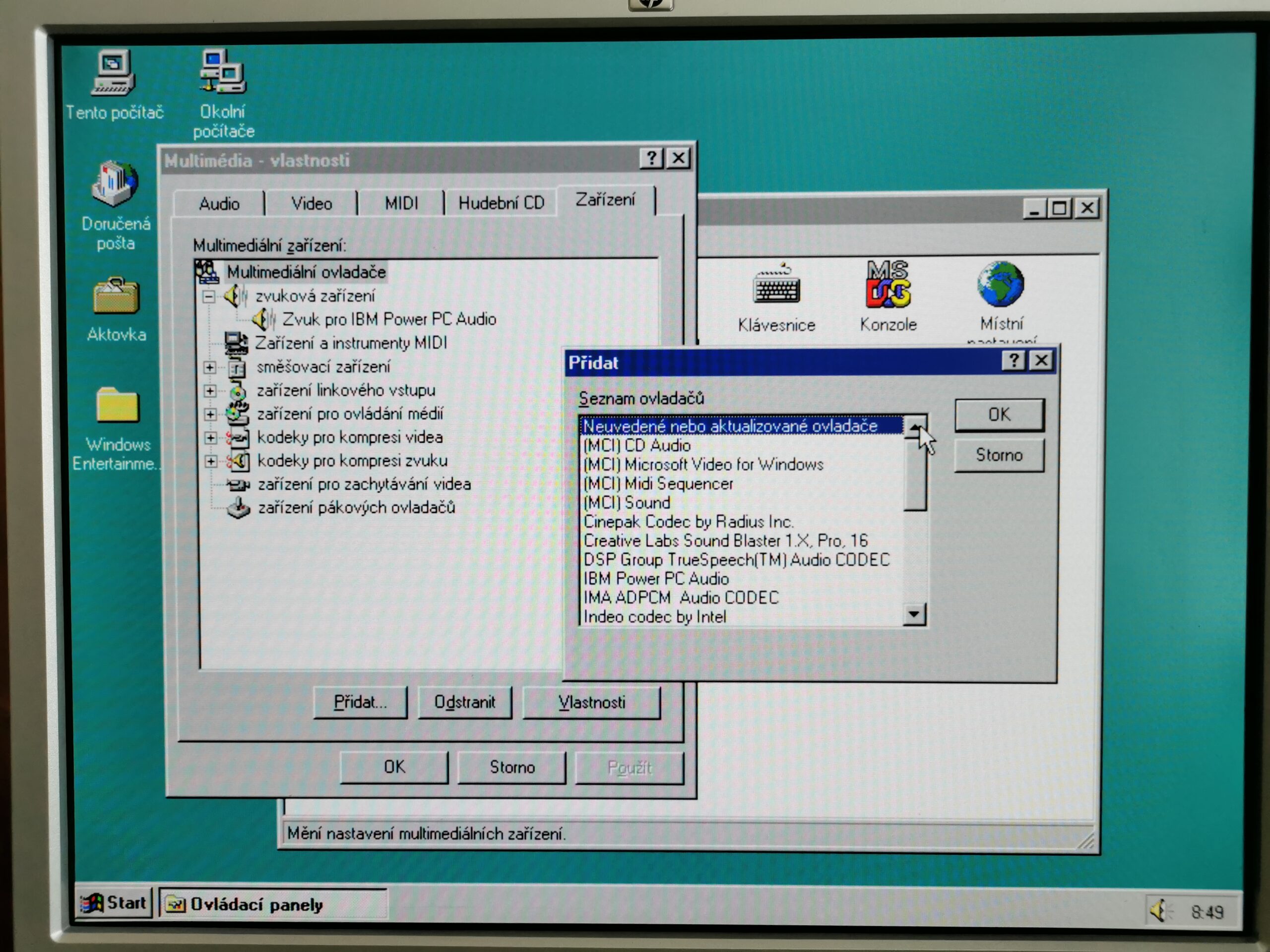
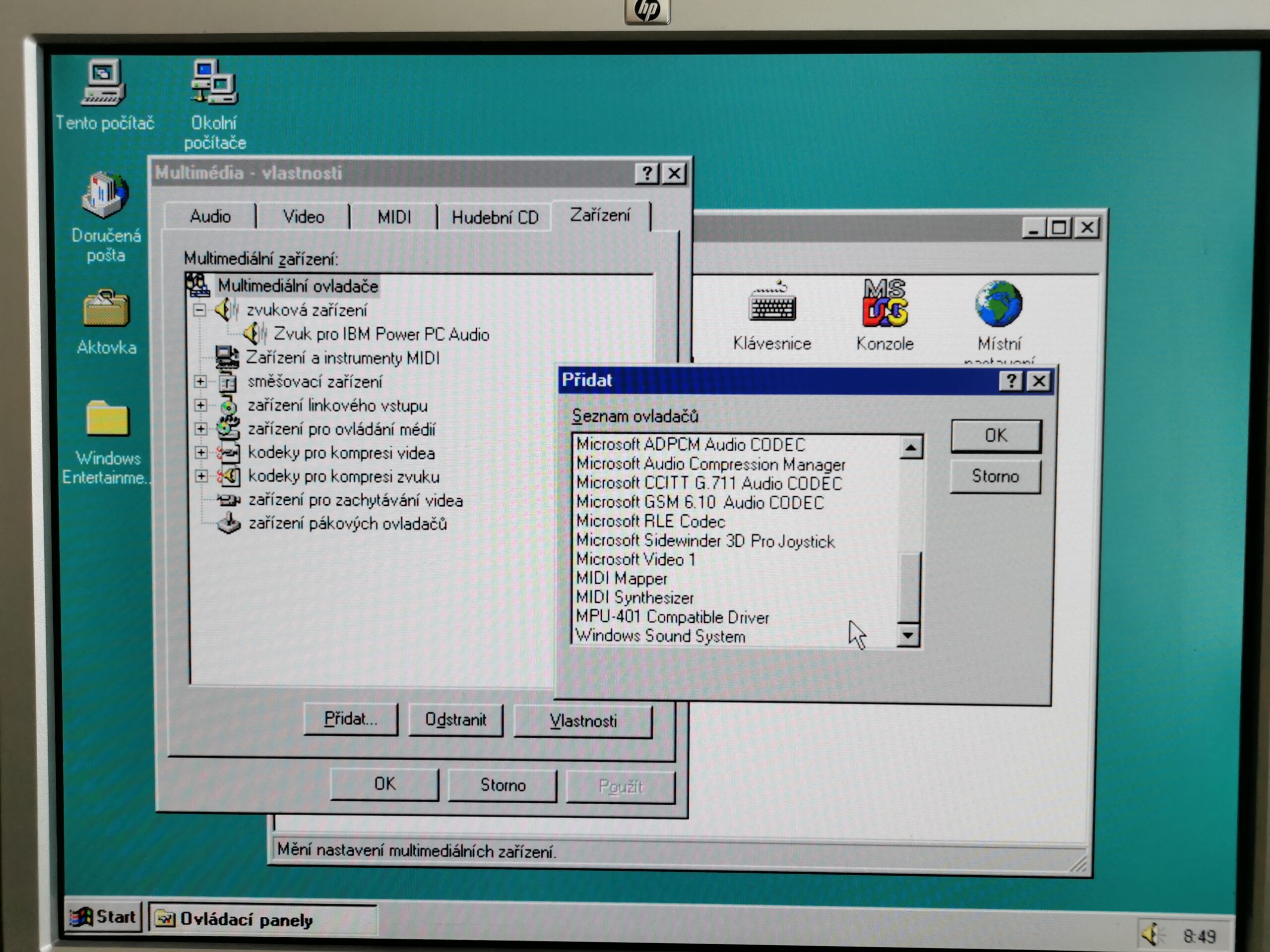
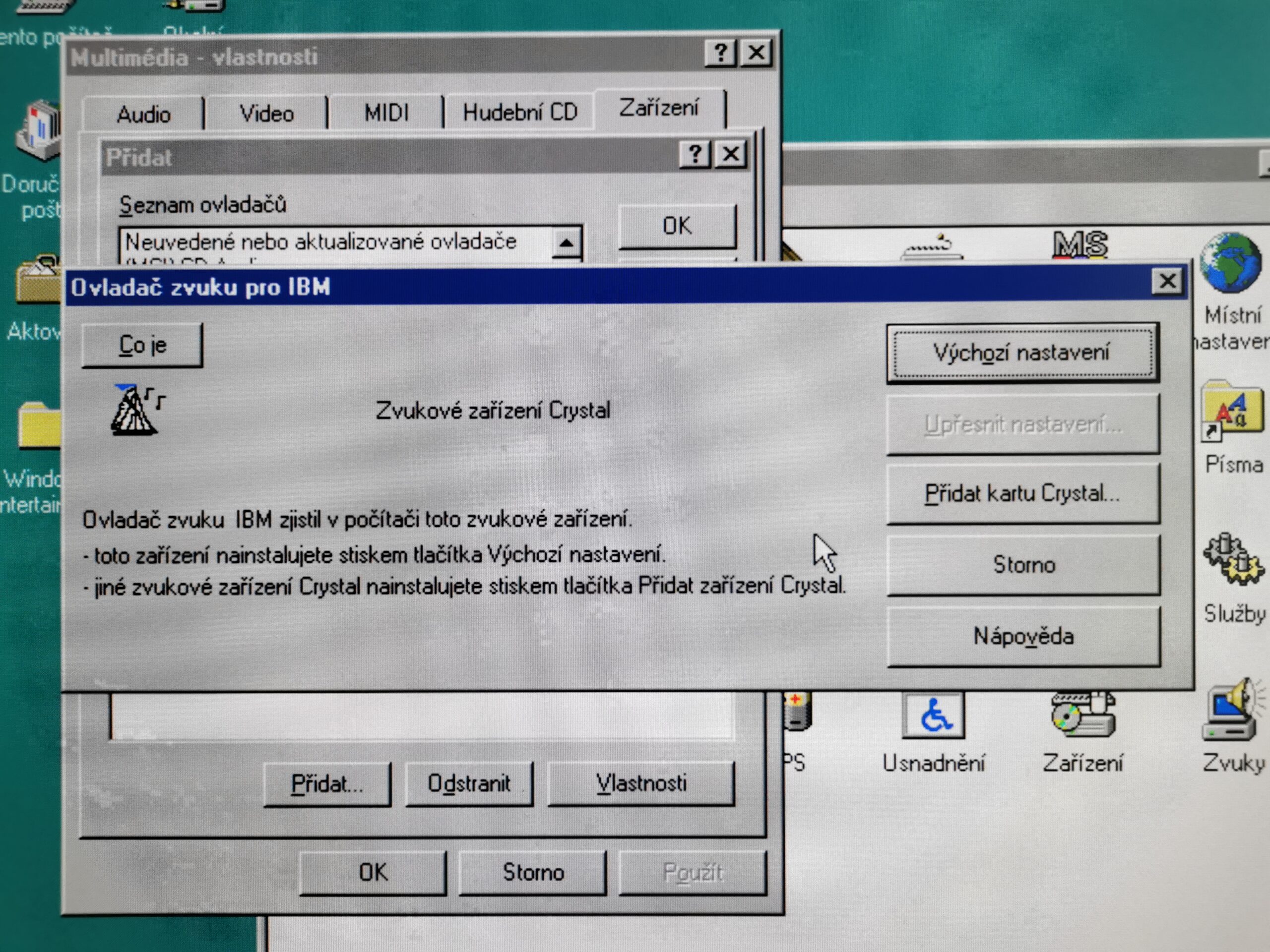
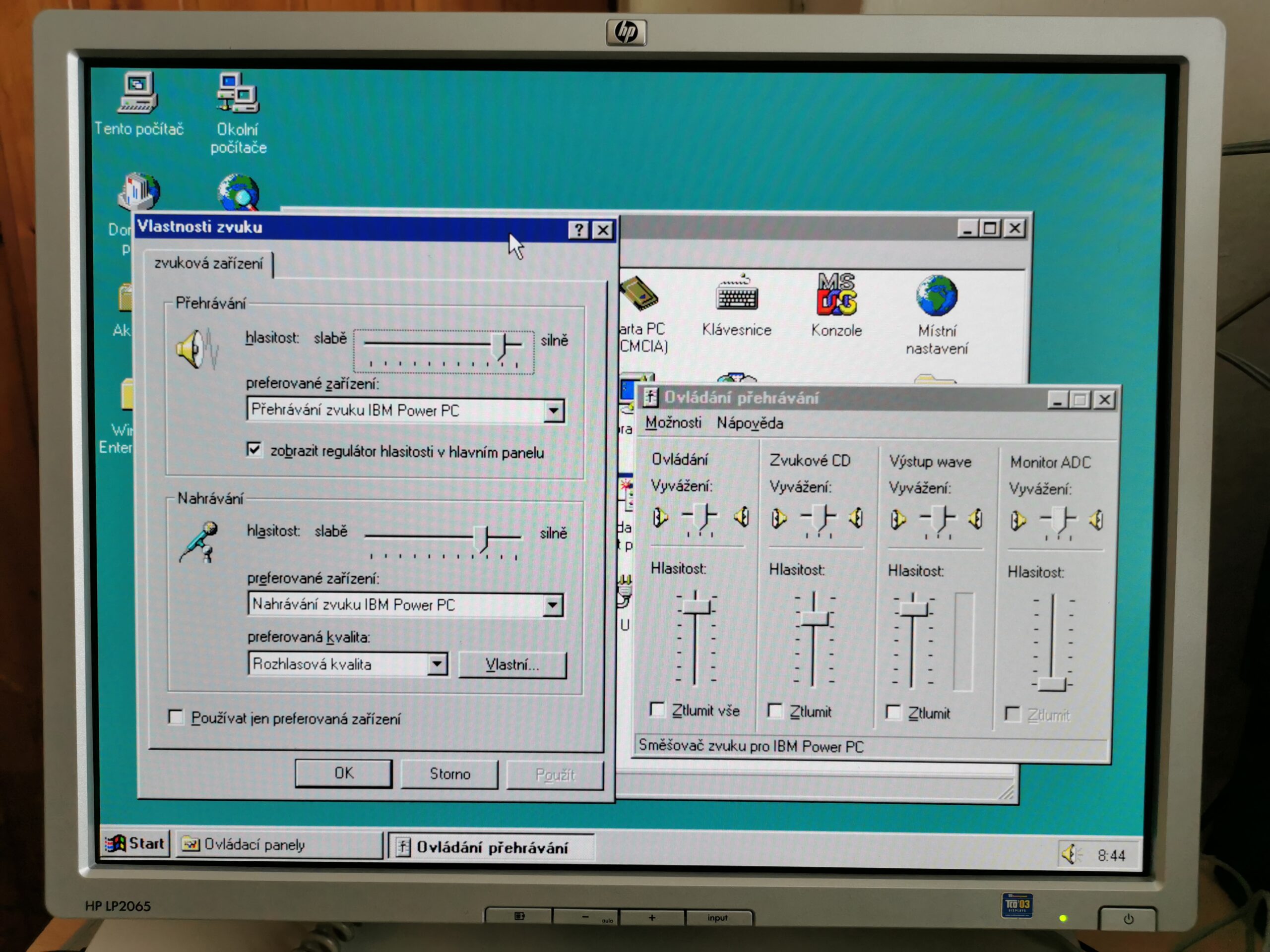
The selected sound chip does not support hardware MIDI synth and there is no software MIDI synth available in Windows NT. Thus, MIDI files cannot be played back on these two machines at all. Some of the IBM PowerPC dekstop machines used Crystal CS4232 which included hardware FM synth but IBM also offered a modified version of Windows NT 3.51 which included software wavetable synth to provide better sound quality (for their IBM ThinkPad 800-series laptops). Sadly, they did not offer it as a separate driver package and I was not able to transplant the files into Windows NT 4.0.
Very fast and slightly different
Windows NT 4.0 is surprisingly fast and snappy even on the 66MHz PowerPC 603 (Bull Estrella). The system is significantly more responsive than MacOS on a 166MHz PowerPC 603e in an Apple PowerBook 1400cs. There are two main reasons: MacOS contains a lot of emulated 68k code (Windows NT is completely native on PowerPC) and most PowerPC 603(e) machines from Apple used 33-40MHz bus to L2 cache and memory (instead of 66MHz in these NT machines) to make the system cheaper back then.
There are also other reasons for the NT responsivity there that are not related to CPU architecture. Both machines use fast SCSI hard drives and are configured with plenty of RAM (64MB on Estrella, 128MB on PowerStack). I had also zero stability issues with these machines regardless of what I tested on them.
There are multiple specifics when running Windows NT on a non-x86 machine, let’s go through them briefly:
- DOS window can run x86 programs, but they run slower (more on that later). Instead of direct execution of x86 code, there is a licensed Insignia SoftPC emulator integrated in NT. It emulates a 486-class CPU. The difference (aside the performance) is in the missing full-screen option. NT 4.0 on an x86 PC allows window and full-screen view for text-mode programs and full-screen-only view for graphics modes (allowing direct access to VGA registers for better performance). SoftPC runs always in a window and the emulated VGA graphics is the major reason behind the performance issues.
- NT 4.0 contains windows-on-windows (WoW) x86 emulator written by Microsoft. It lacks support for Win32 (or Win32s), so only 16bit/Windows 3.x programs can run. The emulation is transparent for a user and WoW programs behaves like native ones.
- If a Win32 program is run, Windows fires an error that a program is valid but for a different type of computer. There are, though, multiple options of non-x86 machines to run emulated Win32 programs (more on that later).
- Emulated x86 programs that need to install a device driver into the OS will not work. Device drivers must always be native for the CPU architecture. Access to printers does work from DOS and Windows x86 programs though.
Compatibility with add-on ISA/PCI cards for PC
Hardware compatibility is a traditional issue with any new computer platform. It is extremely hard (and often expensive) to convince other vendors to design and manufacture chips/boards specific to your platform. Much better is to make your platform compatible with what is already on the market. For example by providing industry standard expansion slots (like PCI and ISA).
There are three caveats when it comes to operate PC add-on cards in a non-PC system:
- Different endianness (byte ordering within a single word). PCs and x86 CPUs are little endian. Most UNIX systems (Alpha/MIPS/PowerPC) back then worked in the big-endian mode (MacOS as well). The chip communicating with the computer must support the right mode in the first place. That was not a big issue – when I looked at the datasheets of many 90s graphics chips, all supported both modes. Also, any non-PC system compatible with Windows NT must work in the little-endian mode. That was a hard requirement from Microsoft. Therefore, Alpha, MIPS and PowerPC CPUs in fact also supported both modes and add-on cards were operated in the same endianness as in PC anyway.
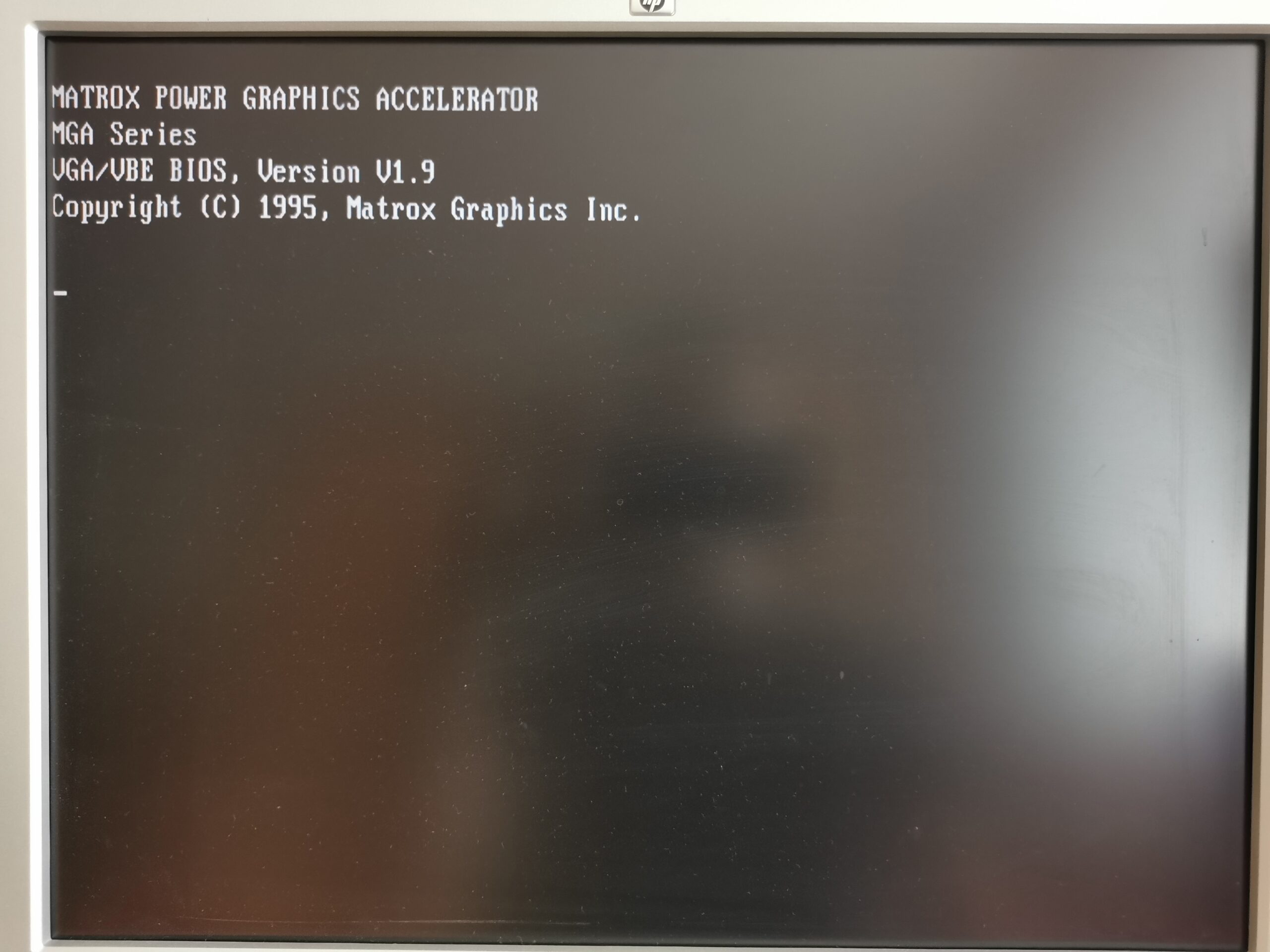
- Different firmware. This is an issue only for cards that need to run configuration code before the OS has been started. Such code is in their option ROMs (in a form of x86 program code), which are called by the PC BIOS. Typically, graphics cards and SCSI controllers are affected by this. For Macs, you could usually buy a Mac-specific card based on a generic PC chip (but with different firmware and higher price tag). This could work for Apple, but not for a much smaller market of RISC Windows NT computers. Thus, a different approach had been chosen. Computer firmware has a built-in x86 emulator which is used to execute option ROMs on all installed cards. When you start a non-x86 NT machine and it shows video BIOS text of your graphics card, this in facts runs in the x86 CPU emulation. Once the start-up configuration is done, you don’t need to touch the emulation again in firmware.
- Different OS drivers. Once the NT kernel is loaded, hardware is accessed through an installed HAL (hardware abstraction layer) and device drivers. In order to make a driver compatible with another CPU architecture, it is necessary to recompile it, modify any CPU-dependent code and go through all testing that the driver is working properly. As a result, Windows NT 4.0 on RISC systems does not support the same list of hardware as on x86. This applies also to the set of built-in drivers (located on the installation CD-ROM).
Adding a card into the system
Each Windows NT installation package contains a hardware compatibility guide (in a paper form) that lists all hardware supported by the built-in drivers on the installation CD. I can tell that the list of supported hardware for PowerPC is shortest from all CPU architectures. Also, almost no vendors provided third-party drivers for it. As a result, there is very little chance, you will be able to use any hardware not mentioned by the guide.
I searched through boxes with PCI and ISA cards I have at home. I gave up on trying any network card because the only compatible was based on the same chipset as the on-board one. Among upgrades that would make sense is adding a sound card with hardware MIDI synthesizer and a better graphics card. I have many sound cards for ISA and PCI, but NT 4.0 compatibility is very limited when it comes to non-x86. Among usual cards, only ISA Creative Sound Blasters (up to AWE32) are supported on any CPU architecture (and I don’t have any). Thus, I moved to testing graphics cards which are the most interesting anyway (as they must be operable before OS drivers are loaded).
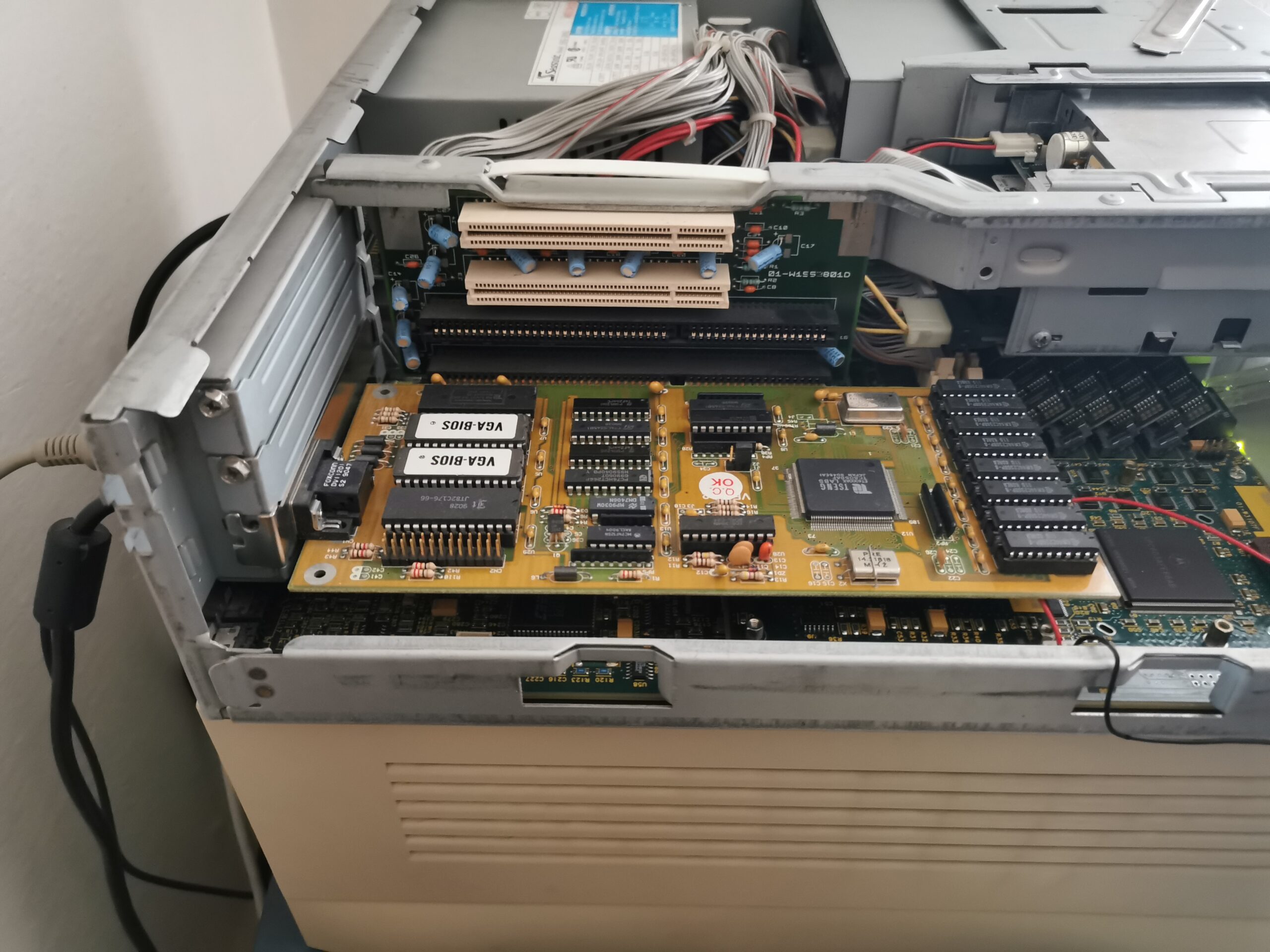
The first tested card was ISA Tseng ET4000 (1MB). It is not in the hardware compatibility list for NT 4.0 and I was curious what would happen. After installing the card, the on-board video on Bull Estrella was disabled automatically. The firmware environment appeared just fine on the ISA card. Only the refresh speed was significantly reduced due to slow ISA bus (and presumably not very efficient way of drawing graphics in firmware).
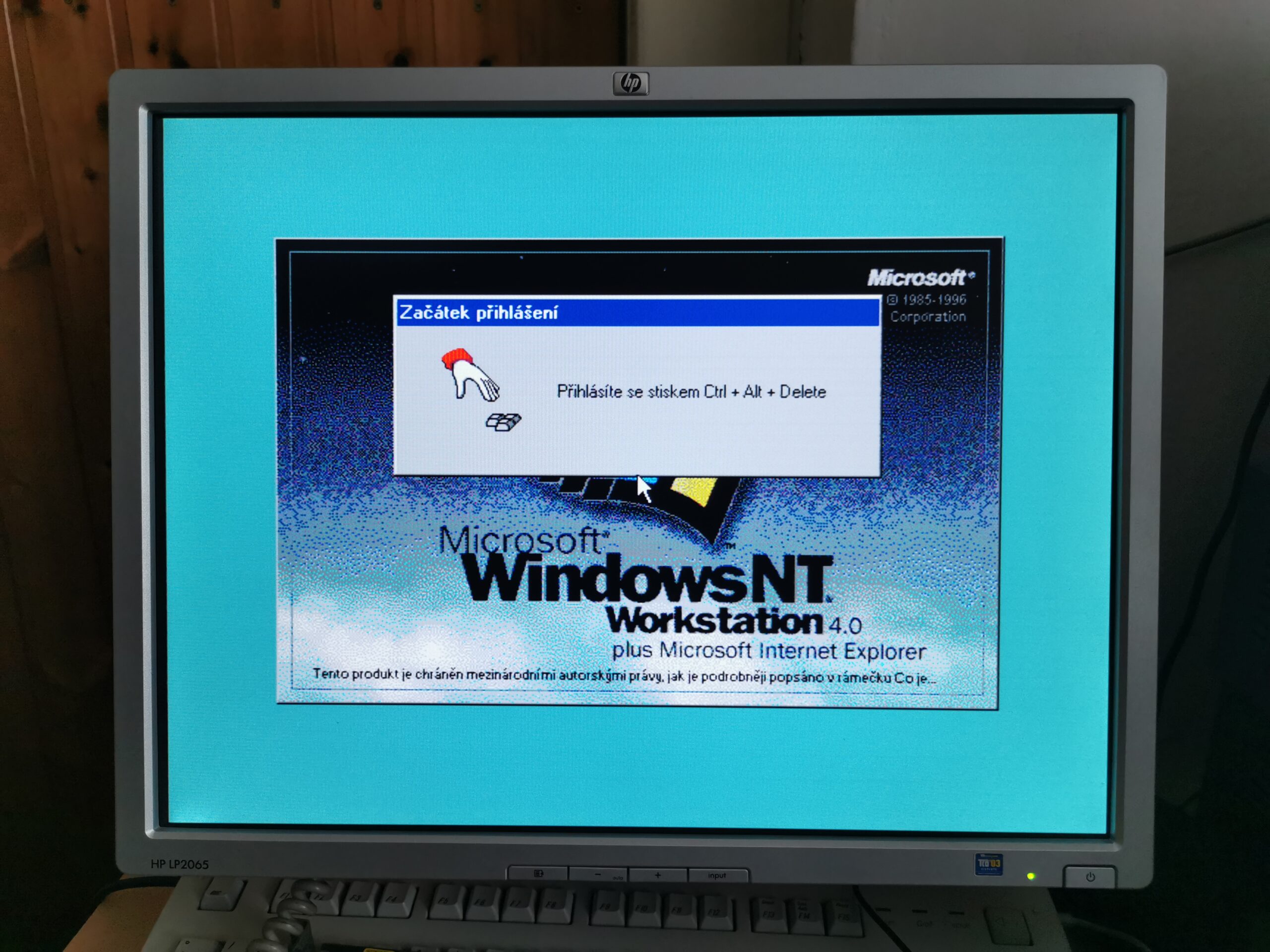
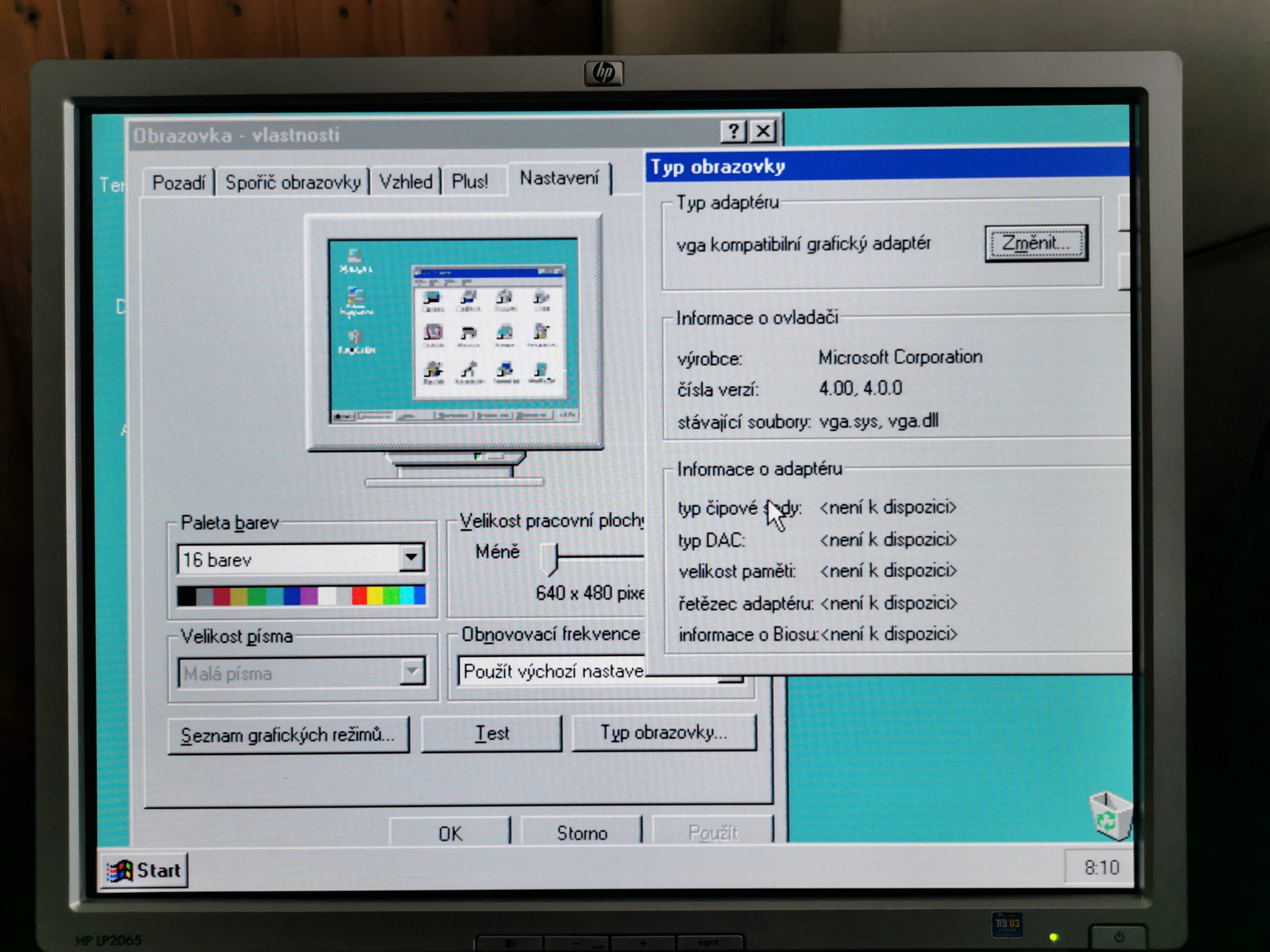
Windows NT 4.0 did not detect the card and loaded the VGA driver for the 640×480 16-color mode. This is taken as granted on x86/PC, but I was not sure that it will work also on RISC alternatives. It works even though the IBM VGA adapter is not mentioned in the hardware compatibility list and Window NT 4.0 on non-x86 CPUs does not require VGA compatibility on an installed graphics card (this depends on the installed HAL driver). It is good to add that some of the graphics cards supported by RISC versions of Windows NT did not provide VGA compatibility, so the OS independence on VGA had its reason.
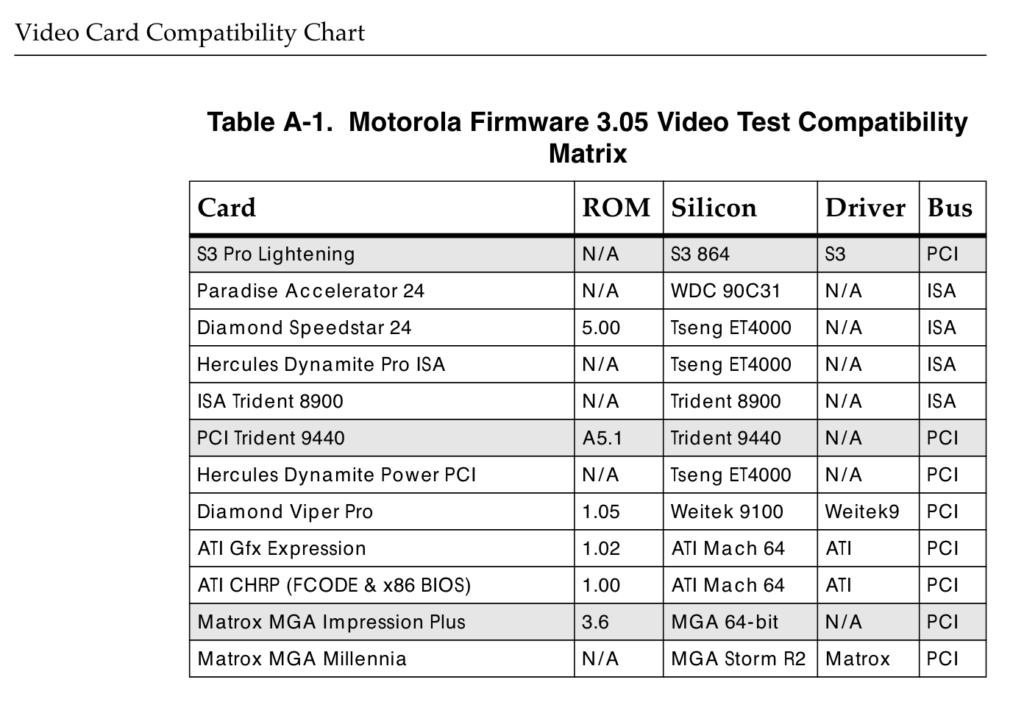
Motorola firmware can initialize these graphics cards directly without using x86 emulation for video BIOS option ROMs.
I realized that the Tseng card did not show its video BIOS string after the computer was switched on. It seems that the computer firmware detected the chip and initialized it on its own. The Tseng ET4000 is among the few video chips supported by the firmware according to the Motorola documentation.
The next step was to install a card with a chip that is not mentioned there. I tested a PCI S3 Virge/VX and my assumption was confirmed. This time, the first thing that appeared on the screen was a video BIOS string of the S3 card, displayed in the 80×25 text mode. The video BIOS was executed using the aforementioned 486 CPU emulator and once completed, the computer switched into its standard video mode (640×480, 16 colors) and continued into its firmware user interface. Windows NT does not have a driver for this chip, so it ran again just with the basic VGA driver.
The only supported 3D accelerator?
Third and final test was to install Matrox Millennium MGA-2064W. There is a good reason to test this particular card. Not only it is supported by the computer firmware, but it is also supported by the built-in NT 4.0 drivers. The driver for this Matrox is particularly interesting, because you can find its source in the Windows NT 4.0 DDK (Driver Development Kit) as Microsoft used it as an example for hardware vendors of how to add an OpenGL Mini-Client driver into their video drivers.
This is the only card that provides hardware OpenGL acceleration out of the box with Windows NT 4.0. Given PowerPC/NT was not an interesting platform for 3D graphics (compared to MIPS/NT and later Alpha/NT), there are presumably not many 3rd-party drivers for any other 3D accelerator for NT on PowerPC. I only found a mention of PowerPC NT drivers for 3DLabs GLiNT CAD/3D accelerator in their press release.
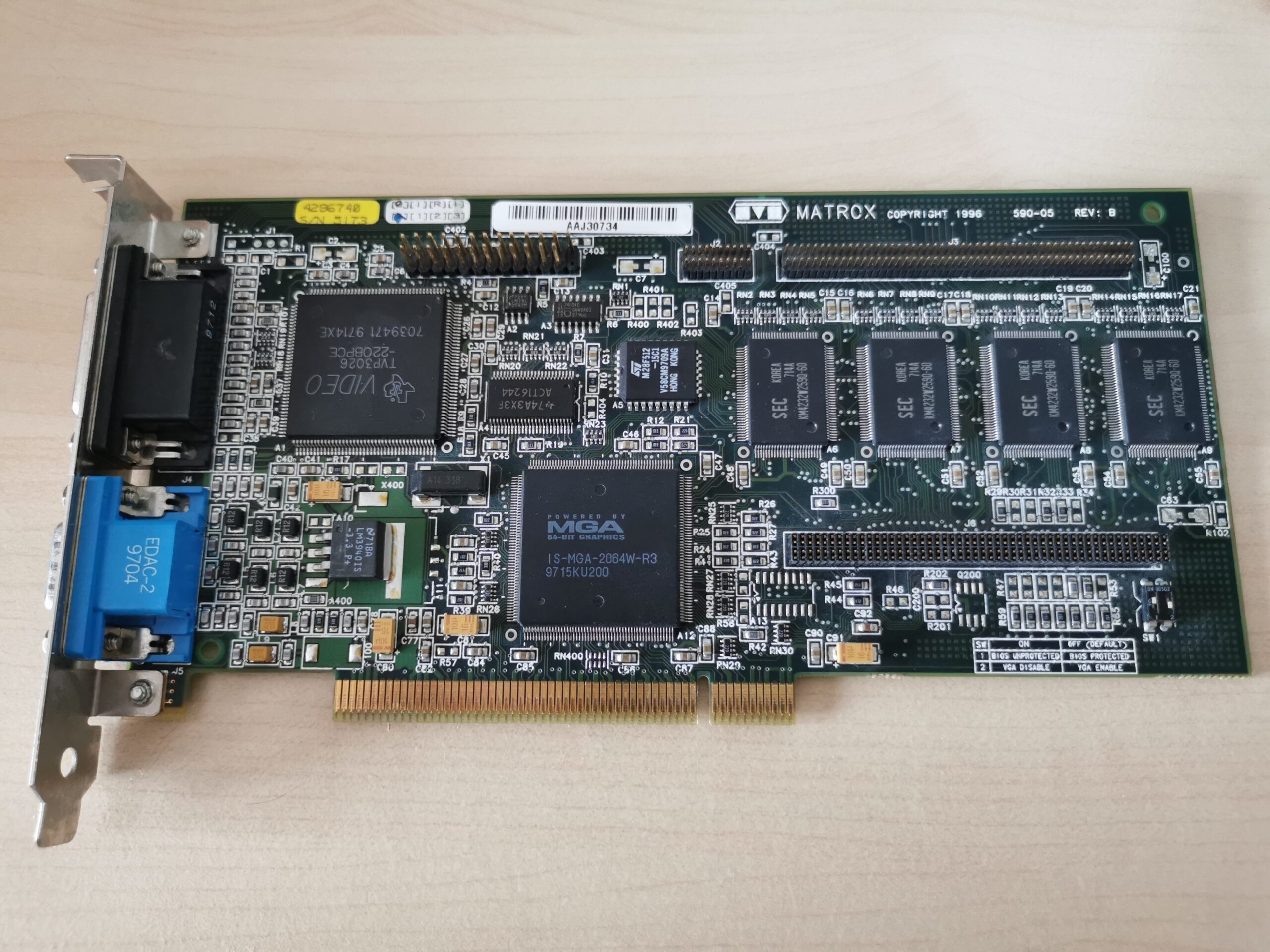
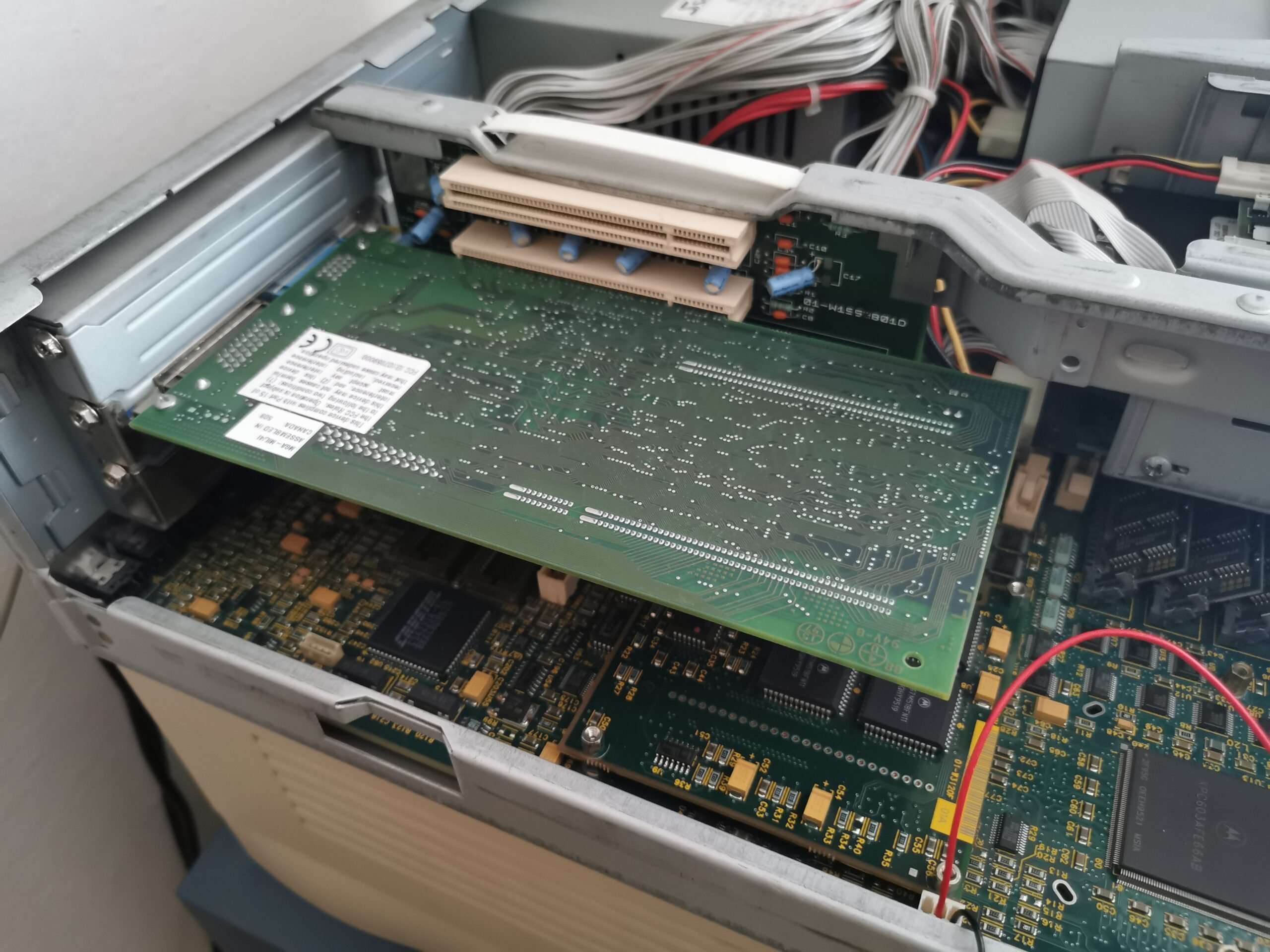
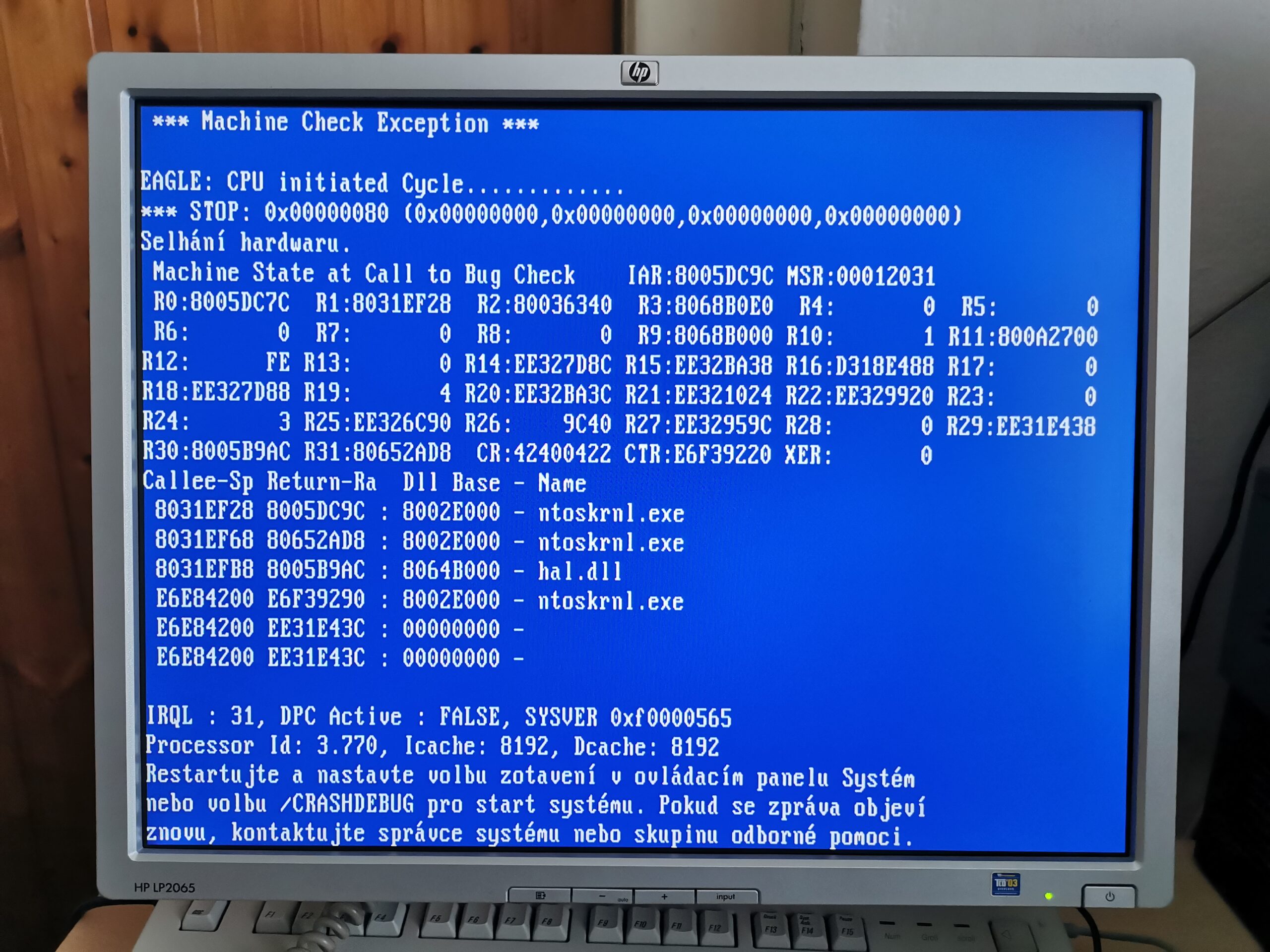
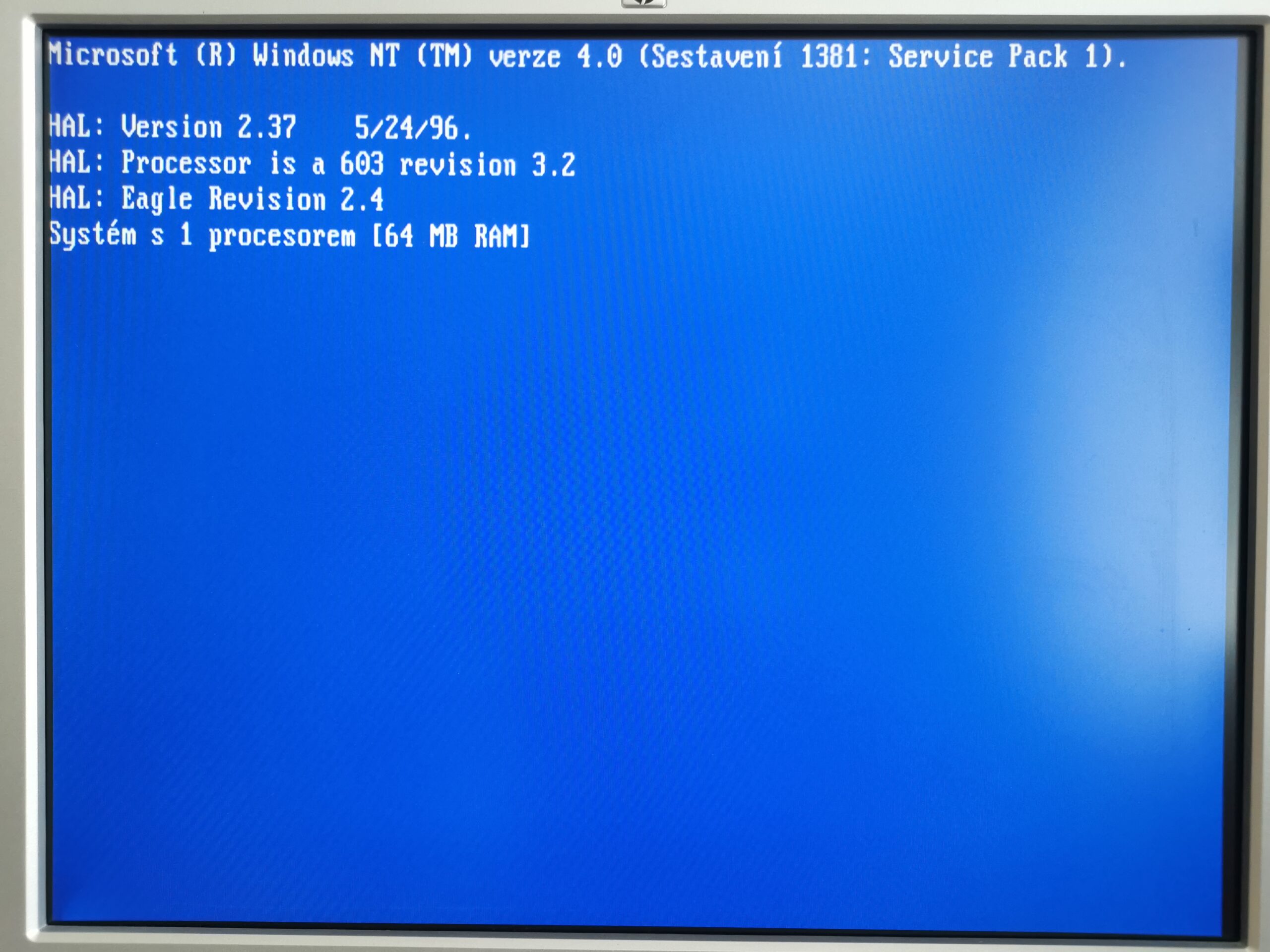
Getting the card running was surprisingly difficult. Computer firmware ran fine immediately after installing the card in the slot. Windows NT 4.0 crashed into BSOD soon after the kernel was loaded though. If the Matrox driver was disabled and the card was forced to load the VGA driver, I was able to get into Windows desktop. My card had 3.x video BIOS (the latest one). I found version 2.x and flashed the card in order to see if there was any result. It was – NT kernel was loaded and the video BIOS string appeared on the screen… and computer got stuck there.
This proved me that the NT behavior depends on the video BIOS version, so I found an even older version (1.9) and flashed the card again. Once done, NT loaded the driver and set 800×600 in 65k colors just like I used with the on-board video. The driver for MGA-2064W contains all features the x86 version has. There is full 2D acceleration, OpenGL Mini-Client driver (for hardware 3D acceleration of flat/gouraud shaded polygons, lines) and video acceleration (color conversion and hardware video overlay with scaling).
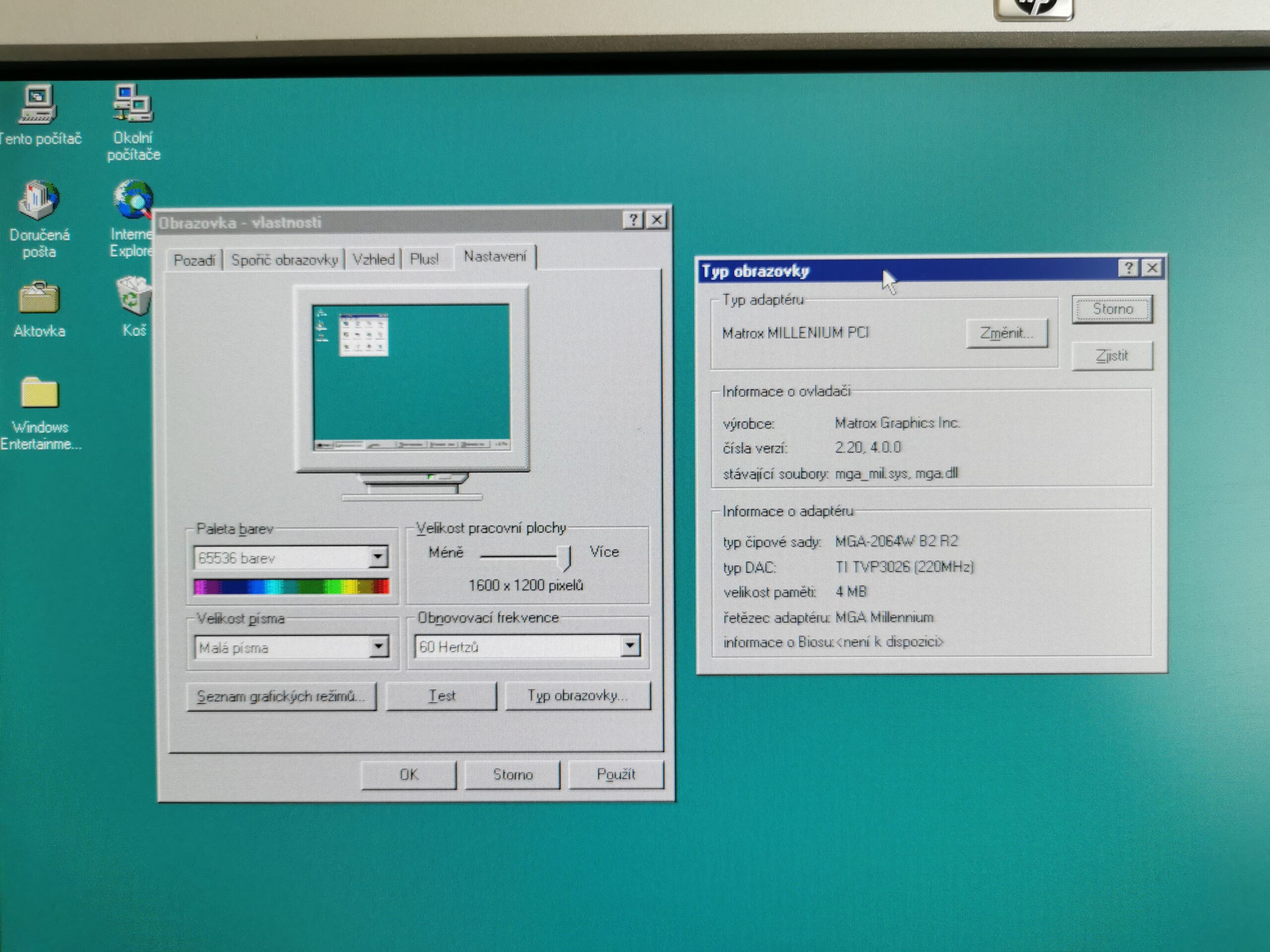
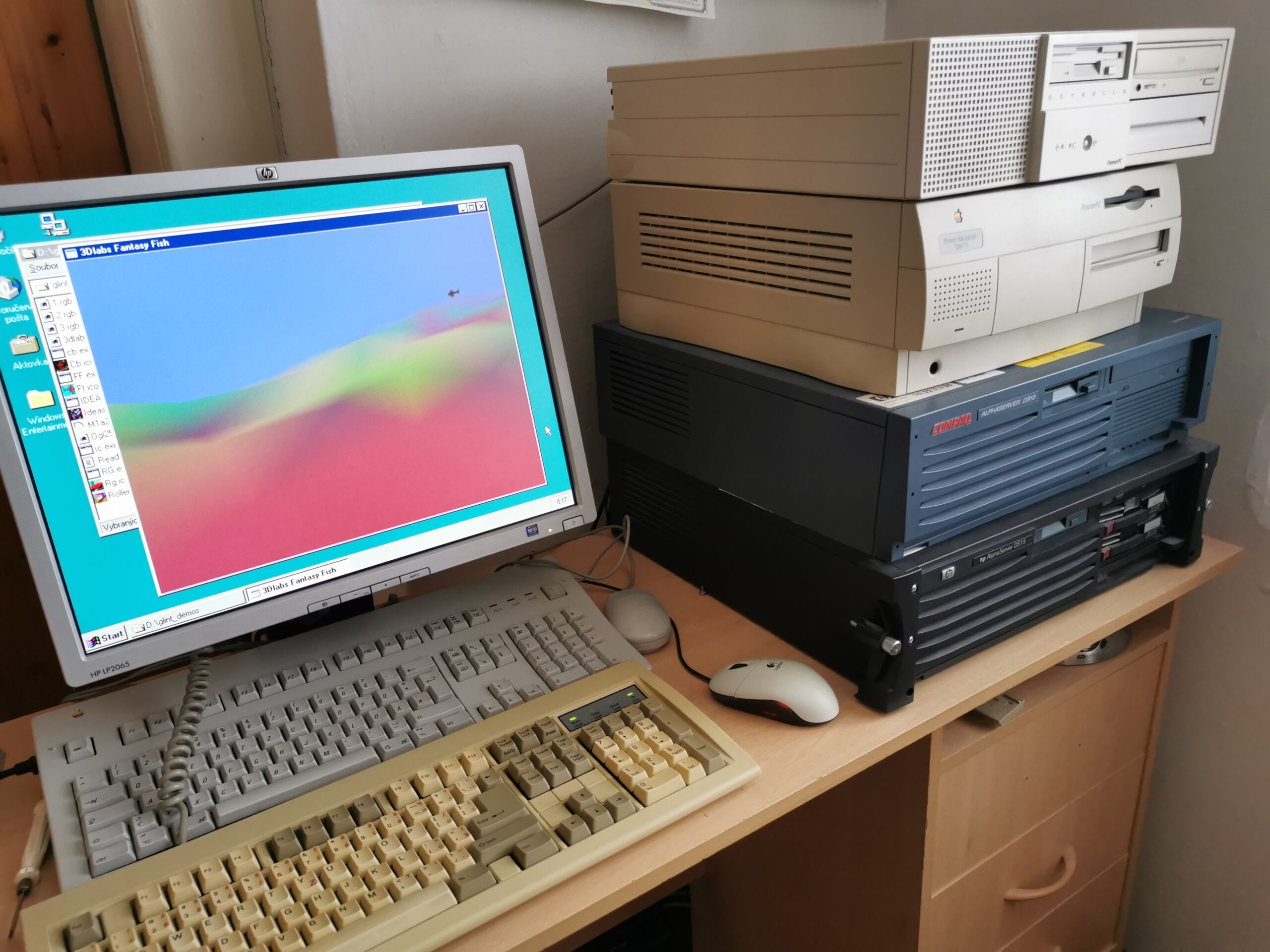
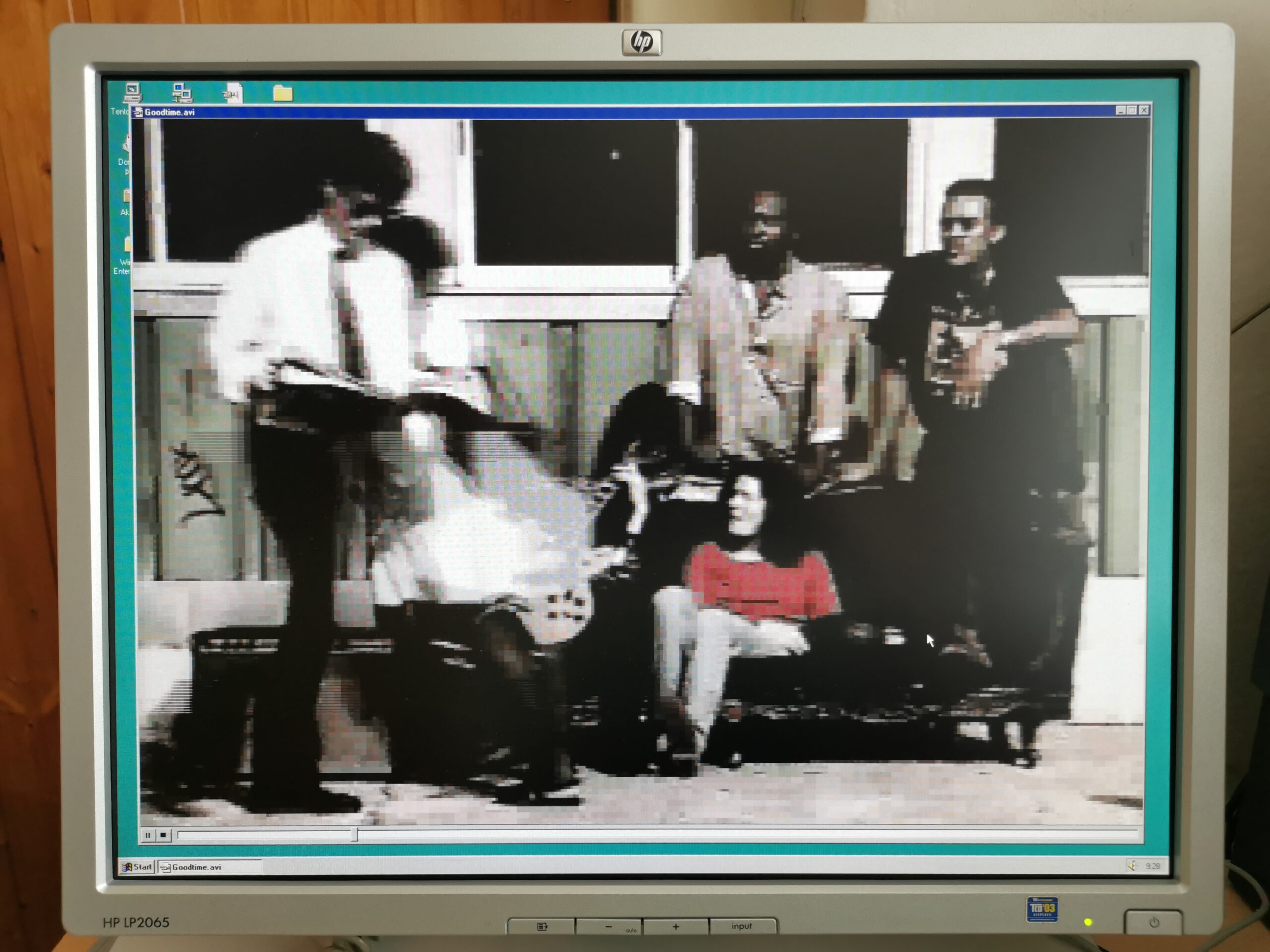
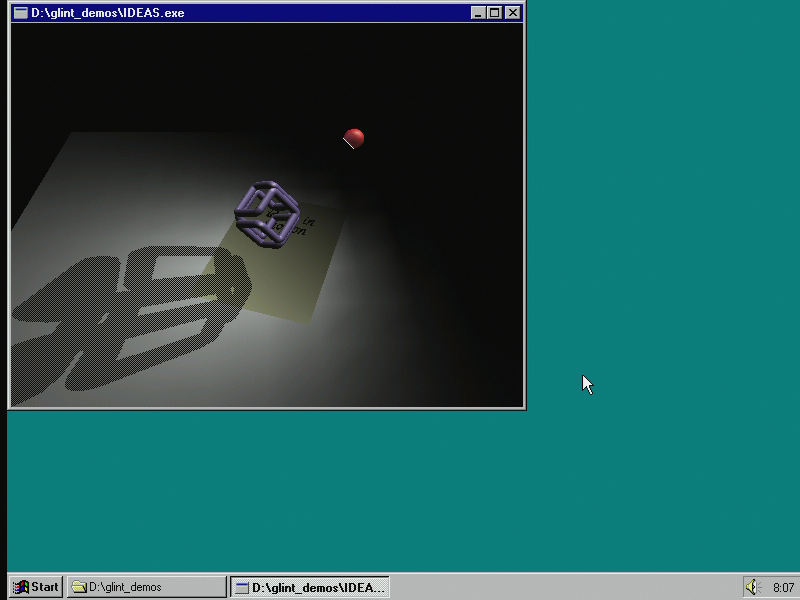
The card is much faster than the Cirrus Logic CL-GD5434 used in both tested machines. It supports 1600×1200 in 65k colors thanks to 4MB of memory and unlike the Cirrus Logic chip, it can scale video up to the whole 1600×1200 screen and still provide full 30 fps.
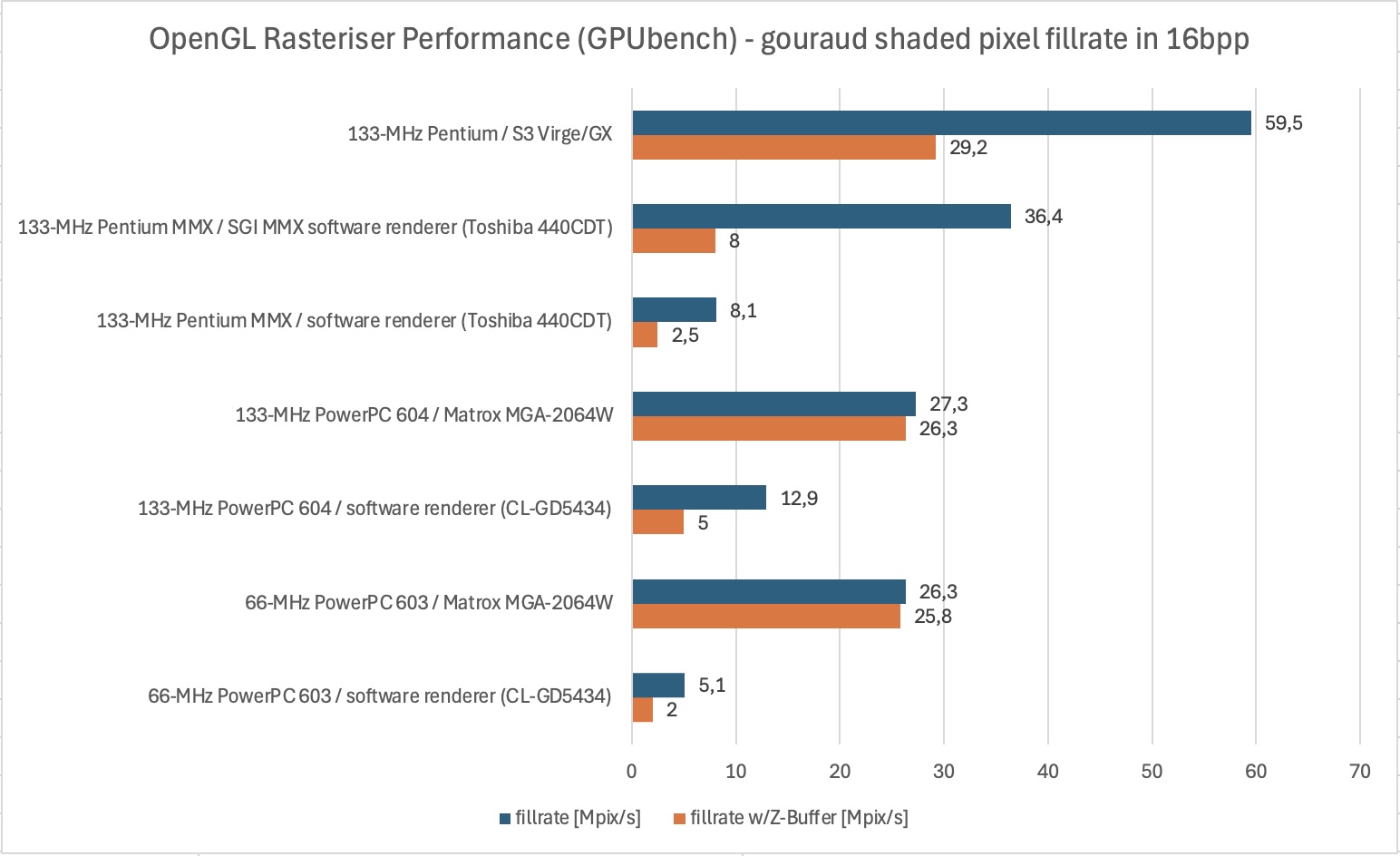
OpenGL Rasteriser Performance (GPUbench) – gouraud shaded pixel fillrate (milions pixels per second) in 16bpp:
- 66-MHz PowerPC 603 + software renderer (CL-GD5434) = 5.1 Mpix/sec, 2.0 Mpix/sec with Z-Buffer
- 66-MHz PowerPC 603 + Matrox MGA-2064W = 26.3 Mpix/sec, 25.8 Mpix/sec with Z-Buffer
- 133-MHz PowerPC 604 + software renderer (CL-GD5434) = 12.9 Mpix/sec, 5.0 Mpix/sec with Z-Buffer
- 133-MHz PowerPC 604 + Matrox MGA-2064W = 27.3 Mpix/sec, 26.3 Mpix/sec with Z-Buffer
- 133-MHz Pentium MMX + software renderer (Toshiba 440CDT) = 8.1 Mpix/sec, 2.5 Mpix/sec with Z-Buffer
- 133-MHz Pentium MMX + SGI MMX software renderer (Toshiba 440CDT) = 36.4 Mpix/sec, 8.0 Mpix/sec with Z-Buffer
- 133-MHz Pentium + S3 Virge/GX = 59.5 Mpix/sec, 29.2 Mpix/sec with Z-Buffer
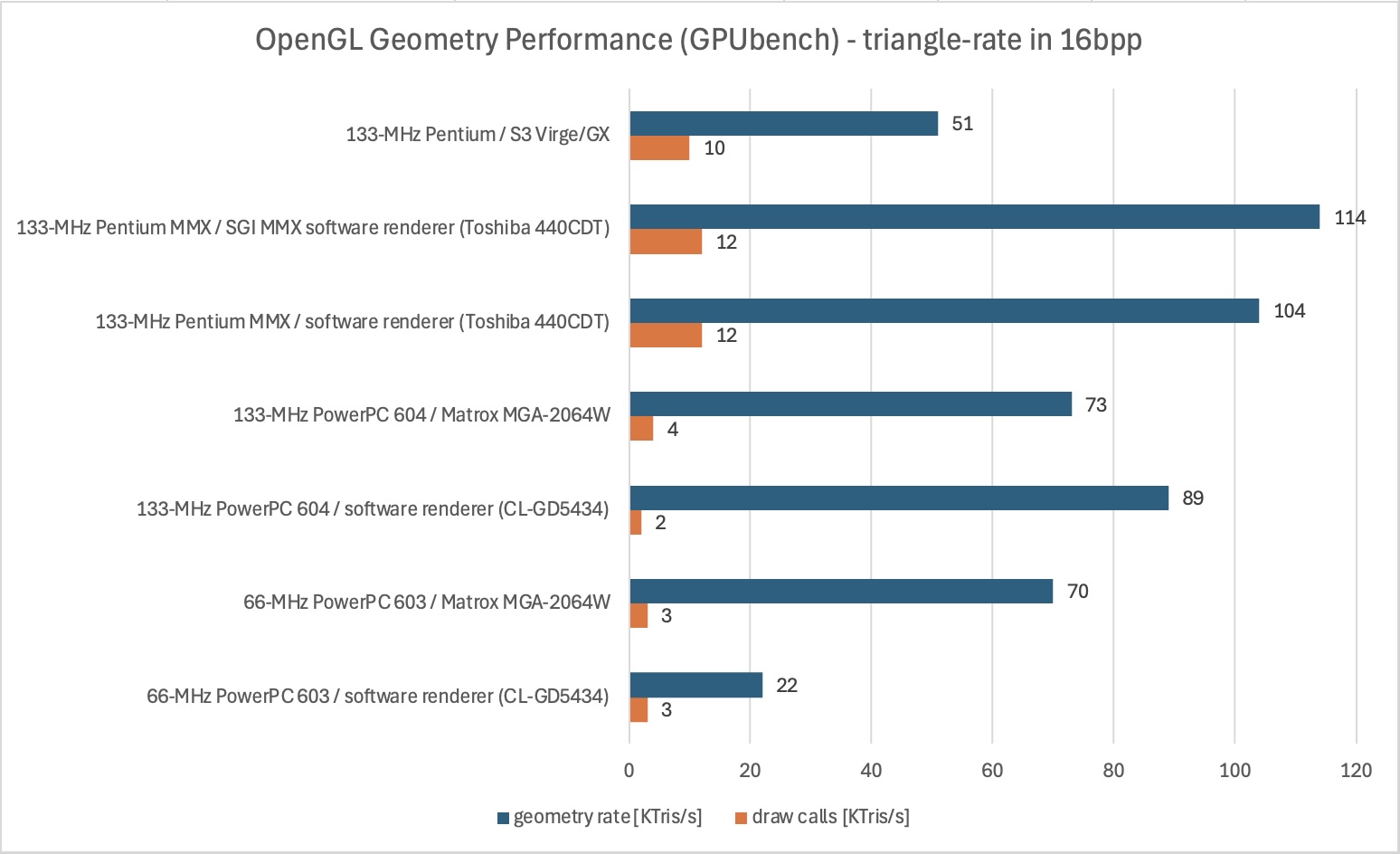
OpenGL Geometry Performance (GPUbench) – triangle-rate (thousands Z-buffered triangle strips per second) in 16bpp:
- 66-MHz PowerPC 603 + software renderer (CL-GD5434) = 22K tris/sec (3K draw calls/sec)
- 66-MHz PowerPC 603 + Matrox MGA-2064W = 70K tris/sec (3K draw calls/sec)
- 133-MHz PowerPC 604 + software renderer (CL-GD5434) = 89K tris/sec (2K draw calls/sec)
- 133-MHz PowerPC 604 + Matrox MGA-2064W = 73K tris/sec (4K draw calls/sec)
- 133-MHz Pentium MMX + software renderer (Toshiba 440CDT) = 104K tris/sec (12K draw calls/sec)
- 133-MHz Pentium MMX + SGI MMX software renderer (Toshiba 440CDT) = 114K tris/sec (12K draw calls/sec)
- 133-MHz Pentium + S3 Virge/GX = 51K tris/sec (10K draw calls/sec)
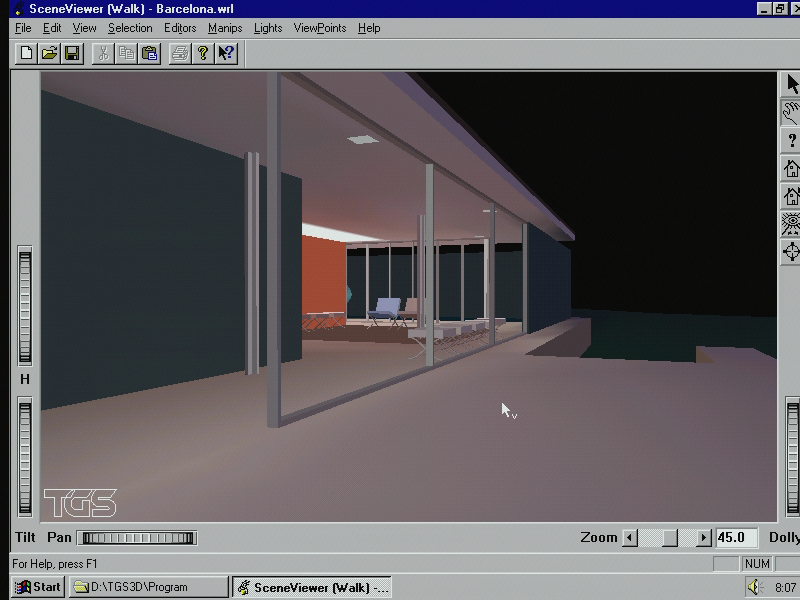
Native performance of NT on PowerPC
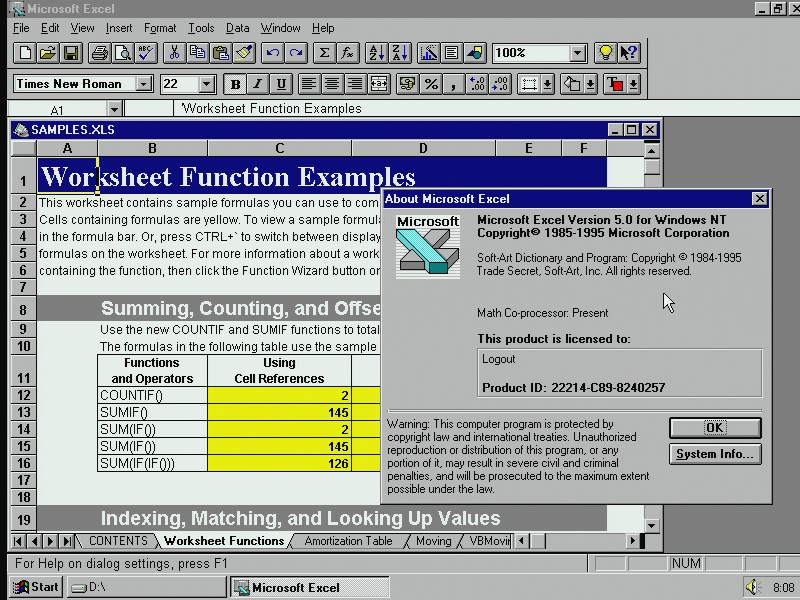
As was said, even Estrella with its 66-MHz PowerPC 603 feels extremely powerful in Windows NT. Most actions in OS seem instant, so it is hard to see any improvement with the 133-MHz PowerPC 604 even though it is a significantly more powerful CPU. With Estrella, a large spreadsheet with Fourier transformations in the native version of MS Excel 5.0 was calculated with the speed similar to 75–90-MHz Intel Pentium, so difference is not so large there.
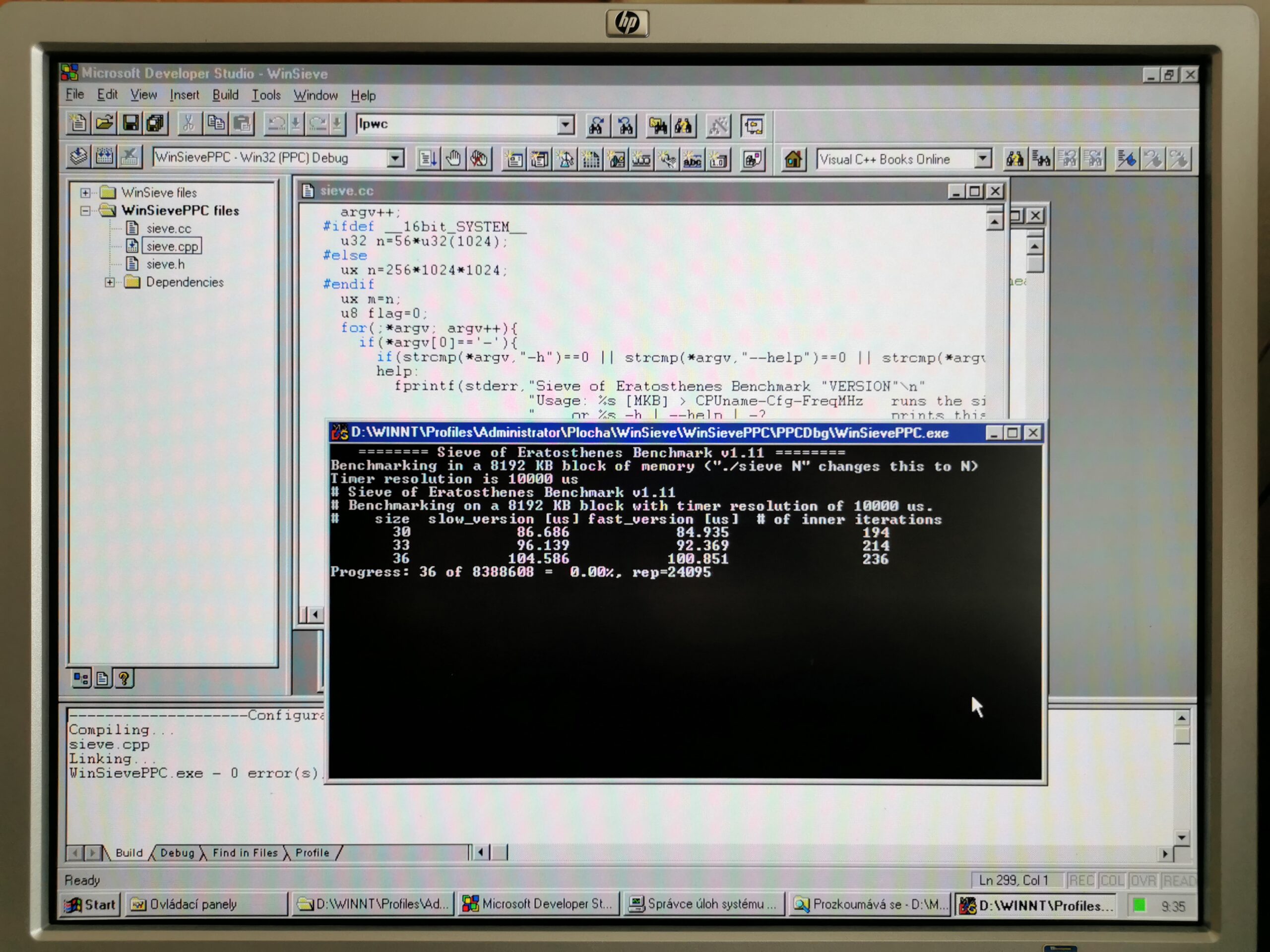
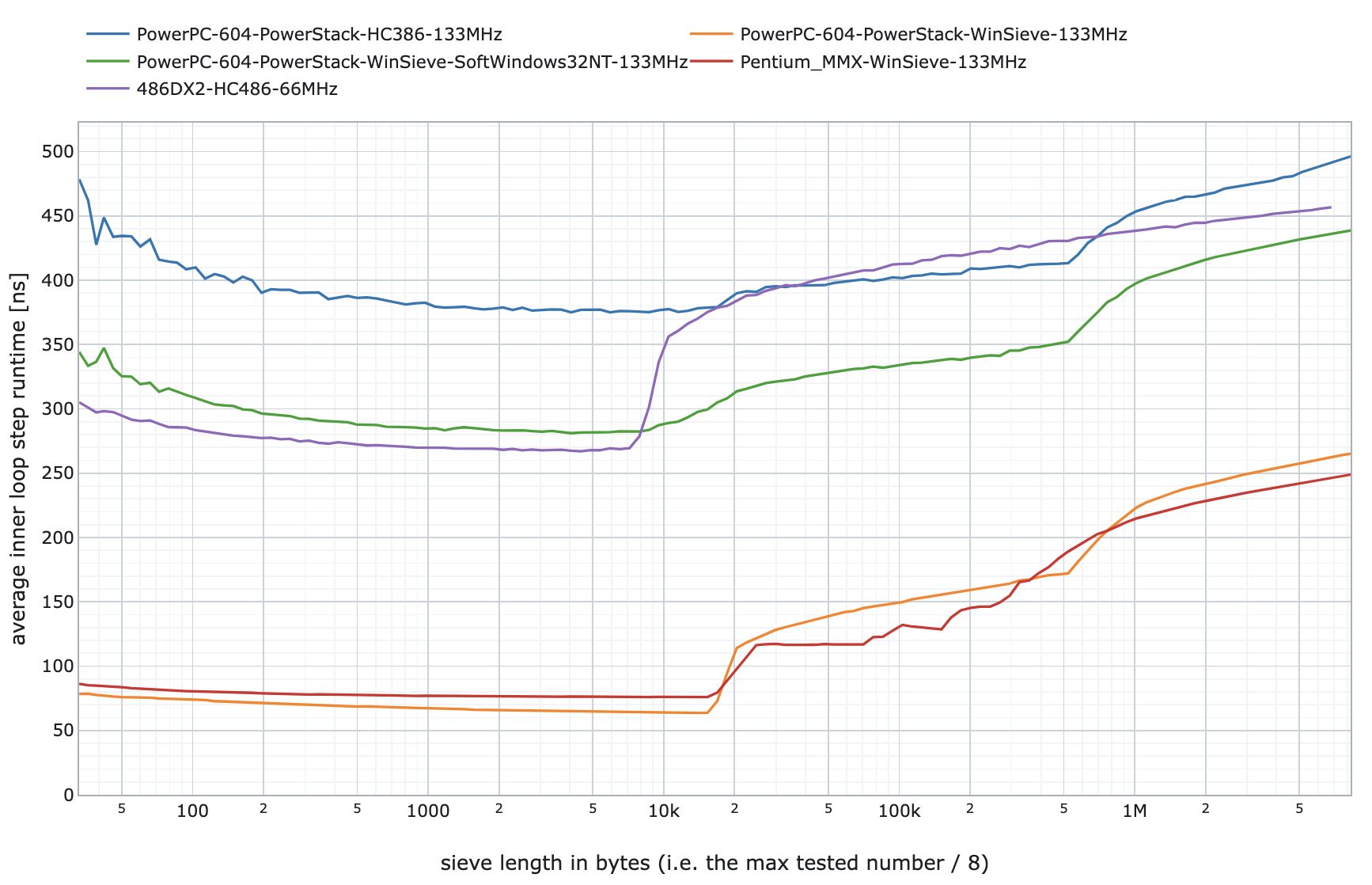
We ported two own simple benchmarks to compare speed with my other machines. This was possible thanks to availability of Visual C++ 4.0 RISC Edition on archive.org. The first is Sieve of Eratosthenes (prime numbers) which we use to compare very old CPUs of different architectures running different operating systems. It tests integer performance, and each result is in a form of graph showing how the execution time of a single iteration of the inner loop increases with the length of the sieve – exhibiting also the speed of caches and memory accesses. The workload is not very far from XML parsing, text processing, database searches etc.
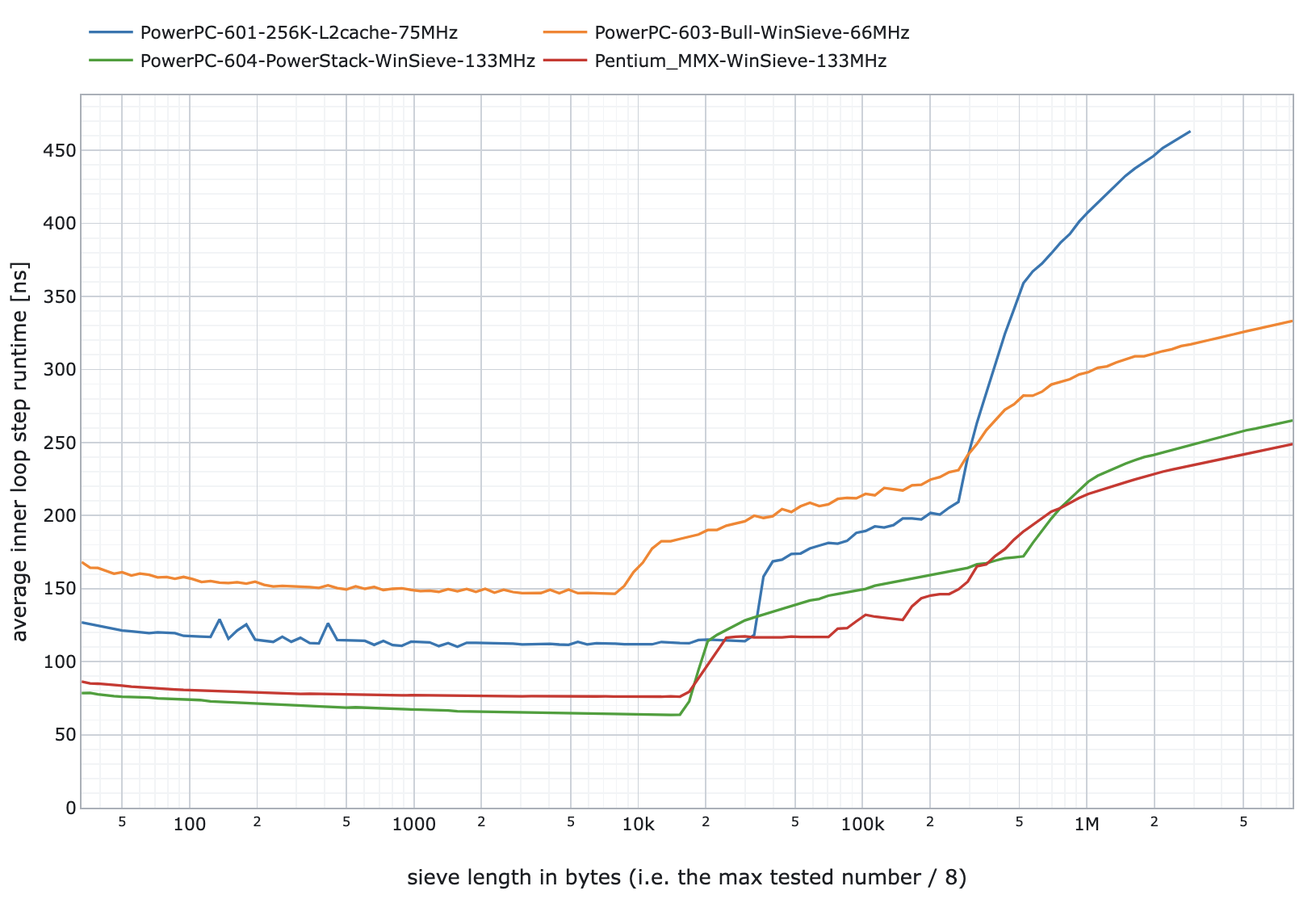
From the results, it seems that the frequency matters more than the architecture. At least for sieves up to 10 KB where all machines can work inside the L1 cache. The PowerPC 601 result goes into much worse numbers when outside all caches. I did not have a Windows NT machine with this CPU, so I used the result from PowerMacintosh 7200/75 which has slower RAM and just the 38-MHz memory bus (compared to the 66-MHz bus on other machines).
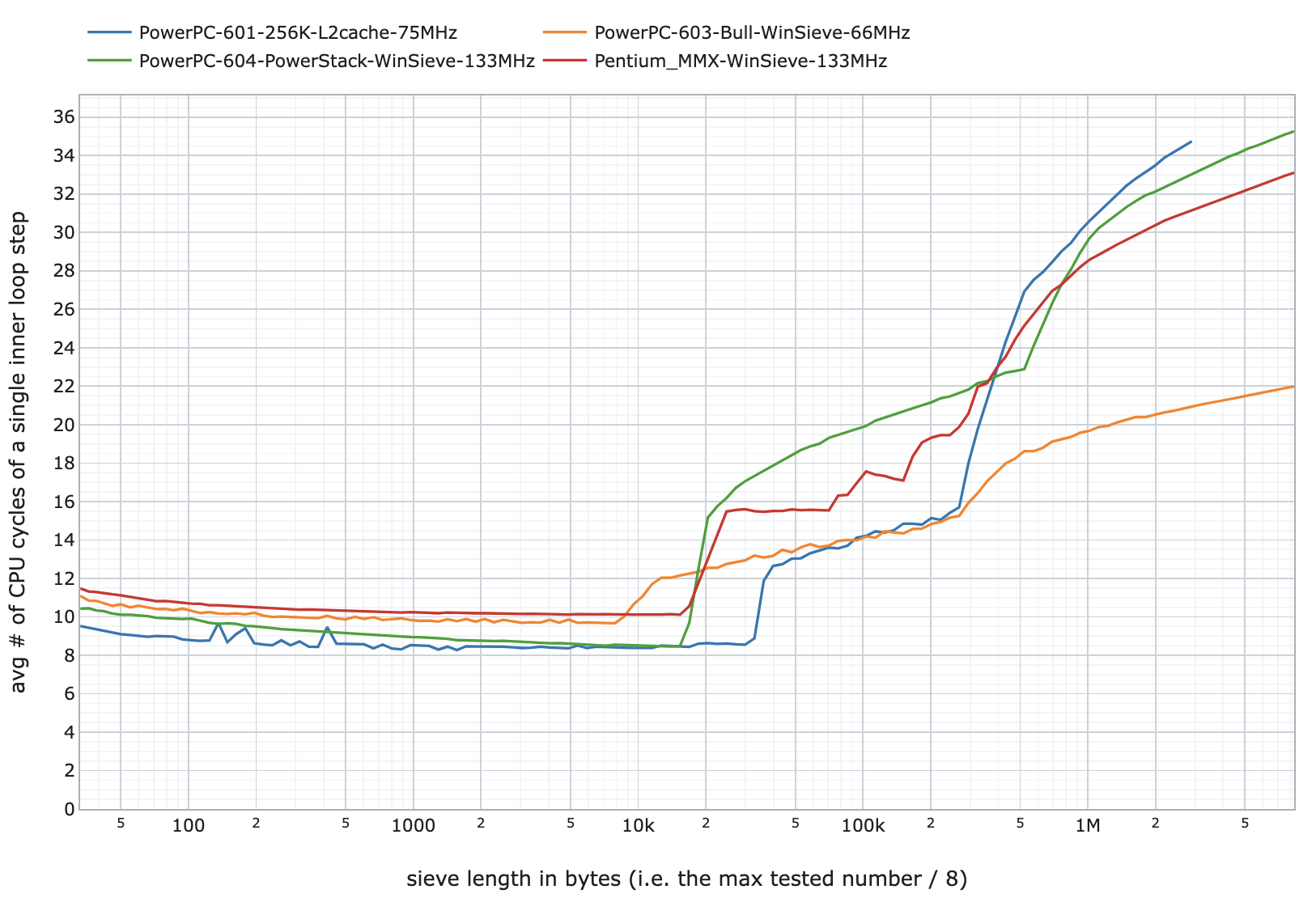
This picture shows results normalized to the same clocks. It shows that all CPUs spent nearly the same number of cycles in a single inner loop step of the program. There is almost no difference between PowerPC 603 and more complex 604 but it makes sense – 604 cannot show its performance improvements caused by its speculative out-of-order execution and a dynamic branch prediction in such a predictable workload.
On the other side, the results are not much different from the industry standard SPEC benchmarks (which are based on workloads used in important business and scientific programs). SPEC tests are about the performance of the whole machine (not just CPUs), so they are affected also by the amount of installed L2 cache and its speed. SPECint95 measures integer performance and SPECfp95 measures floating point performance:
- Pentium 133MHz – SPECint95 = 4.0, SPECfp95 = 2.4
- PowerPC 603 66MHz – SPECint95 = ~2.0, SPECfp95 = ~1.5
- PowerPC 604 133MHz – SPECint95 = 4.5, SPECfp95 = 3.9
- PA-RISC 7200 100MHz – SPECint95 = 4.98, SPECfp95 = 6.59
- 486DX2 66MHz – SPECint95 = 1.2, SPECfp95 = 0.85
- 68040 33MHz – SPECint95 = 0.45, SPECfp95 = 0.30
It is visible that even the first Pentium is not a slow CPU in integer tasks. That is the reason why it does not feel slower in Windows NT and typical programs. The situation changes, once we move into scientific workloads and floating-point math.

JuliaCBench: This is the output (2560×1600 pixels) of the fractal from the benchmark
As for the floating point unit (FPU) performance. I wrote a simple C program drawing Julia sets using double precision floating point math to mimic certain scientific/engineering workloads. This showed where the PowerPC 604 really shined. See how much time each tested machine needed to make the fractal (I took random computers I found at home):
- 80-MHz AMD 486DX2 (generic VL-Bus desktop) = 251,1 s
- 120-MHz Pentium MMX (Toshiba Libretto 70CT, no L2 cache) = 52.6 s
- 133-MHz Pentium MMX (Toshiba Satellite Pro 440CDT) = 41.0 s
- 333-MHz Pentium II (Toshiba Tecra 8000) = 9.4 s
- 600-MHz Transmeta Crusoe (Sony VAIO PCG-C1) = 9.1 s
- 800-MHz P3 Celeron (DELL C600)= 4.1 s
- 25-MHz 68040 (Apple Macintosh Quadra 700) = 685.5 s
- 33-MHz 68040 (Apple PowerBook 550c) = 520.7 s
- 75-MHz PowerPC 601 (Apple PowerMacintosh 7200, 256KB L2) = 52,2 s*
- 133-MHz PowerPC 604 (Motorola Powerstack E) = 17.0 s
- 166-MHz PowerPC 603e (Apple PowerBook 1400cs/166) = 23,0 s*
- 400-MHz PowerPC 750/G3 (Apple PowerBook G3 “Pismo”) = 7,3 s*
- 615-MHz Alpha 21264 EV6 (AlphaServer DS10) = 2.9 s
- 1000-MHz Intel Itanium 2 (HP rx1600) = 2.3 s**
*) Compiled using Metrowerks CodeWarrior 6.0 instead of Visual C++ 4.1
**) Compiled using Visual Studio 2003
It is obvious that the PowerPC 604 was a hi-end workstation CPU with a very large complex 64-bit FPU with support for fused multiply-add instructions (FMA; effectively a*b+c in a single instruction). PowerPC 604 provided 38% better performance per MHz than a newer Intel Pentium II. Older PowerPC (including 603) had a simpler 32-bit FPU that even needed more cycles to process double-precision (64-bit) numbers but still the first PowerPC 601 shows significant advantage in FP compared to Pentium MMX. Even that CPU support FMA (so it can run the same code) but in that case it does not follow IEEE 754 precision requirements (more than one rounding during the execution; not considered an issue for most usages).
FMA helped a lot in case of the Apple PowerBook 1400cs/166 which is a lousy performer in almost every way (slow 33-MHz system bus, low-end graphics accelerator, slow HDD…). That 133-MHz Pentium MMX in a Toshiba 440CDT can beat it in most tasks. Even those CPU related if the task cannot fit within the L1 cache (sadly, including any scientific calculation in MATLAB). This is the first time I can see this PowerBook shining in something performance related (+40% faster per MHz).
Performance in emulated x86 DOS programs
Insignia SoftPC emulator is well integrated in the OS. You don’t need to specify any parameters for the VM (like assigned RAM, virtual disk drives). Everything is transparent just like with the DOS programs running on x86 version of Windows NT. As was said, the only difference is in inability to access VGA registers directly for fast drawing. All the drawing is handled in a window (no full-screen option).
As a result, any program requiring frequent screen redraws is not usable. Definitely not on a 66-MHz PowerPC 603 but even a 133-MHz PowerPC 604 is not fast enough. This is perfectly visible in Doom. A 133-MHz Pentium MMX can play the game at 30+ fps on Windows NT 4.0 (the DOS switches to full-screen mode, directly accessing VGA memory). It is obvious that NT 4.0 creates overhead even here as booting directly into DOS allows such CPU to run the game in full speed.
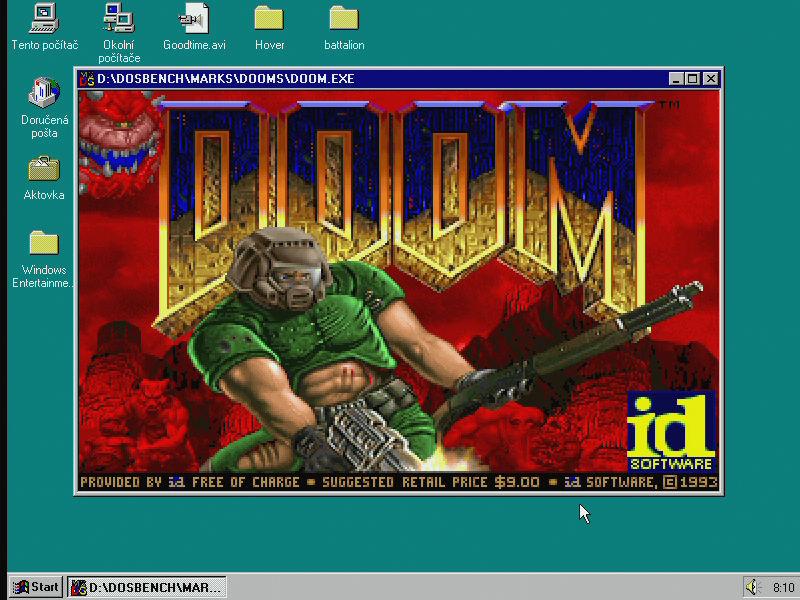
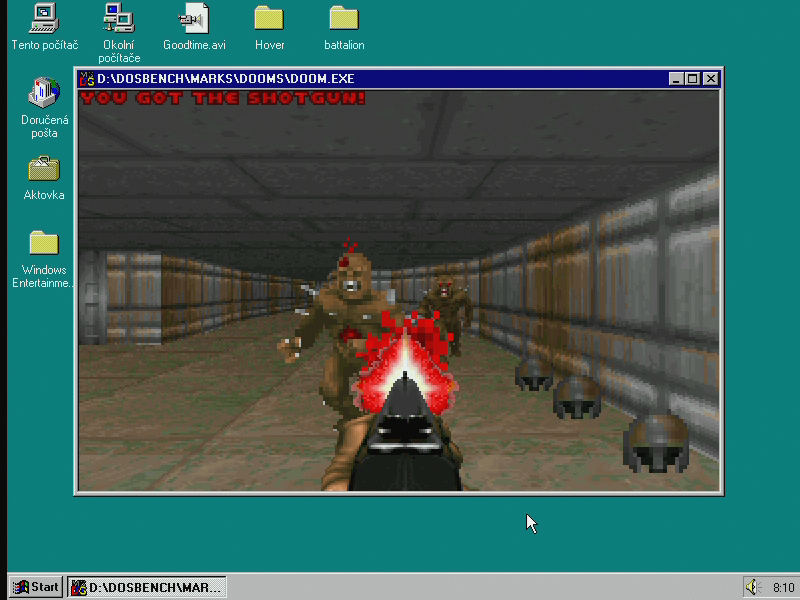
The PowerPC 603 on the other hand refreshes the screen in the game at no more than 3 fps due to emulation of the CPU and also the VGA graphics. The PowerPC 604 does not improve the performance to a playable level either. Later, after I returned the PowerPC 603 machine to its owner, I realized that there is a benchmarking tool inside the game. The PowerPC 604 provided performance comparable to 25-MHz 386DX:
- 133-MHz PowerPC 604 in NT4 = 5.1 fps
- 133-MHz Pentium MMX in NT4 = 36.3 fps
- 133-MHz Pentium MMX in DOS =49.3 fps
Superscape 3D Benchmark is a good performance example of 320×200 3D polygonal games. It shows how bad the situation is with the DOS emulation when graphics is involved:
- 66-MHz PowerPC 603 = 3.6 fps
- 133-MHz PowerPC 604 = 8.2 fps
- 133-MHz Pentium MMX = 90.9 fps
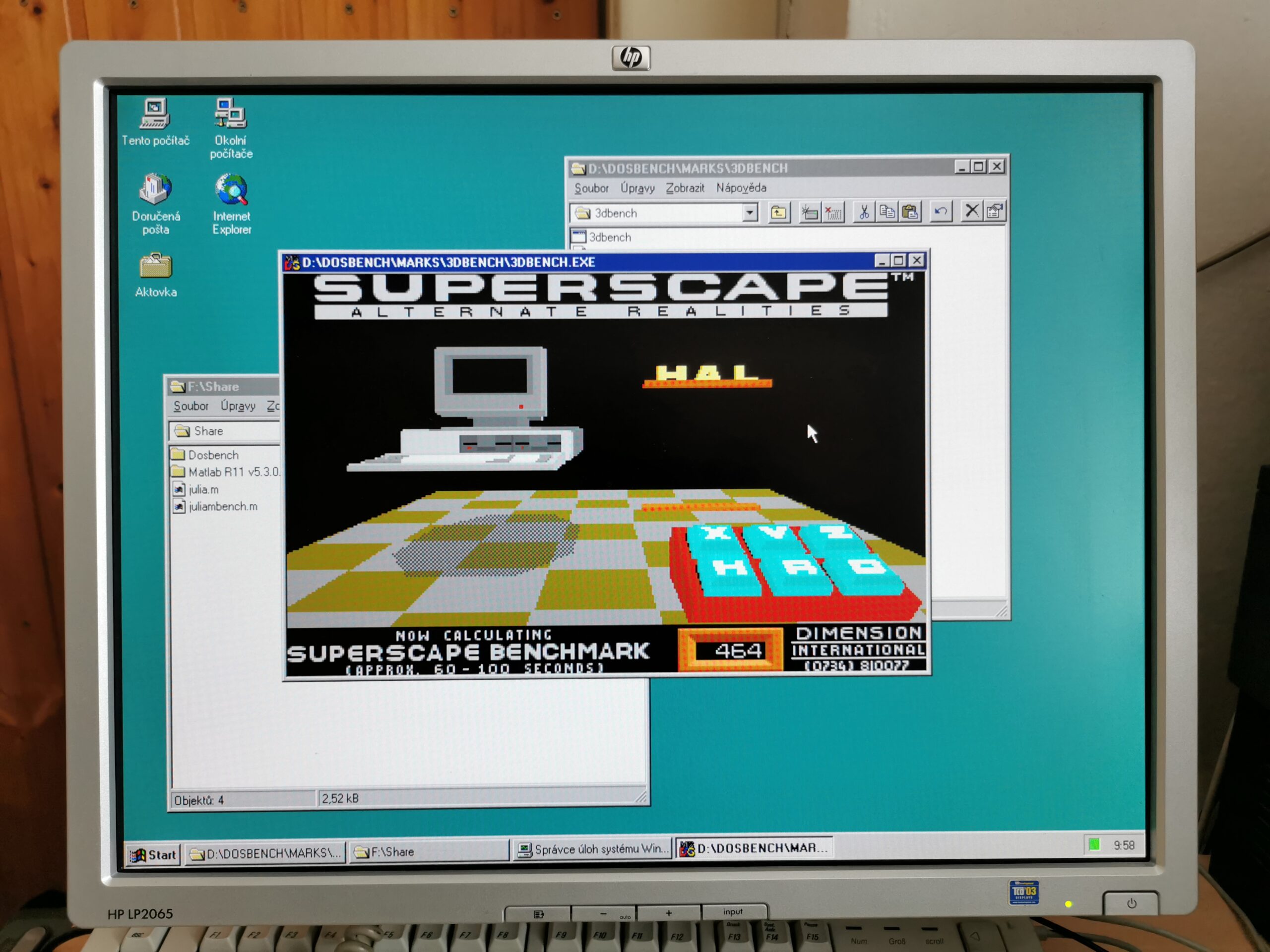
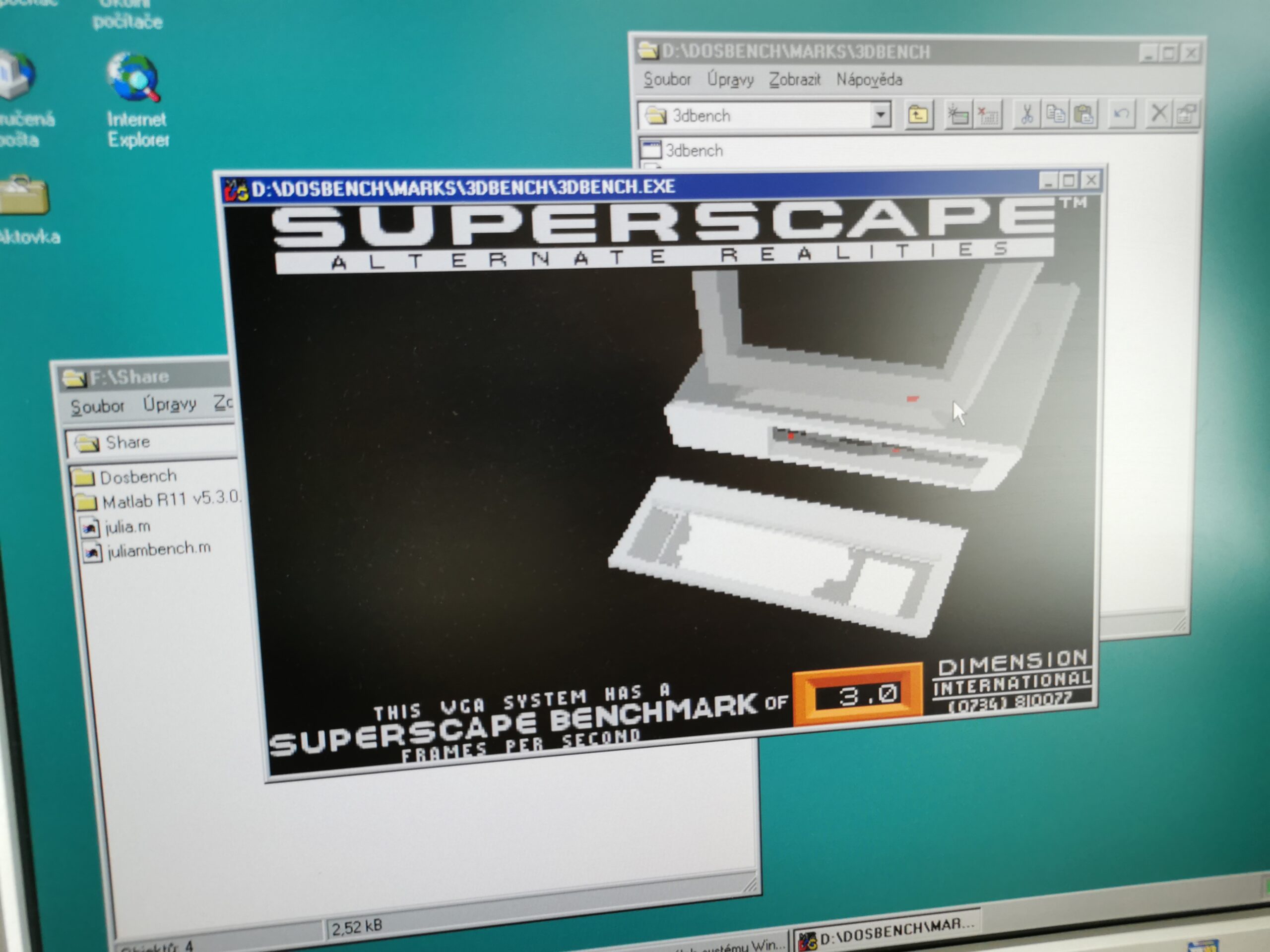
If we focus on tasks that do not involve graphics the situation is significantly better. Let’s look again at the Sieve Benchmark. This time when running the original optimized x86 HC386 DOS version (Metaware, protected mode) compared to the Windows version compiled for each platform:
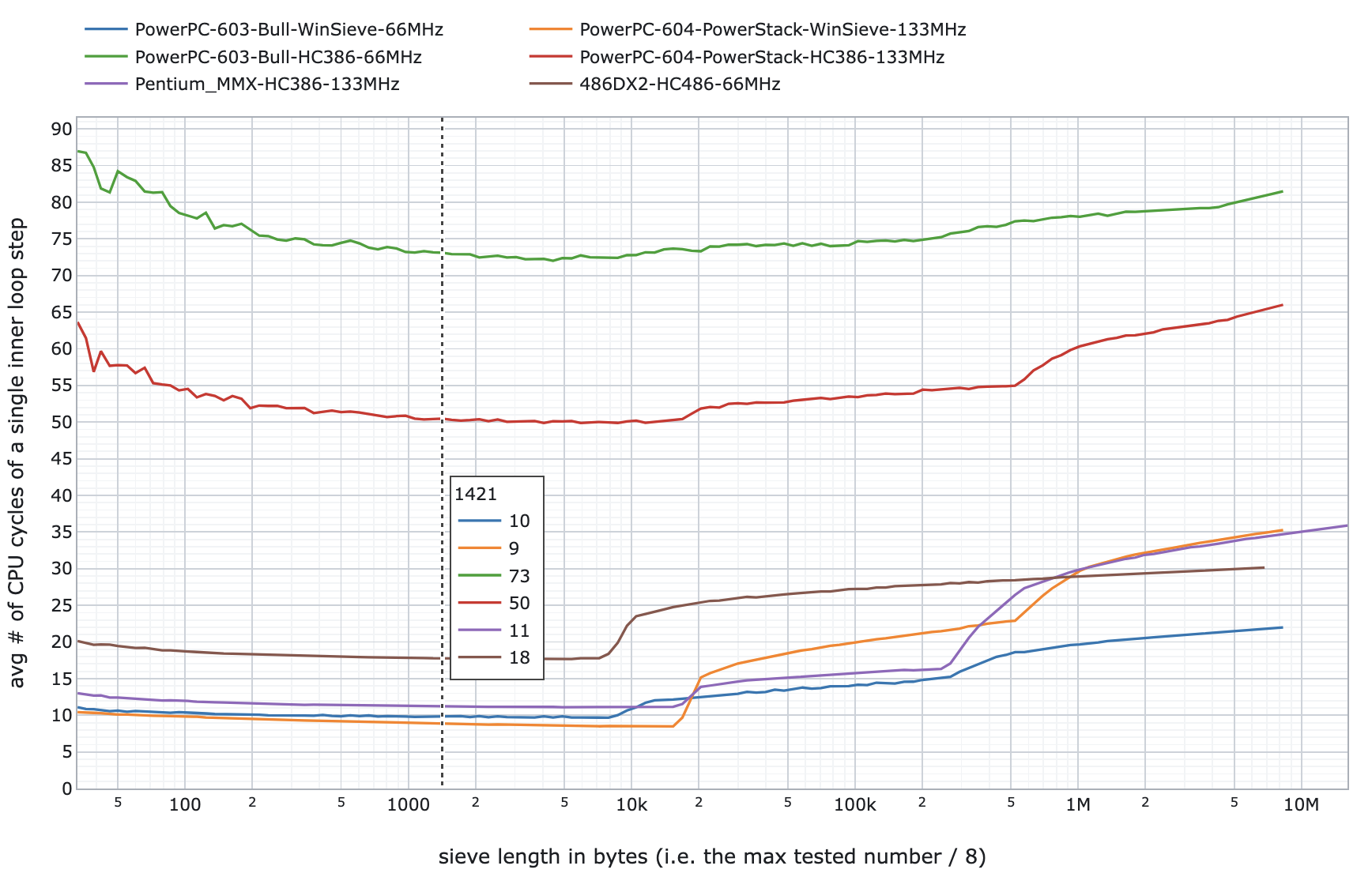
For native binaries, Pentium and PowerPC need about 10 cycles per inner loop step when running in cache, 486 at least 18. Emulated x86 code on PowerPC require 50 cycles on the PowerPC 604 and more than 70 on the PowerPC 603. It shows that the more sophisticated CPU design of the 604 model is significant for the emulation even when talking about MHz-to-MHz performance.
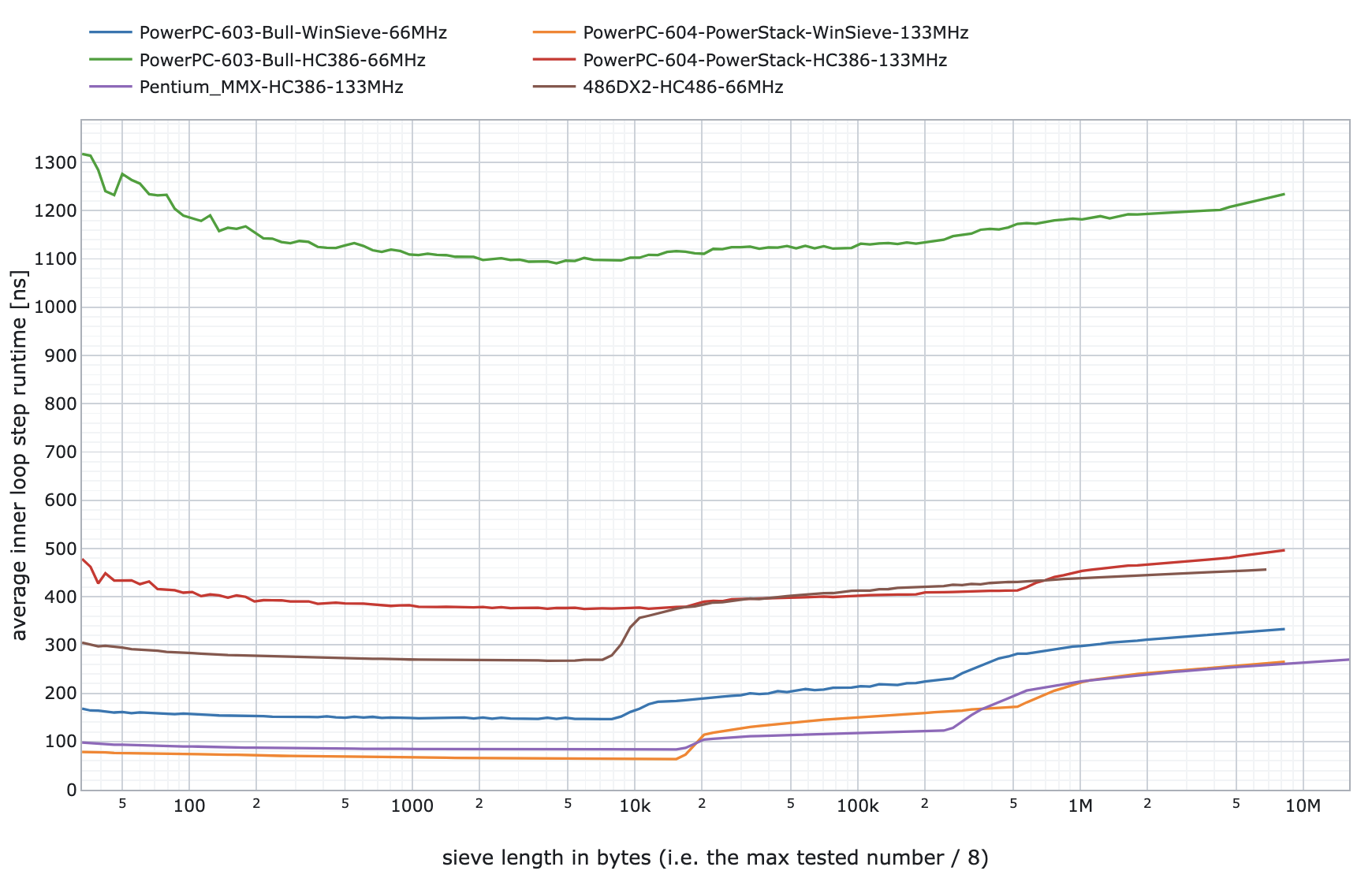
When comparing runtime, the 66-MHz PowerPC 603 performance in emulation is comparable to a 16-MHz 486DX or 33-MHz 386DX – a fairly low-end machine at that time. The 133-MHz PowerPC 604 emulation is on par with a 50–66-MHz 486DX2, which was more than enough for typical DOS applications from the mid-90s. However, the performance degraded heavily once the frequent graphics operations were involved.
Emulating 16-bit Windows x86 programs
Unlike with DOS programs, 16-bit x86 programs for Windows are emulated using an in-house developed emulator. This decision was made in Microsoft as they were afraid of Insignia could have missed the deadline for such an emulator. At the time of the decision (year 1990), Insignia had only a real-mode 286 emulator.
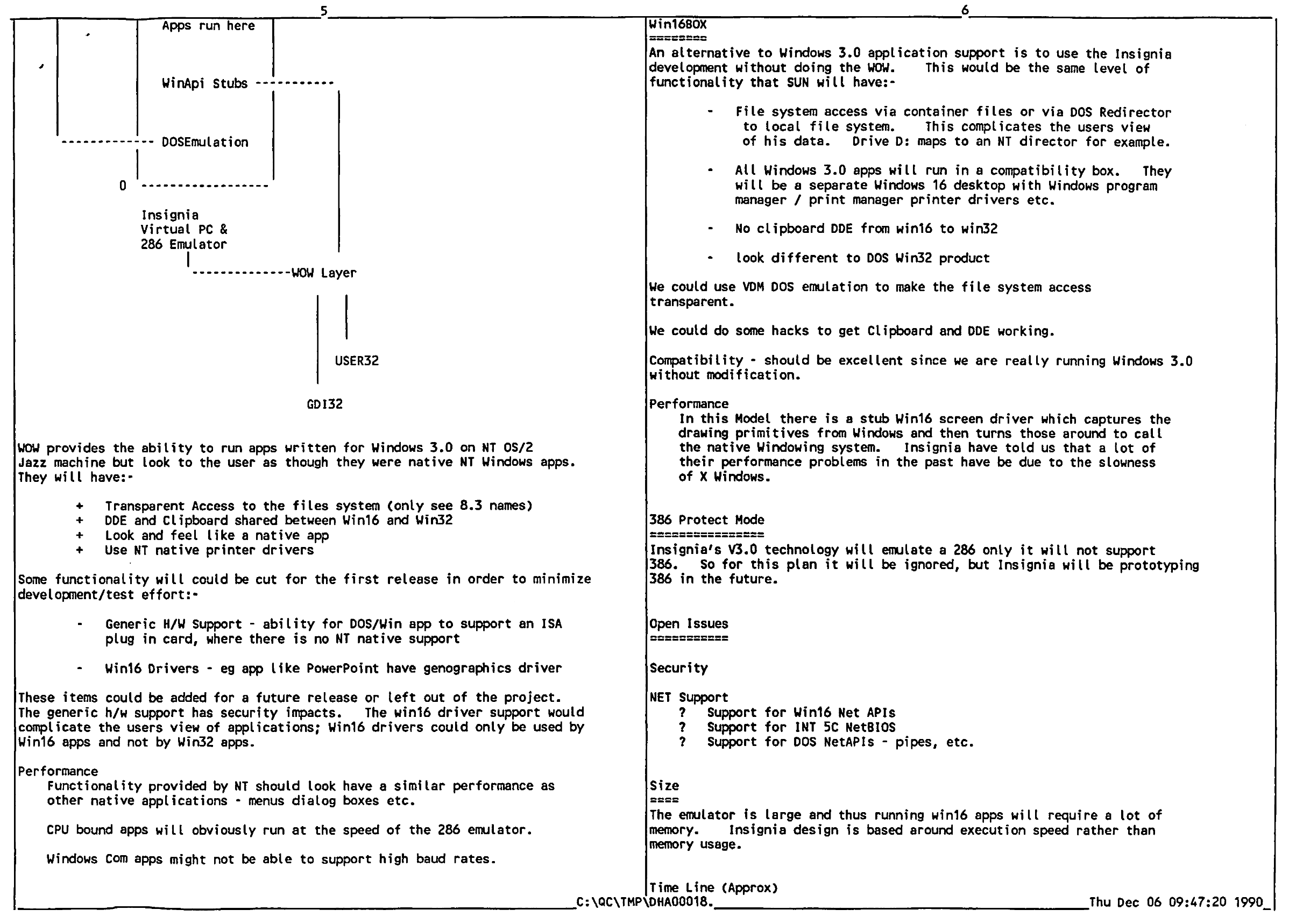
This emulator is called WoW (Windows-on-Windows) and allows seamless execution of Win16 programs with connection to native program libraties and native printer drivers. At the end, the goal was that, aside the execution speed, Win16 x86 programs would behave the same way as with the x86 version of Windows. Emulated Win16 programs can be identified when looking into the Program Manager – they are nested under the “ntvdm.exe” process together with “wowexec.exe” (these are not present if no emulated Win16 program is running):
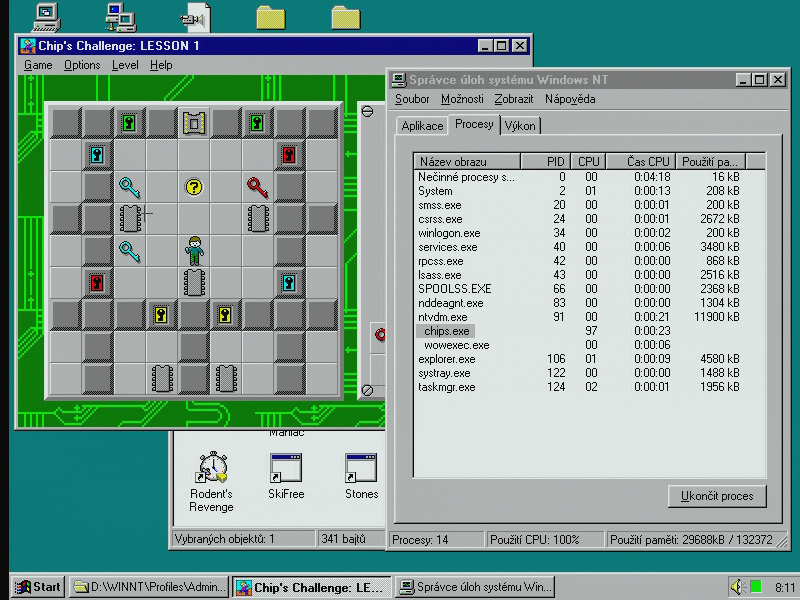
The perceived execution speed is not much different from the SoftPC emulator. I haven’t wrote any benchmark for it though. Emulated x86 versions of Word 6.0 and Excel 5.0 are noticably slower compared to their native PowerPC versions when running on the 66-MHz PowerPC 603. We are again at the 33-MHz 386 levels of performance. Word 6.0 is usable but scrolling through documents reveals slow text rendering. Excel 5.0 is sort of ok for basic spreadsheets but large files full of equations are too much. If you wanted to use Excel, buying the Excel for NT was definitelly worth it.
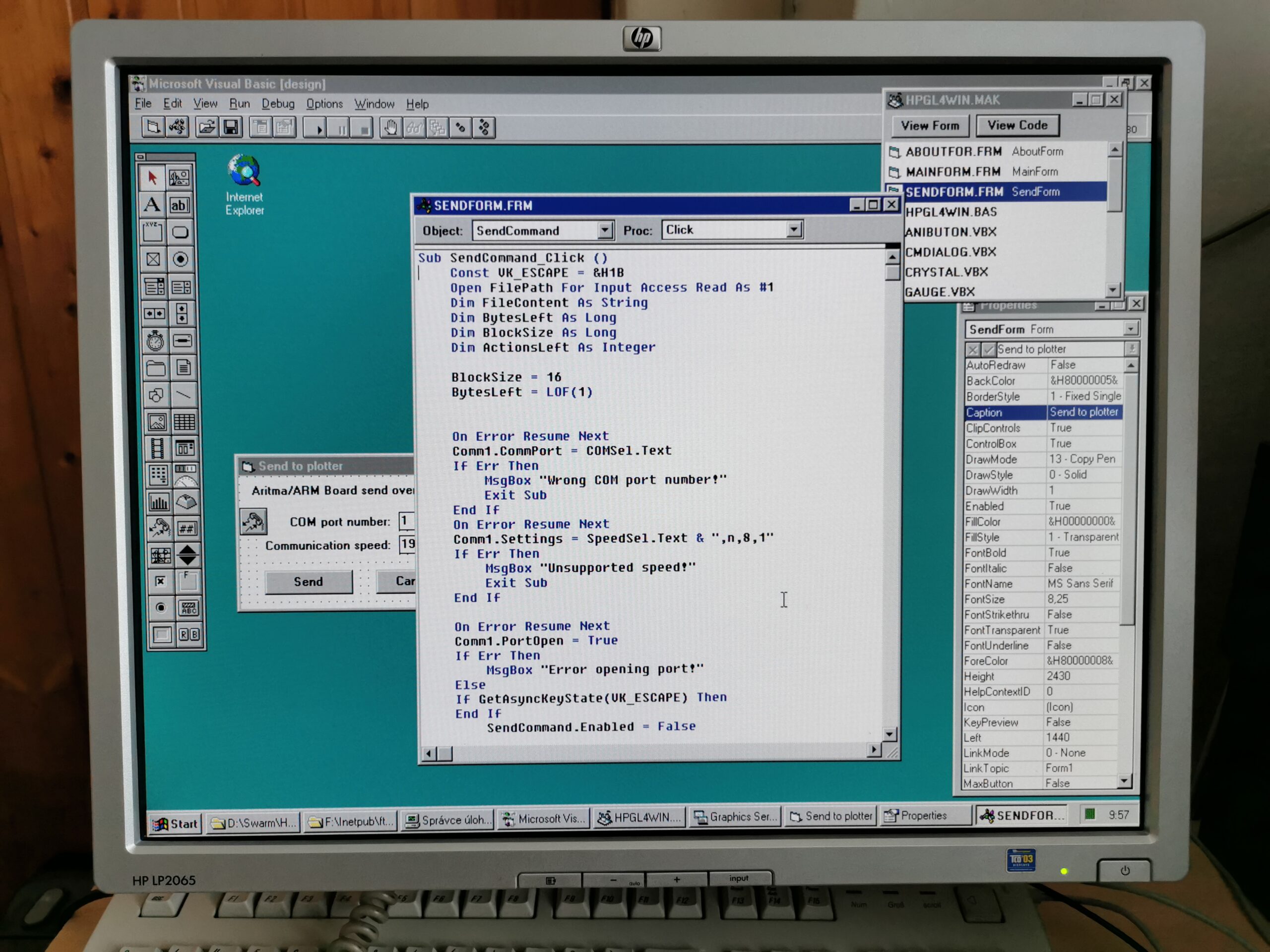
Visual Basic 3.0 IDE runs surprisingly fine but it is also very optimised. From my experience, even a fast 286 with at least 5MB of RAM and Windows 3.1 is enough for development of smaller programs.
With the 133-MHz PowerPC 604, the WoW performance is again comparable to 486DX/DX2 (integer performance-wise), which makes the typical Win16 programs running fast enough.
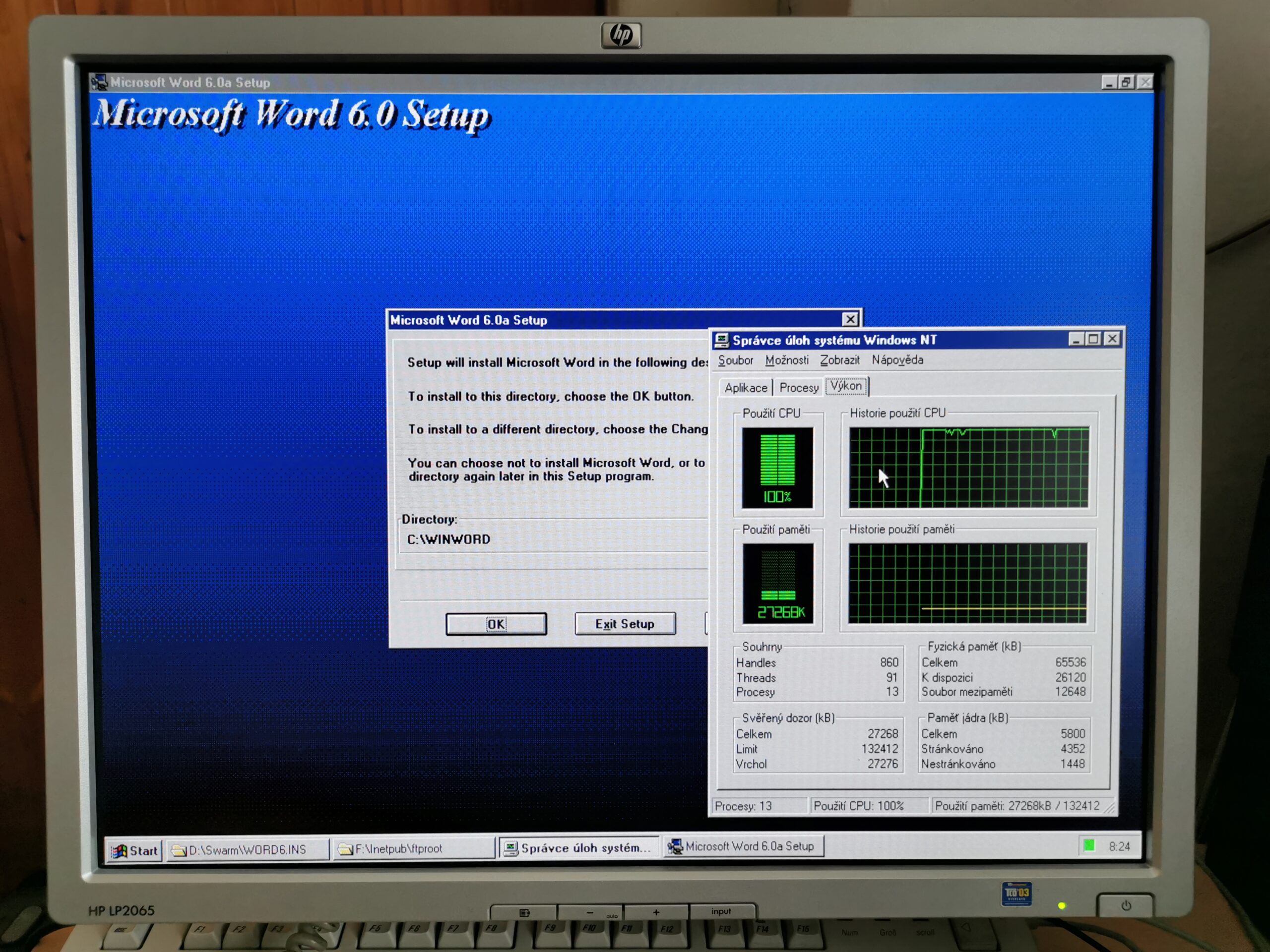
Among cons of the WoW emulation, sometimes a program generates 100% CPU load when doing nothing (assuming from neglibile CPU load when running on an x86 system). This issue is surprisingly present also in Microsoft’s own program installer used by many their programs. Installer is hammering the CPU to the level that the installation is significantly slowed down on both tested machines (PowerPC 603 and 604).
Performance in emulated Win32 programs (Wx86 and SoftWindows 32 for NT)
Ability to emulate x86 Win16 programs was present in Windows NT since the first version. After the release of Windows 95 (the end of 1995), developers started to produce 32-bit Windows programs (Win32) and a year later, when Windows NT 4.0 was released, Microsoft left it stuck with the support for Win16 x86 emulation only.
Maybe they optimisticaly expected that the transition to RISC systems will be faster so only old (16-bit) x86 programs would need emulation. Everything modern (32-bit) would be for multiple CPU architectures. However, that did not happen at all. There was a similar story with the Windows 10 on ARM which included an x86 emulator that supported only 32-bit x86 programs. 64-bit x86 programs could not be run – you needed an ARM64 version.
Unfortunatelly (for Microsoft), at that time, software vendors started to discontinue 16-bit versions of their programs. ARM-based systems were still a niche market and most vendors ignored it. Only recently (2025) there is more interest in ARM-based laptops with Windows thanks to the Qualcomm Snapdragon X CPU.
Just as Microsoft fixed the issue and added 64-bit x86 emulation to the Windows 11 on ARM it wanted to fix the issue back then with Windows NT 4.0.
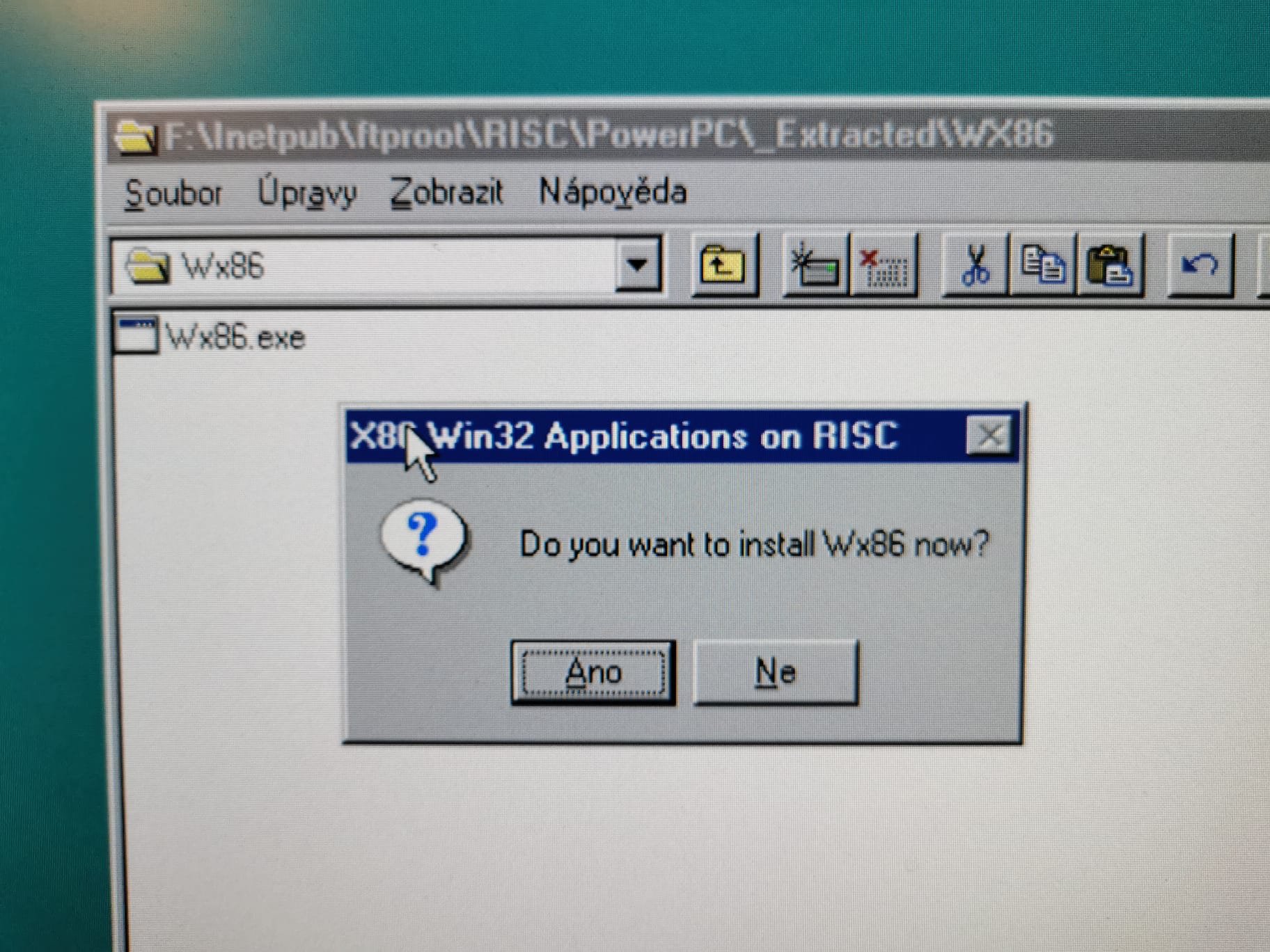
The answer was Wx86. It was a Win32 x86 emulation layer that Microsoft offered on their FTP as “technology preview” for all RISC architectures – Alpha, MIPS and PowerPC. Wx86 under this name died quickly without moving into a production-ready stage. It shared some limitations with Win16 emulation (especially when a program included x86 device drivers or did something unusual) but it mostly worked. It was just terribly slow – the speed is halved compared to the DOS emulation and Win16 emulation. Especially on the 66-MHz PowerPC 603, it is so slow that anything than the simplest programs is not usable.
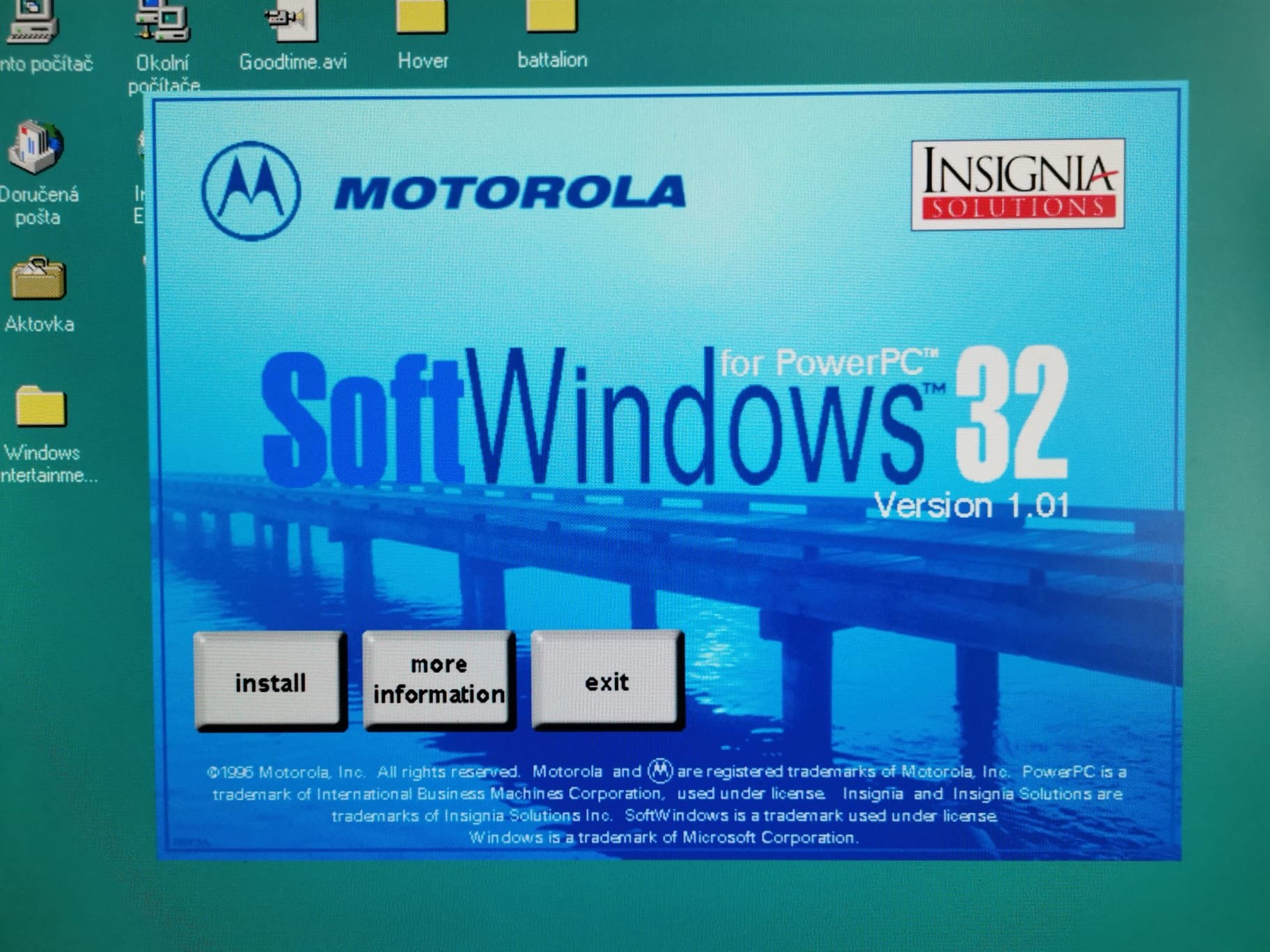
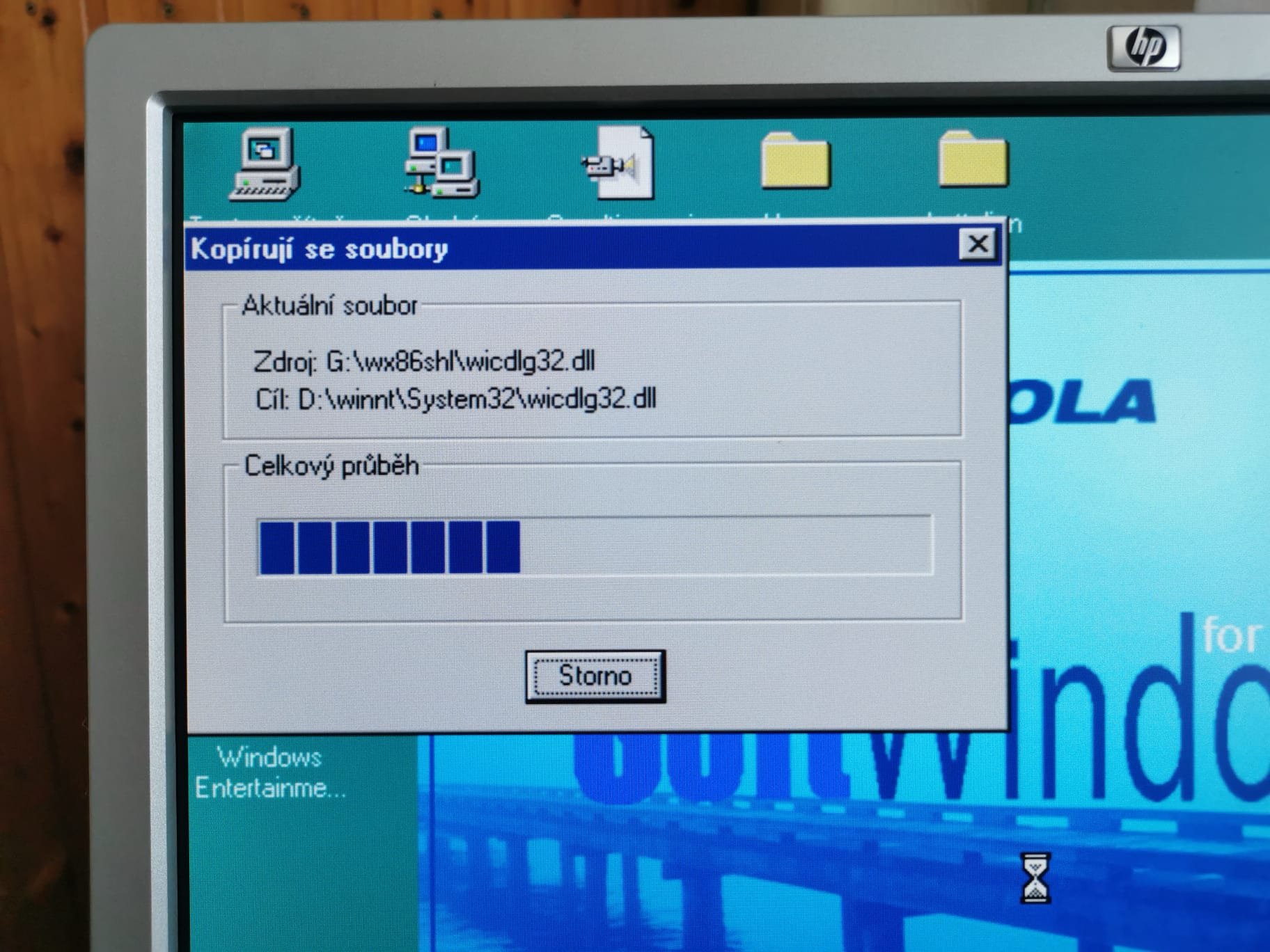
Wx86 seems like failure but it is not. This created a layer for CPU vendors to implement a proper Win32 emulation. Motorolla offered a CD with Insignia SoftWindows 32 for NT. This Win32 emulator is much faster but when you look at its dll files, you would realise that it is nothing more than Wx86 with a new optimized CPU emulation code (WX86CPU.DLL).
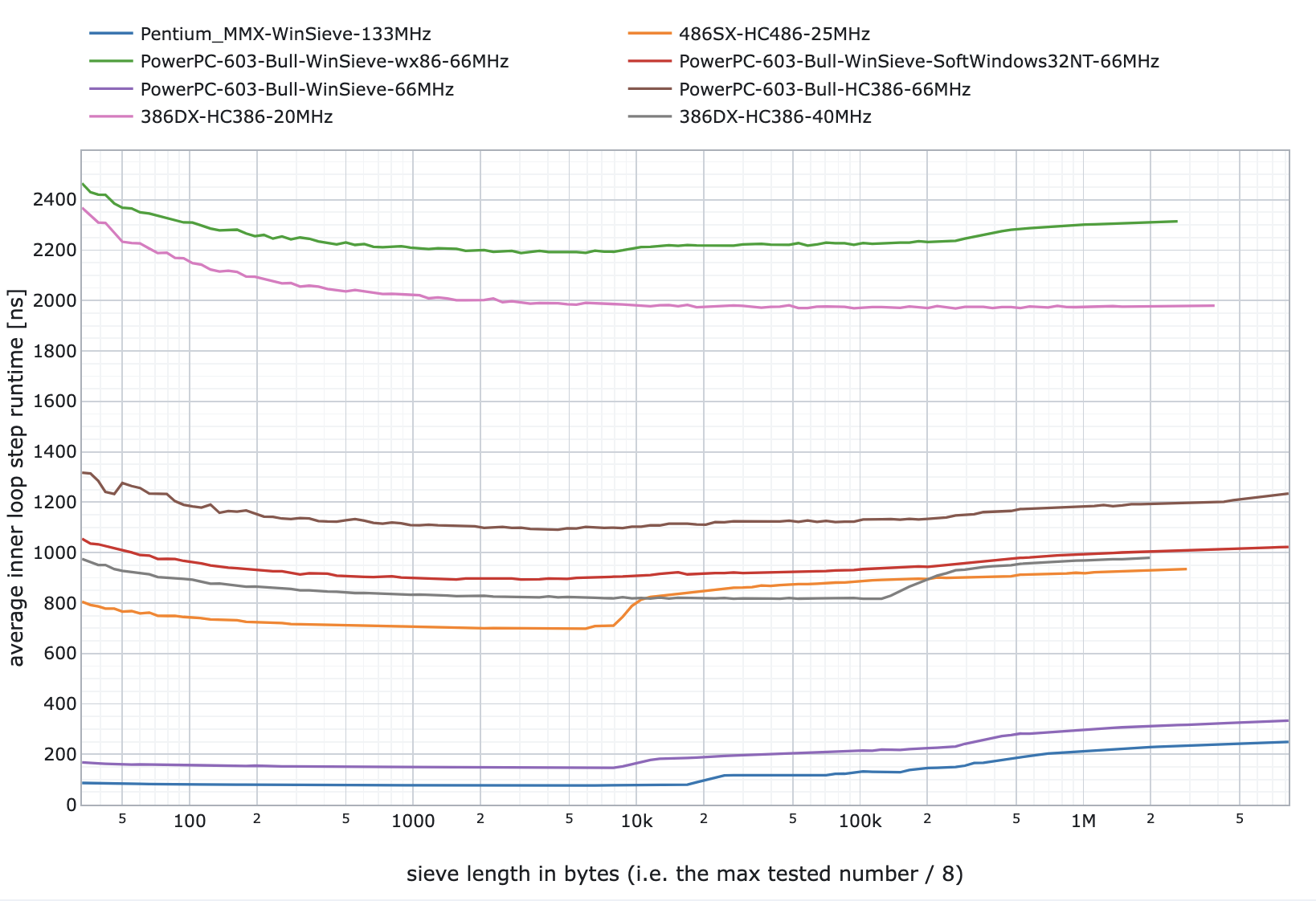
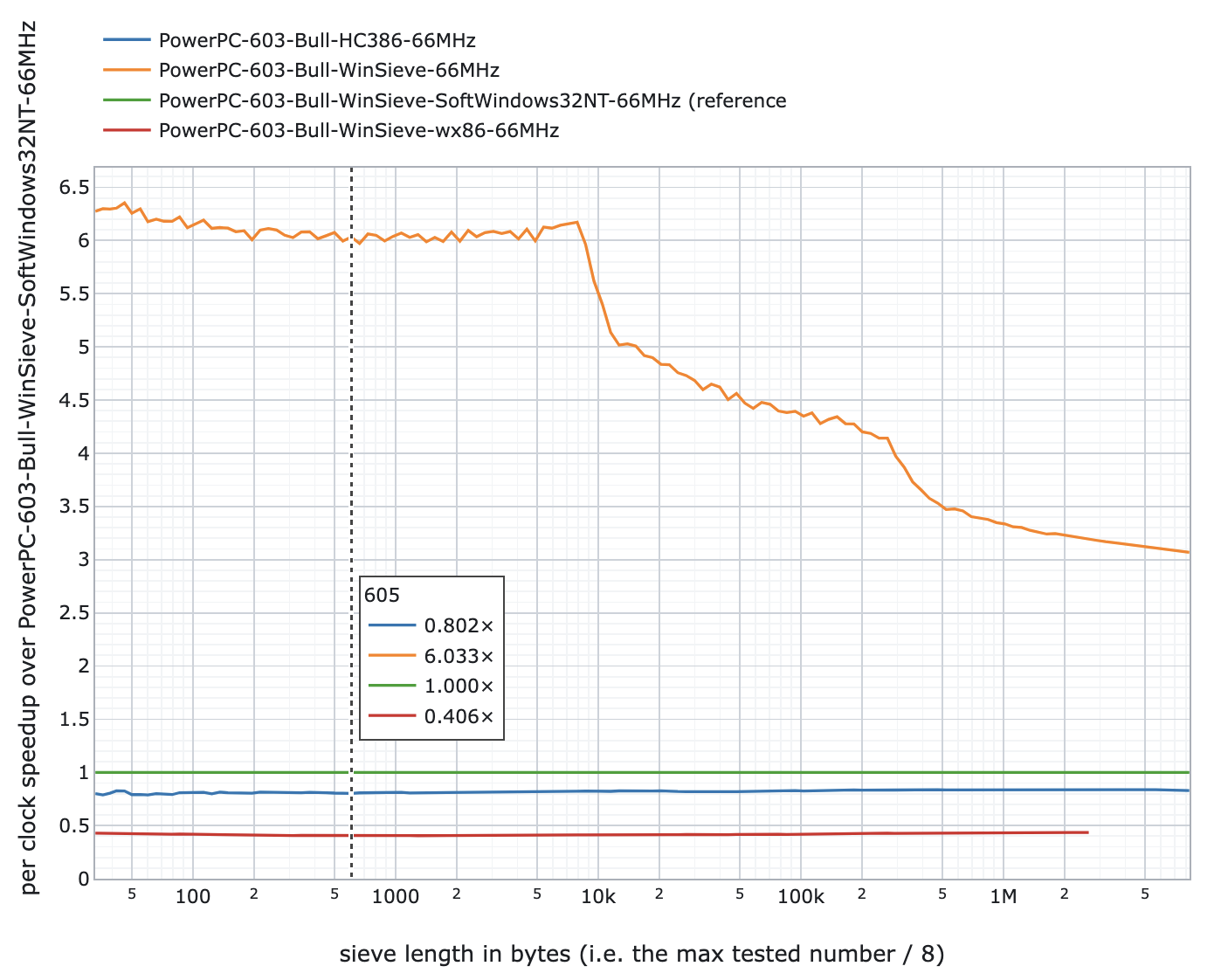
The performance is 20-30% higher compared to the Insignia SoftPC integrated in NT 4.0 for DOS emulation. So we are again somewhere in the 25-MHz 486 performance level for the 66-MHz PowerPC 603 and the 66-MHz 486 level for the 133-MHz PowerPC 604. This is shown also in the Sieve benchmark.
The interesting part is the overhead of emulation of both tested CPUs. The PowerPC 603 has 16KB of L1 cache (8KB instruction + 8KB data cache). If the native code fits in the cache, it is 6x faster than the SoftWindows32 emulation. If it does not fit it any cache, it is still 3x faster. In the Macintosh world, Apple did not like PowerPC 603 because their Motorola 68k emulator could not fit in its cache which seriosly affected performance. That is the reason why PowerPC 603e (with doubled cache) was released not much later.
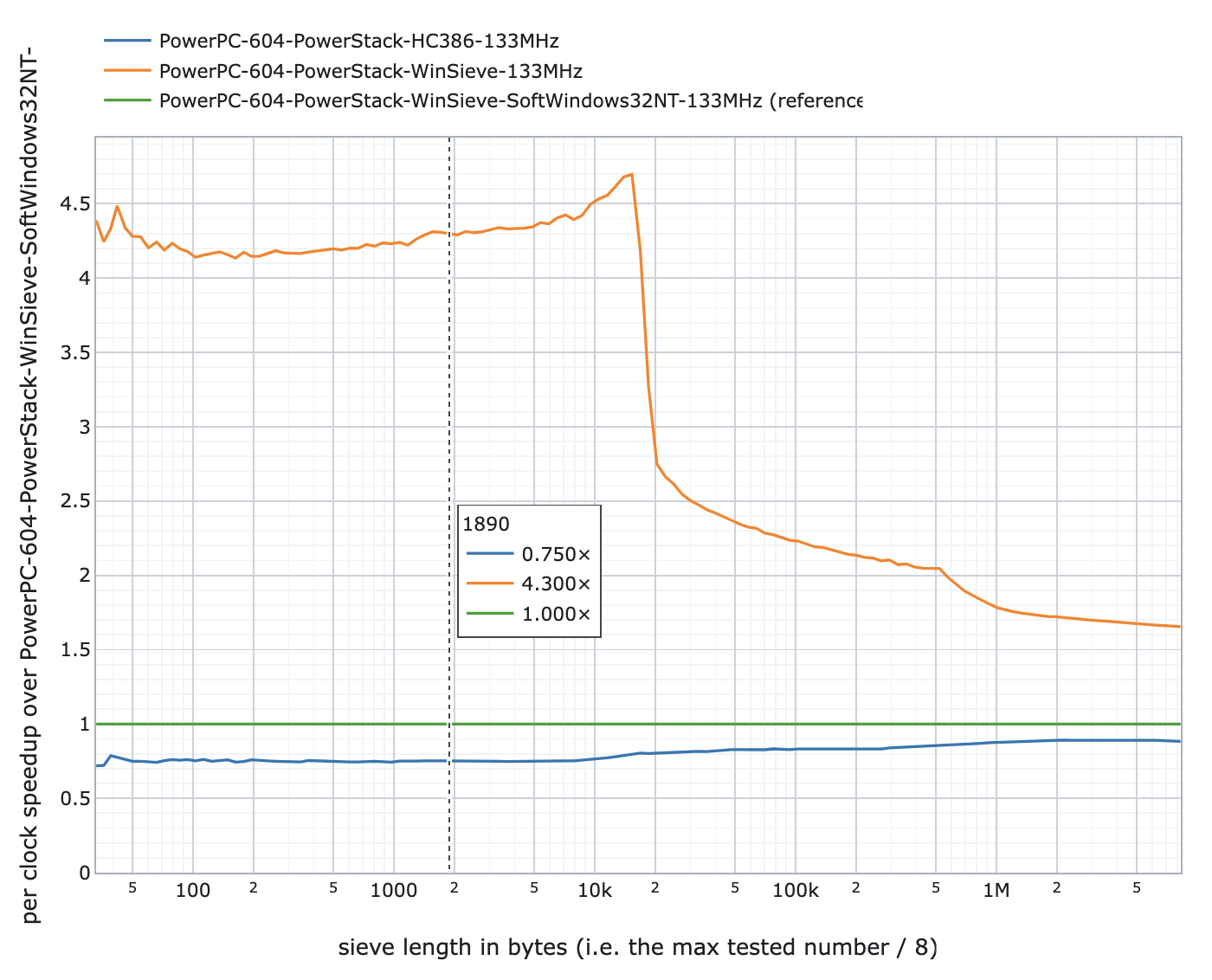
Compare to that, the PowerPC 604 with 32KB L1 cache (16KB instruction + 16KB data cache) has the native performance 4x faster when fits in the L1 cache and 1.7x faster if does not fit in any cache. That is significant difference that is presumably not caused just by the larger cache but also the more sophisticated core (I still believe that the cache has the biggest impact though).
The 66-MHz PowerPC 603 seems underpovered for the emulation of Win32 programs. Even a Netscape browser loading a simple page hammers the CPU too much. On the other hand, with SoftWindows32 and a 133-MHz PowerPC 604, the emulation is fast enough for most programs as long as they are not floating-point math oriented (spreadsheets, scientific simulations etc.).
Performance when emulating floating-point instructions
Let’s move back to our simple FPU benchmark drawing fractals to show the reality:
- 80-MHz AMD 486DX2 (generic VL-Bus desktop) = 251,1 s
- 133-MHz Pentium MMX (Toshiba Satellite Pro 440CDT) = 41.0 s
- 133-MHz PowerPC 604 (Motorola Powerstack E) = 17.0 s (native PPC code)
- 133-MHz PowerPC 604 (Motorola Powerstack E) = 3247.3 s (emulated x86)
Native code is 191x faster than the emulated one using SoftWindows32. Even an 80-MHz 486DX2 (entry-level CPU at that time) is still 13x faster. To put it in another perspective, the performance under emulation is comparable to a 486 system running at 6MHz. Emulating the x86 floating-point unit is apparently a much bigger issue.
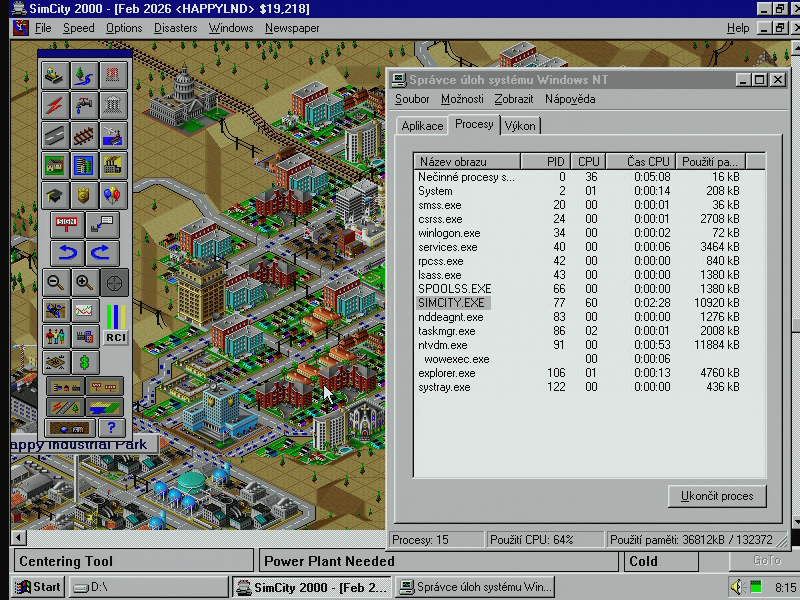
Emulated Win32 programs are not listed under ntvdm.exe (together with wowexec.exe) in the Task Manager.
CPU emulation: PC vs. Mac
It is interesting to compare the situation of the CPU emulation with Macs. Just like the users of the PowerPC version of Windows NT needed the x86 emulation, PowerPC Mac users needed the Motorola 68k emulation. I did not have the same CPU for a proper comparison but 601 and 603(e) are still close enough to get some insight. All three CPUs provide about the same per-MHz performance. The emulation of the Mac/m86k binary creates similar overhead to the unoptimized wx86 emulator in NT, so the DOS/x86 emulation in NT and SoftWindows32 for NT provides significantly better performance.
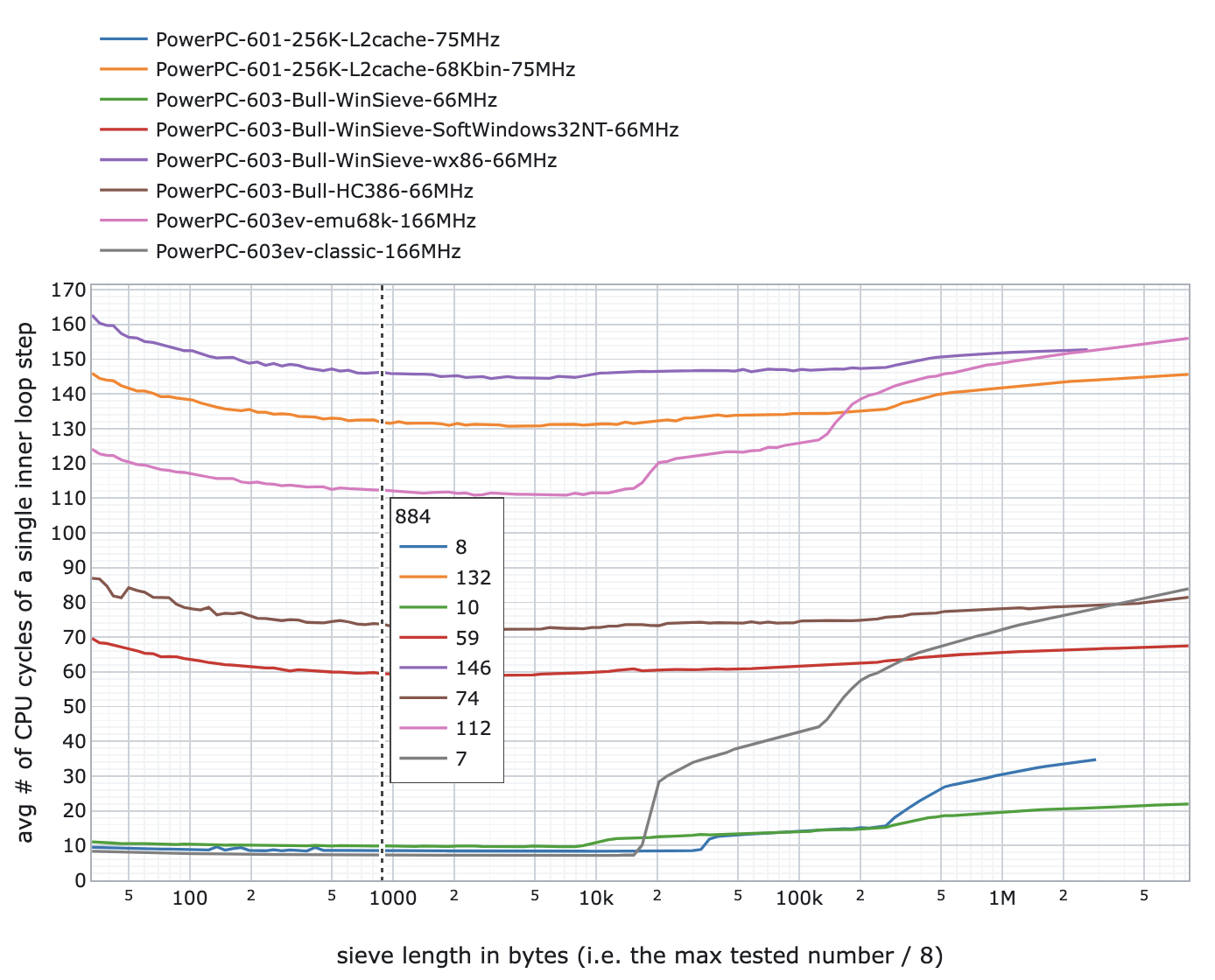
This is interesting because the performance of emulation was perceived as a bigger issue on NT than on Mac. However, there are multiple reasons for this. There were plenty of DOS programs in use in the mid-1990s and the graphics ones suffered from the requirement of emulating not only the CPU but also the whole VGA graphics. Compared to that, Mac programs mostly relied on the Macintosh Toolbox functions (for graphics and window handling) that were mostly PowerPC-native even when running emulated programs.
The biggest difference was however in how quickly software vendors published PowerPC-native versions of their games and programs. Especially the performance-demanding programs and games were released within a year after the PowerPC Macs appeared on the market. In the Mac ecosystem, everybody knew that PowerPC is the next step
Overall usability and verdict
It took me almost a year to finish this article and at this time, I already returned both machines to their owners. First, I started with the Bull Estrella and the 66-MHz PowerPC 603 and then I upgraded to Motorola PowerStack E and the 133-MHz PowerPC 604 which allowed me to fully experience what was possible with Windows NT on PowerPC in the mid-90s.
When I started with the Bull Estrella, I thought that there was no native software aside the MS Visual C++. I quickly realized that was not true. There is software of four categories:
- Various opensource/GNU programs and utilities ported to NT (many of them long time ago). You can find VIM, Emacs, TeX etc. making the system more usable as a workstation if you were at university back then.
- Desktop/workstation commercial software like Microsoft Word and Excel and Calamus (professional desktop publishing). There is not much in this category. Sadly, PowerPC/NT ports of programs like MATLAB and Mathematica never happened.
- Server-side commercial software existed but mostly forgotten today. You could use the PowerPC system to be a powerful system for SMB/NFS/AppleShare file storage and web services.
- Modern ports of programs (including gcc compiler) and games (like Doom, Quake) after the HAL driver for old G3/G4 Apple Macintosh computers was created. The issue there is that the binaries are often compiled for G3 CPUs and cannot run on these older machines.
Having such a machine with Windows NT in the mid-90s could be limiting a lot. However, it was more usable than I originally thought. Most of such systems were used with Windows NT only as developer machines. However, I know of some used in the university environment – you had native Word and Excel, web browser and GNU utilities to use it as a standard fast desktop and you could benefit from the very fast CPU for the programs you developed on your own. I know people who worked this way back then.
I also found old discussions where some company used PowerPC NT 4.0 machines as servers. They had troubles with getting newer software on these, so maybe they were not so happy with that choice after years.
I don’t think that the PowerPC systems with Windows NT had much chance to be successful. From my point of view, the PowerPC 603 was too slow for convincing the x86 customers to switch. It could have chance if and only if there was already a stronger native software base for this platform as well as really cheap PowerPC 603 systems/mainboards (with non-ECC memory, IDE instead of SCSI etc.). The PowerPC 604 is a different story – it could provide a powerful system for native programs with a 486 DX2 performance for emulated programs. For a short time, this might seem to a be a good choice for certain power users. On the other hand, the CPU performance developed so fast in following years that the 486 DX2 performance for emulated software quickly started to be unsatisfactory. You could soon buy much faster x86 machines for much less money.
This whole thing with being a Windows alternative to the standard x86 was just a gamble and the success relied solely on software vendors releasing PowerPC version of their Win32 programs. They did not do it, so in 1997-1998 it was obvious to everyone that these systems missed their success time window. Just like MIPS missed it a few years ago.
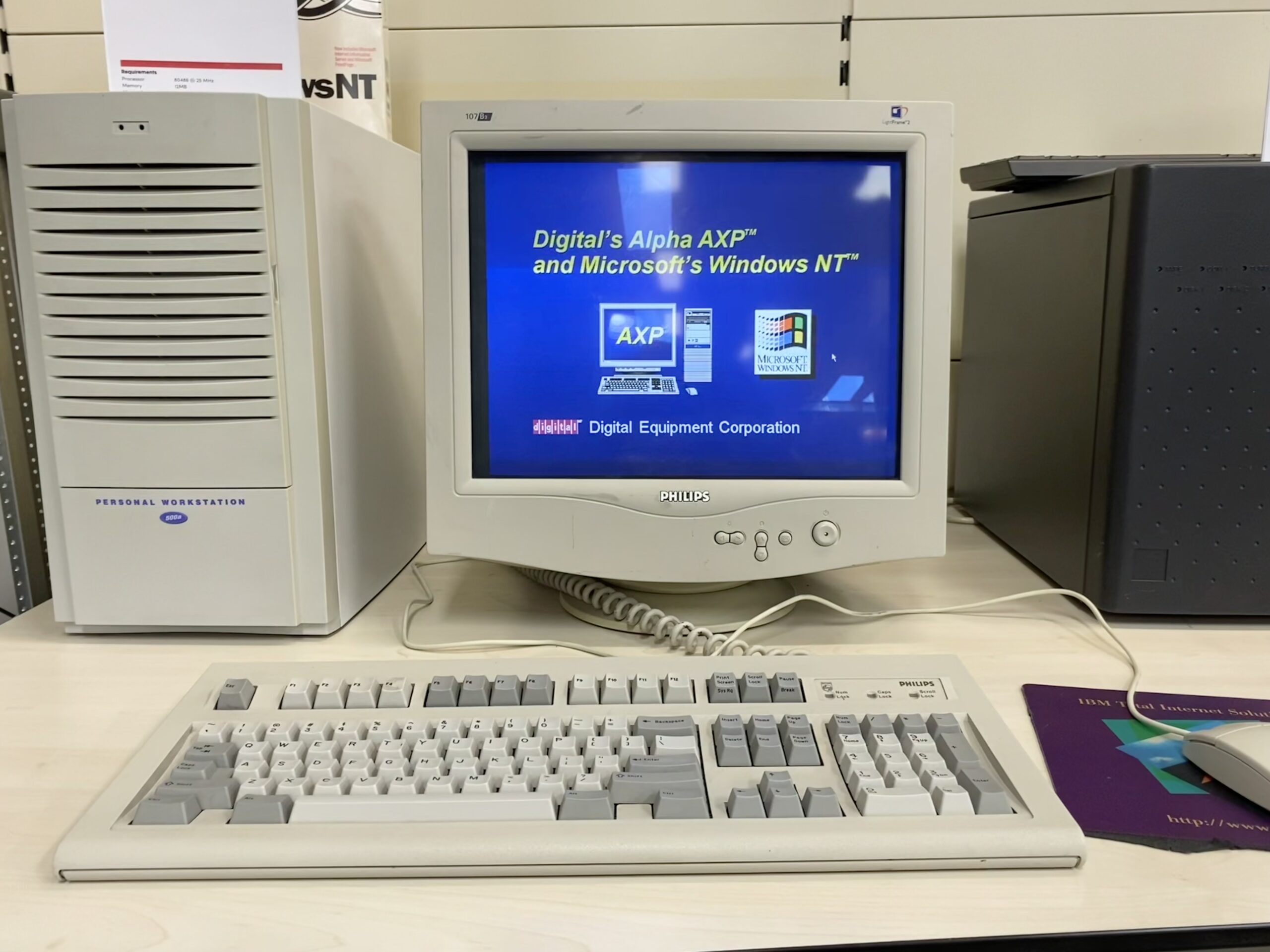
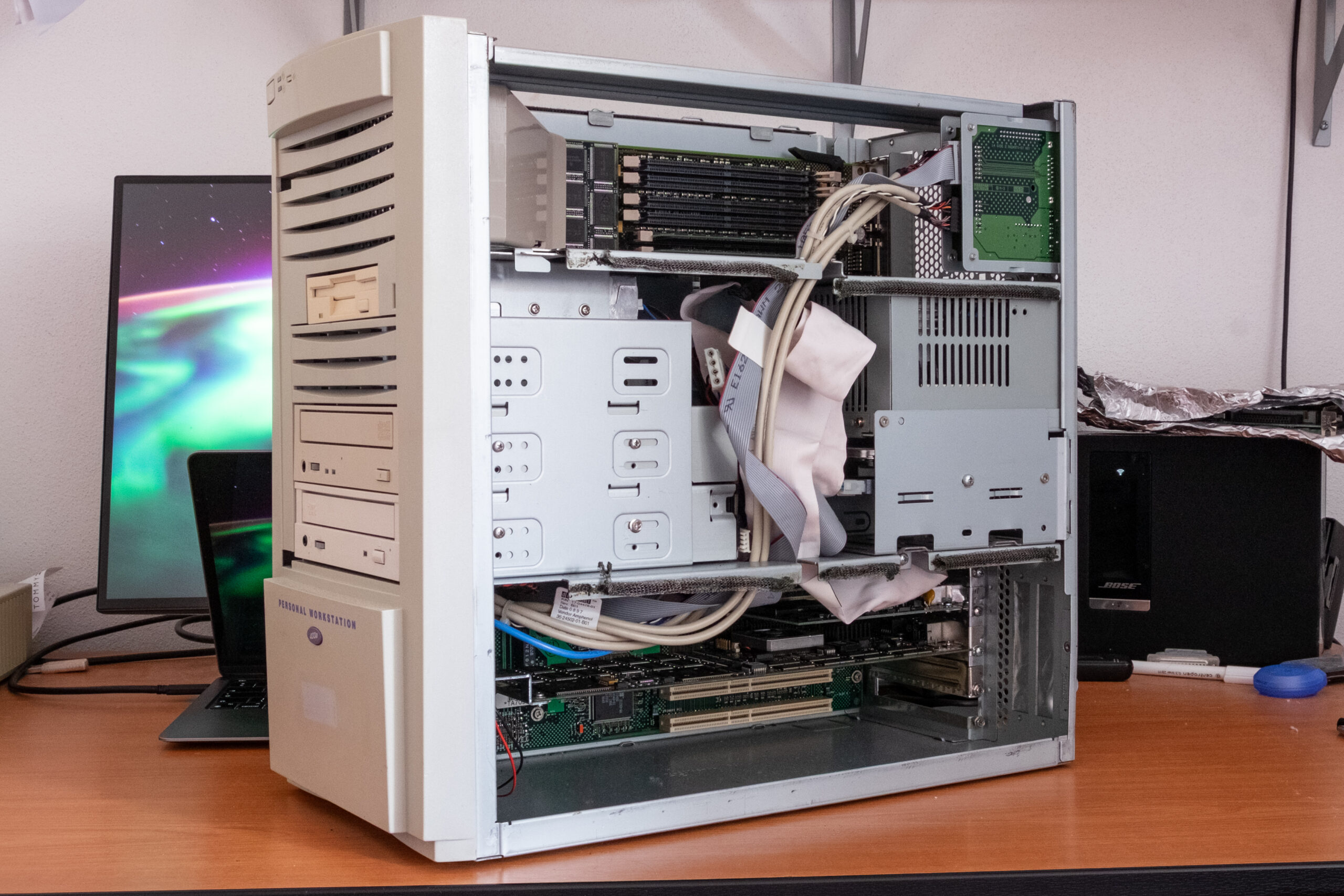
It is not a big surprise that most customers with PREP computers (PowerPC Reference Platform) went the UNIX way with IBM AIX which was available in special distributions also for Motorola-designed systems (including the Bull Estrella). Linux started to be a choice for PREP systems somewhere in 1998 when many of these computers were retired and cheaply available to computer geeks.
(picture of Alpha?) That’s it for now. Anyway, I like odd things so I will stay with Windows NT on non-x86 systems even after this article. I have a few Digital Alpha systems and an Itanium2 server so you can expect similar write ups also for these CPU architectures.